

Adding document signing to your application sounds straightforward… until you’re deep in incomplete docs and a confusing sandbox. And then there’s the pricing model that’s designed for a company much larger than yours. Choosing the wrong eSignature API can mean months of painful integration work and a costly migration down the road.
This guide compares nine of the best eSignature APIs available in 2026. We evaluated them on documentation quality, SDK availability, pricing, compliance, and overall developer experience.
Whether you’re building a SaaS product, an HR onboarding flow, or a client-facing portal, we’ll help you find the right tool for your stack.
Quick Comparison: Best eSignature APIs at a Glance
| API Name | Best For | Starting Price (API) | Free Plan | Ease of Integration | Key Differentiator |
| SignWell | Developers and growing teams | 3 free API docs/month; paid docs start at $0.85 and decrease with volume, down to $0.20/document and lower. | Yes (3 docs/mo) | Easy | Best-in-class docs and developer experience |
| Zoho Sign | Teams in the Zoho ecosystem | $22/user/month | Yes (5 docs/mo) | Moderate | Native Zoho suite integration |
| PandaDoc | Sales teams and proposal workflows | $40/user/month | Limited | Moderate | Document creation and signing in one platform |
| SignNow | SMBs prioritizing affordability | $146/month | No | Moderate | Low per-user pricing at scale |
| DocuSign | Enterprise and compliance-heavy teams | $50/month | No | Complex | Industry standard with deep enterprise features |
| Dropbox Sign | Developers already using Dropbox | $75/user/month | Yes (3 docs/mo) | Easy | Clean API with native Dropbox integration |
| Adobe Sign | Enterprise teams in the Adobe ecosystem | $1000/year | No | Complex | Deep Adobe and Microsoft integration |
| YouSign | European businesses and eIDAS compliance | $122/month | Yes | Moderate | Built for EU compliance from the ground up |
8 Best eSignature APIs for 2026
The following electronic signature APIs cover a range of use cases and team sizes. Each entry includes a full breakdown of features, pricing, pros and cons, and an honest verdict.
1. SignWell: Best eSignature API Overall
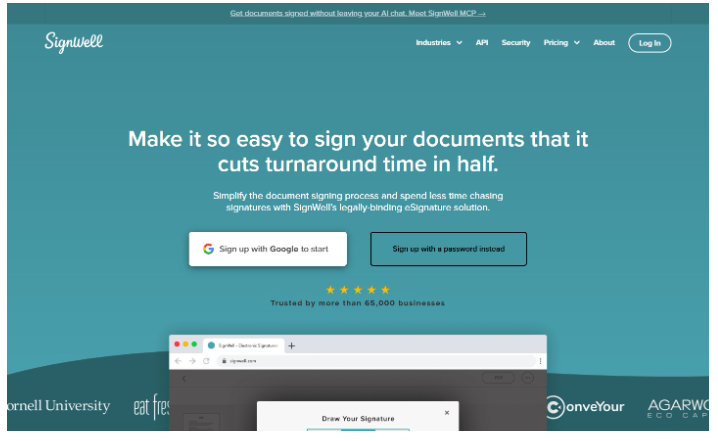
SignWell is built with developers in mind. Where other eSignature APIs feel like enterprise platforms with an API bolted on, SignWell API offers a clean REST API, useful documentation, and transparent pricing. If you want to quickly build a signing integration, SignWell is the best option on this list.
Key features:
- Clean REST API with predictable endpoints
- Comprehensive developer documentation with real code examples
- Embedded signing via iFrame so signers never leave your application
- Webhook support for document and signature status updates
- Reusable templates with dynamic field population
- Bulk sending for high-volume document workflows
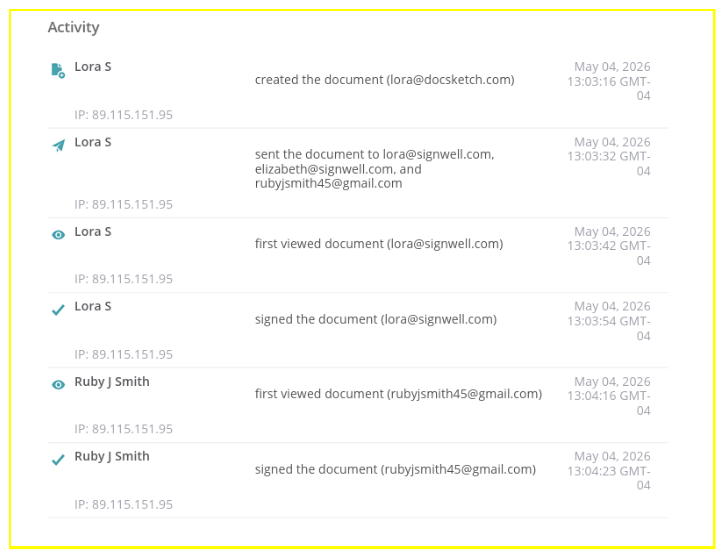
- Audit trails and tamper-evident documents are included on all plans
- ESIGN and UETA compliant; HIPAA compliance available
- White-labeling options for branded signing experiences
- SDKs and Zapier integration for flexible workflow connectivity
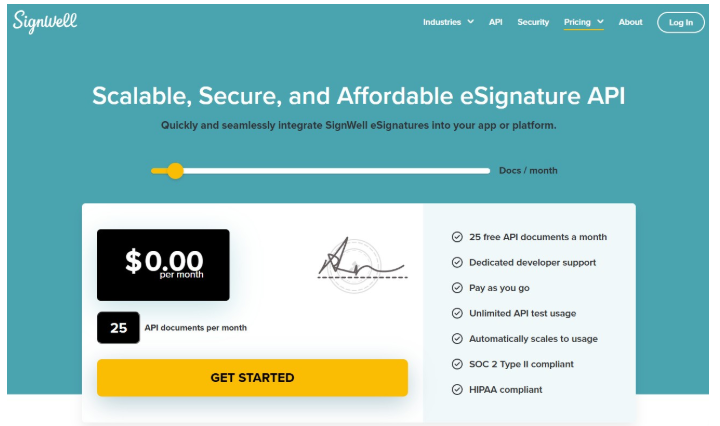
Pricing: up to 25 free API docs/month depending on your plan; paid docs start at $0.85 and decrease with volume..
There are no per-envelope surprises or features locked behind enterprise contracts. You can also prepay to save up to 40%.
Pros:
- API documentation is among the best in this category
- Transparent pricing with no hidden fees
- Embedded signing works cleanly without significant customization
- Most developers are sending documents via API within a day
- Strong audit trail and compliance coverage included at no extra cost
- Free plan available for testing and low-volume use
Cons:
- Fewer native third-party integrations than larger platforms
- Less brand recognition than legacy players, which may matter in sales conversations
- Advanced enterprise features like SSO are limited compared to top-tier competitors
Our verdict: SignWell hits the right balance of developer experience, pricing, and functionality for the majority of teams. It’s not trying to be everything to everyone. It’s focused on doing the core job extremely well, which shows in the integration experience. If you want a reliable, well-documented eSignature API without expensive overhead, SignWell is the clear place to start.
Ready to integrate? Get started with SignWell’s API for free.
2. Zoho Sign: Best for Zoho Users
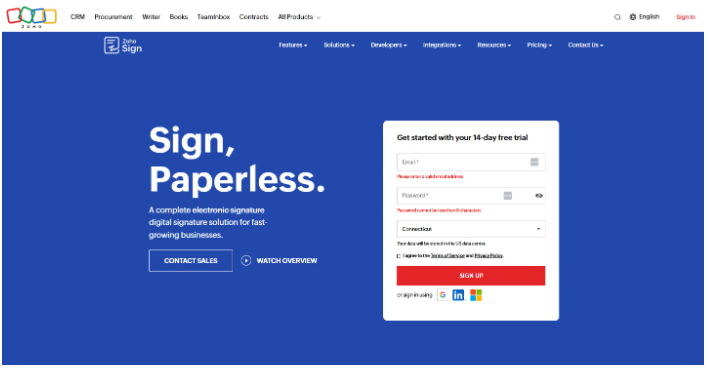
Zoho Sign’s REST API can integrate with your app and with all of Zoho’s other tools. It’s a good choice for teams already running other Zoho products who want signing built into existing workflows.
Key features:
- Embedded signing with seamless integration into your app.
- REST API with support for sending, tracking, and managing documents
- Native integrations with Zoho CRM, Zoho People, and Zoho WorkDrive
- Embedded signing via iFrame
- Validate signers via OTP, government ID, KBA, SMS, or WhatsApp.
- Templates and workflows automate approval paths, manager sign-offs, and conditional field logic.
- Audit trail and reports to capture complete logs and generate compliance documentation.
- Webhooks for real-time status updates
- eIDAS, HIPAA, and 21 CFR Part 11 compliance
Pricing: API access is available on the Enterprise plan, starting at $22/user/month. There is also an API-only plan that costs $0.50 per envelope.
Pros:
- Strong value if you’re already paying for Zoho products
- Decent compliance coverage for regulated industries
- Solid audit trail and document tracking built in at no additional cost
- Webhook support makes it relatively straightforward to build event-driven workflows
Cons:
- API experience is noticeably weaker outside the Zoho ecosystem
- Not well-suited for teams building standalone signing workflows
- API access is gated behind higher-tier plans
Our verdict: Zoho Sign makes sense if your team is already invested in the Zoho ecosystem and wants a low-friction way to add signing to existing workflows. For developers building a standalone integration or evaluating purely on API quality, there are stronger options on this list.
3. PandaDoc: Best for Sales Teams
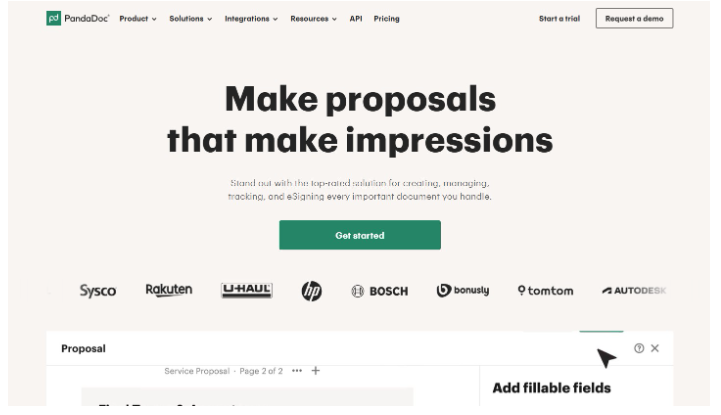
PandaDoc’s REST API is a full document automation platform built around proposals, quotes, and contracts. PandaDoc might be right for you if your team is generating high volumes of sales documents. That said, developers may find it overbuilt and hard to justify the cost.
Key features:
- REST API with support for document creation, sending, tracking, and management
- Template management, dynamic fields, and automated document generation
- Embedded signing via iFrame
- CPQ (Configure, Price, Quote) for automating pricing and quoting
- CRM integrations with Salesforce, HubSpot, and other major platforms
- Webhooks, webhook logs, and API logs for event-driven workflows
- Approval workflows, signing order, signing groups, and conditional logic
- Document tracking and engagement analytics
- E-SIGN, UETA, HIPAA compliant, and SOC 2 certified
Pricing: API access is gated behind the Enterprise plan, which is custom-priced and includes both a license fee and transaction-based charges. A developer-only API plan is also available at around $40/month, though production access still requires an Enterprise plan.
Pros:
- Strong for sales teams managing proposals, quotes, and contracts end-to-end
- Deep CRM integrations, especially with HubSpot and Salesforce
- Document analytics let you see engagement at the recipient level
- Solid compliance coverage for regulated industries
Cons:
- API access is Enterprise-only, so you can’t test it live without committing to custom pricing
- Total cost of ownership climbs quickly with volume and add-ons
- Overkill for teams that only need signing
- Not well-suited for lightweight use cases
Our verdict: PandaDoc is a strong tool if your team needs proposal and contract workflows. The CRM integrations and document intelligence are strong. But if you’re a developer evaluating purely on API quality, flexibility, and price, there are better options on this list.
4. SignNow: Best for High-Volume Signing
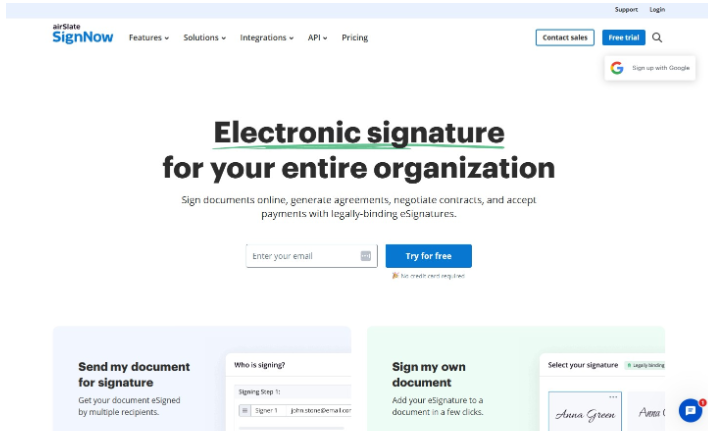
SignNow isn’t the most developer-first option on this list, but it’s one of the most affordable for teams that send a lot of documents. Unlike many competitors, embedded signing is included across all API plans.
Key features:
- REST API with document sending, tracking, and management
- Embedded signing is included at all API tiers
- Bulk sending, reusable templates, and signing link invites
- Signer authentication via OTP, SMS, and phone call
- Webhooks, audit trail, and real-time status tracking
- Integrations with Google Workspace, Salesforce, and Microsoft 365
- Compliance with GDPR, HIPAA, SOC 2 Type II, PCI DSS, and 21 CFR Part 11
Pricing: API access is on the Site License plan, priced at $1.50 per signature invite with volume discounts. A dedicated API plan starts at $146/month.
Pros:
- One of the most affordable options for high document volume
- Webhooks, custom branding, and bulk sending are included without hidden costs
- Strong compliance coverage, including 21 CFR Part 11
Cons:
- Developer experience and documentation lag behind most competitors
- Full API access is gated behind higher-tier plans
- Enterprise pricing requires a sales conversation
Our verdict: SignNow makes the most sense for budget-conscious teams, especially in regulated industries. It’s not the most elegant API on this list, but the pricing model and compliance coverage are hard to argue with.
5. DocuSign: Best for Enterprise Teams
DocuSign is the biggest name in eSignature. The developer ecosystem is the most mature on this list. If your needs are wide or complex, DocuSign has the feature for you… but you’ll pay for it.
Key features:
- REST API with sequential and parallel signing, multi-party workflows, and complex approval chains
- SDKs across all major languages with thorough documentation and a sandbox environment
- Embedded signing and sending, Bulk Send API, PowerForms, and Connect Webhooks
- Notary API and Rooms API for notarization and deal room workflows
- Dynamic document generation and template population
- Compliance with just about every legal framework
Pricing:
Starter API plan is $600/year for 40 envelopes/month. Intermediate is $3,600/year for 100 envelopes. Advanced is $5,760/year and adds bulk sending. Enterprise plans are custom.
Pros:
- Best-in-class developer tooling and documentation
- Only option on this list with FedRAMP authorization (essential for government use)
- Broadest enterprise integration of all eSignature tools
- Legal and compliance teams almost universally recognize and accept it
Cons:
- Significantly more expensive than any other option
- Envelope caps and overage pricing make it hard to budget
- Add-on APIs require separate access and add cost and complexity
Our verdict: DocuSign makes sense if you have strict compliance requirements or need to integrate with many other apps. For government, healthcare, or large enterprise deployments, it’s often the only practical choice. For everyone else, you’re likely paying for a reputation you don’t need.
6. Dropbox Sign: Best for Developer Experience
Dropbox Sign has long been a favorite among developers because the API is clean, the documentation is thorough, and the onboarding is fast. The full workflow can be built and tested in test mode for free. It won’t win on raw features, but it’s easy.
Key features:
- Official SDKs for Python, Ruby, PHP, Java, Node.js, and C#, with OAuth 2.0 authentication
- Embedded signing and embedded document preparation via iFrame
- Reusable templates with embedded template creation and management
- Custom branding, white-labeling, and multi-domain support
- Webhooks, automated reminders, and real-time status tracking
- Qualified Electronic Signatures (QES) support under eIDAS
- Compliance with SOC 2 Type II, ISO 27001, eIDAS, and GDPR
- Free test mode with no time limit
Pricing: API plans start at $75/month (Essentials) for 50 requests/month, $250/month (Standard) for 100 requests/month, with custom Premium pricing for higher volumes and unlimited templates.
Pros:
- Superb developer onboarding experience
- Clean, well-organized documentation with a built-in API console
- QES support makes it good for European signing
Cons:
- Template limits on lower tiers can constrain you as you grow
- Pricing can escalate quickly at higher volumes
- Lacks the enterprise integration depth of DocuSign or Adobe
Our verdict: Dropbox Sign is the go-to if developer experience is your top priority. If you’re building in Europe, the QES support is meaningful. Where it falls short is volume pricing and enterprise integration.
7. Adobe Sign: Best for Adobe and Microsoft Users
Adobe Acrobat Sign is a natural fit if you are deep in the Adobe or Microsoft stack. The native integrations with Microsoft 365, Salesforce, Workday, and ServiceNow are seamless.
As a standalone eSignature API, though, it’s harder to justify: embedded signing and webhook events are reserved for higher-tier plans, and pricing lacks the transparency developers generally want.
Key features:
- Full REST API with embedded signing via iFrame and hosted signing URLs
- Mobile SDKs for iOS and Android for in-app signing
- Webhooks for status updates, conditional routing, bulk send, and payment collection
- Advanced PDF editing, fillable forms, and redaction built in
- Identity verification options, including government ID and KBA
- Compliance with ESIGN, eIDAS, HIPAA, and FedRAMP
Pricing: API access requires Enterprise or Developer tiers, typically $1,000/year to $5,000/year, but that requires a sales conversation as there’s no publicly listed API pricing. Add-ons like SMS delivery and ID verification are separate.
Pros:
- The best PDF tooling
- Native integrations with Microsoft and Adobe tools
- Broad compliance coverage
- Strong identity verification options
Cons:
- API pricing is not publicly listed and requires a sales engagement
- Embedded signing and webhooks are gated behind higher-tier plans
- Developer experience is noticeably weaker than other alternatives
Our verdict: Adobe Sign is a smart choice if your team is already invested in the Adobe or Microsoft ecosystem. As you would imagine, the PDF capabilities are genuinely superb. But there are many better API options on this list.
8. Yousign: Best for European Compliance
Yousign is a French eSignature platform built for the European market. The API integrates eSignature, eSeal, and document and identity verification in a single platform. If you’re building in Europe and need eIDAS and GDPR compliance without workarounds, it’s the most straightforward option.
Key features:
- RESTful API covering eSignature, eSeal, and document and identity verification
- Embedded signing via iFrame, with custom signing flow support
- Simple, Advanced, and Qualified Electronic Signatures (QES) under eIDAS
- Webhooks with a logs interface for debugging
- Custom branding and white-labeling options
- SMS authentication and automated reminders
- Identity and document verification for signer authentication
- GDPR-compliant, EU-hosted infrastructure
Pricing: Tiered API plans starting at about USD $122/month, with an entry plan covering core signing features. Higher tiers unlock customization, branding, and webhooks. Enterprise pricing is custom.
Pros:
- The clearest choice for EU-based teams that need eIDAS compliance and GDPR data residency
- QES support for high-assurance signing requirements
- Documentation is consistently praised for clarity
- Identity and document verification are built into the same platform
Cons:
- Limited value for teams outside Europe
- Fewer integrations than US-based competitors
- Some user reviews flag reliability issues with QES flows
Our verdict: If you’re building a product for European users and GDPR compliance and eIDAS support need to be airtight, Yousign is the best option on this list. For everyone else, a broader platform will serve you better.
How We Evaluated These eSignature APIs
Not all eSignature APIs are built the same, and marketing pages rarely tell the full story.
To build this comparison, we evaluated each API across the following criteria: documentation quality, SDK availability, embedded signing capabilities, webhook support, compliance coverage, and pricing.
Where possible, we tested API endpoints directly, reviewed sandbox environments, and cross-referenced real developer feedback from sources like G2, Reddit, and developer forums.
We also compared pricing models, including what’s gated behind higher tiers, where per-envelope or per-API-call fees kick in, and what the true cost looks like at scale.
What to Look for in an eSignature API: A Checklist for Developers
Before you start comparing the best electronic signature software or writing a single line of integration code, it helps to know what you’re evaluating. Use this checklist to focus on what matters for your build.
1. Embedded Signing
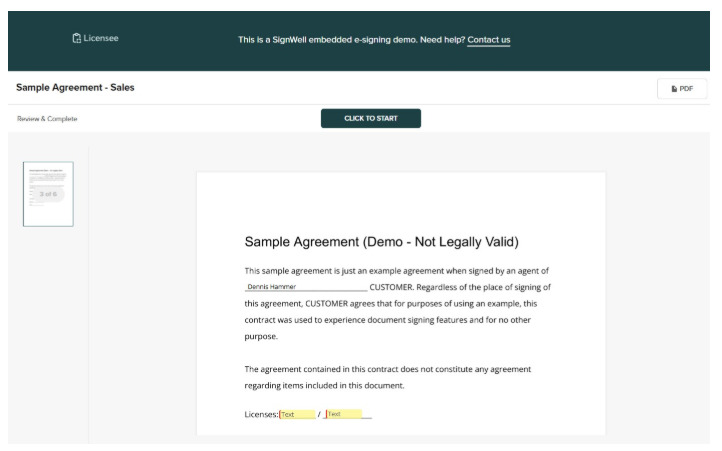
If you’re building a product, you don’t want signers redirected to a third-party signing page. Use an API that supports embedded signing via iFrame or redirect flows. It should have customization options that let you match your brand. Test the mobile experience too. (See some embedded signing examples.)
2. API Documentation and SDK Quality
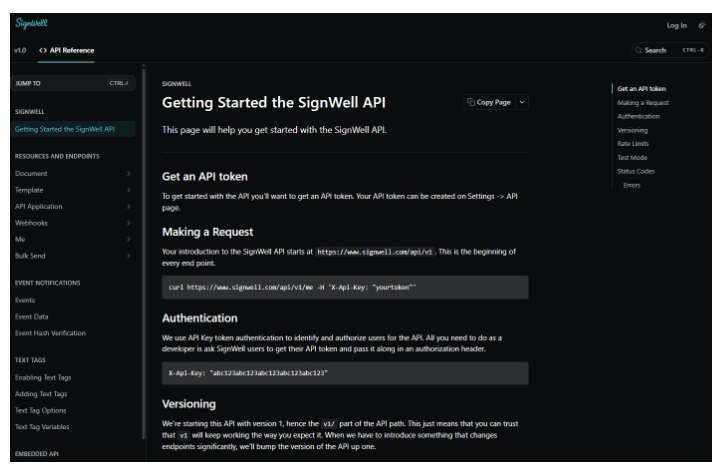
Good documentation is essential. Look for a dedicated developer portal, SDKs in your language, and a sandbox environment for testing. Skip any tool that has outdated docs or vague error messages.
3. Integration Flexibility
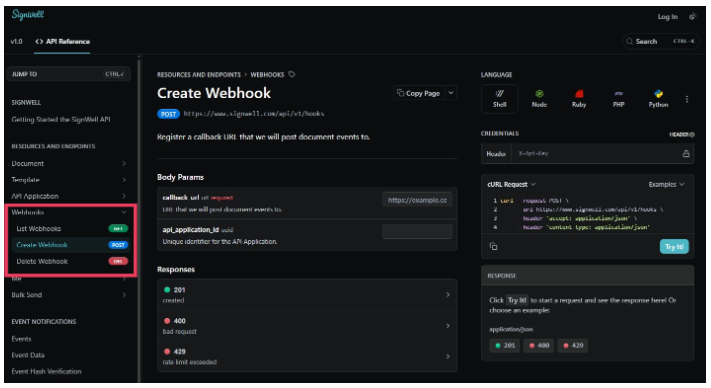
A good eSignature API should fit into your existing stack. Webhook support is essential. Check whether the API connects cleanly to your CRM, storage tools, or workflow tools, or whether that requires a middleware workaround.
4. Pricing Transparency and Scalability
Understand exactly what you’re paying for before you build. Some providers charge per envelope, others per user or per API call. A “cheap” model at low volume can get expensive fast. Watch for features like bulk sending, audit trails, or templates being gated behind higher tiers. Make sure you understand the rate limits before you start sending documents.
5. Security, Compliance, and Audit Trails
Make sure the API supports the security and compliance standards your industry requires, such as HIPAA, eIDAS, SOC 2, or 21 CFR Part 11. Tamper-evident audit trails should be a baseline expectation. Also, confirm what signer authentication options are available if your workflows require identity verification.
6 Common Mistakes When Choosing an eSignature API
The wrong choice of eSignature API can mean wasted development time, unexpected costs, and compliance headaches down the road. Avoid these mistakes.
- Choosing based on brand name: Household names like DocuSign and Adobe are built for enterprise scale, which means enterprise complexity and pricing. Evaluate based on your actual volume, workflow, and needs rather than name recognition.
- Ignoring developer experience: Poor documentation can double your setup timeline. Before committing, test the sandbox, read through the docs, and check developer forums and reviews on sites like G2 or Stack Overflow.
- Underestimating total cost: The base API fee is rarely the whole story. Factor in per-envelope or per-signature pricing, overage charges, support tiers, webhook and storage costs, and any compliance add-ons.
- Overlooking Compliance Requirements: Depending on your industry, a signature may need to meet ESIGN, eIDAS, HIPAA, or 21 CFR Part 11 standards. Using a non-compliant solution creates legal risk and can invalidate your documents.
- Locking into a vendor without an exit plan: Proprietary document formats and limited data export options can make switching providers painful and expensive. Look for solutions that store documents in standard formats and give you access to your own data.
- Skipping load and reliability testing: Before going live, test how the provider handles high send volumes and concurrent requests, and verify their SLA and uptime history.
Getting Started with SignWell: Best eSignature API for Developers
The right eSignature API depends on your specific situation, including your tech stack, document volume, compliance requirements, and the level of integration complexity your team can handle. DocuSign and Adobe Sign are built for large enterprises. Zoho Sign makes sense if you’re already in that ecosystem. PandaDoc works well when you need document creation and signing in one place.
But for developers and growing companies who want a clean REST API, transparent pricing, strong compliance, and a quick-and-easy integration, SignWell is the clearest choice on this list.