

If you’re considering SignNow, you’re probably trying to figure out whether it offers the right mix of features, pricing, and flexibility for your team, and whether there are any limitations or unexpected costs you should know about before committing.
This SignNow review covers what the app does well, where it falls short, and what real users say about it. We closely examine its features and pricing. At the end, we’ll also look at a simpler, more affordable alternative in case SignNow isn’t right for you.
Want compliant eSignatures without the enterprise overhead? Start with SignWell free.
What is SignNow?
SignNow is an electronic signature platform owned by airSlate, built for small businesses, HR teams, legal teams, and sales teams. It’s known for unlimited users on every plan and pricing that undercuts DocuSign and Adobe Sign.
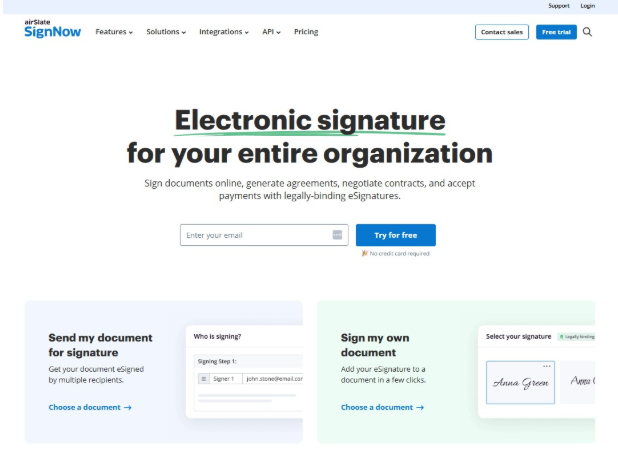
With SignNow, you can upload documents, add fillable fields like signatures, initials, dates, and checkboxes, and send them out for legally binding signatures.
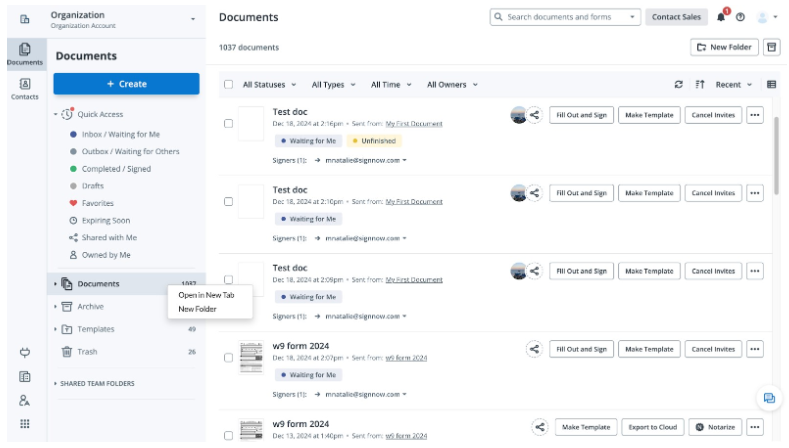
Beyond basic signing, SignNow is built around team workflows. It includes reusable templates, customizable signing orders, bulk sending, an API, and integrations with many common tools. It’s positioned as a full featured alternative to DocuSign, but at a lower price point.
SignNow Ratings Snapshot
- G2: 4.6 out of 5 (1,756 reviews)
- Capterra: 4.6 out of 5 (539 reviews)
SignWell, by comparison, holds 4.8 out of 5 on G2 and a 4.9 out of 5 on Capterra, with strong marks for ease of use and customer support. It also offers a genuine free plan and no signature invite caps. We’ll take a closer look at SignWell later in this review.
Key Features of SignNow
- Legally binding eSignatures, with typed, drawn, or uploaded signature styles
- Unlimited templates on every paid plan
- Customizable signing order for multi-party documents
- Bulk sending and automated reminders (Business Premium and up)
- Payment collection alongside a signature
- Document groups and conditional workflows
- Mobile apps for iOS and Android
- Audit trail and reporting, including team-level analytics
- API access and a developer sandbox
- Integrations with Salesforce, Google Workspace, Microsoft 365, NetSuite, and Zapier
- Compliance with HIPAA, GDPR, SOC 2 Type II, PCI DSS, 21 CFR Part 11, and CCPA
SignNow Pricing
SignNow doesn’t offer a permanent free plan. It gives you a 7-day free trial instead, after which you’ll need to choose a paid plan. Always confirm current pricing on SignNow’s site before you buy, since plans and rates can change.
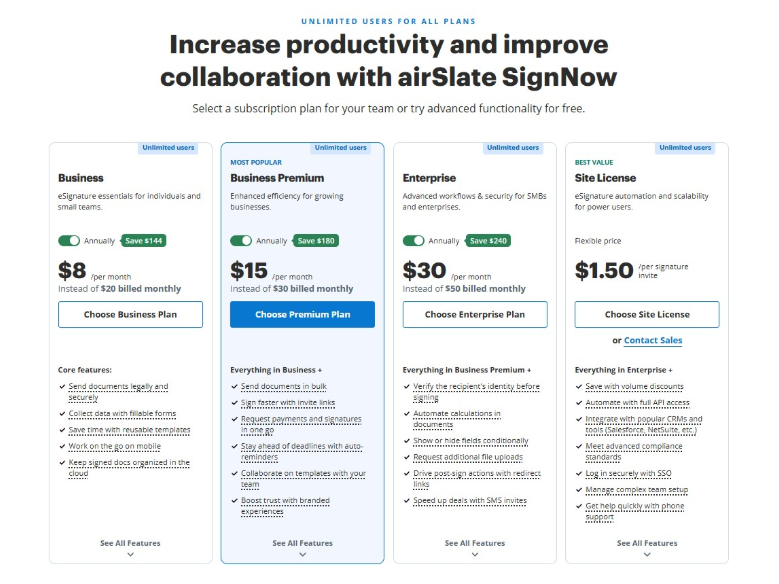
Business: $8 per user per month (billed annually). It includes core e-Signature features, unlimited templates, mobile app access, and cloud storage integrations.
Business Premium: $15 per user per month (billed annually). It adds bulk sending, signing links, team collaboration, custom branding, reminders, and payment requests. This is SignNow’s most popular plan.
Enterprise: $30 per user per month (billed annually). It adds advanced authentication, conditional fields, smart fillable fields, file uploads, and SMS invites.
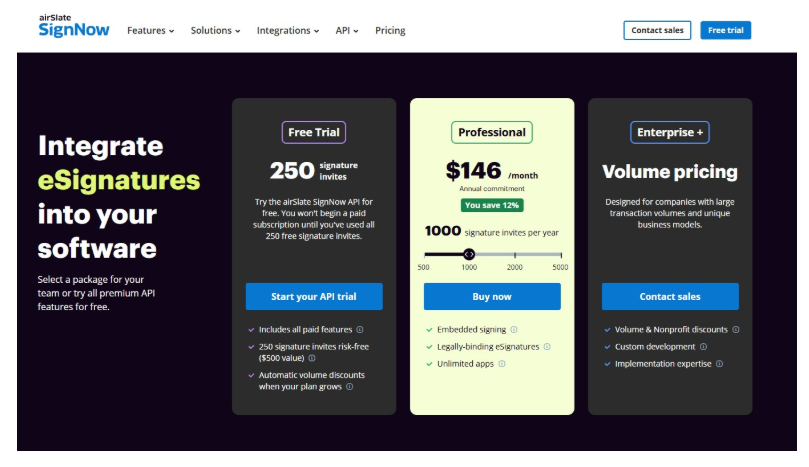
Site License: From around $1.50 per signature invite. This is a usage-based option tied to SignNow’s unlimited users model. You pay per invite instead of per seat, with full API access included.
One detail that catches people off guard: Every plan caps you at 100 signature invites per year per user. They hide this limit in the FAQs at the bottom of the pricing page.
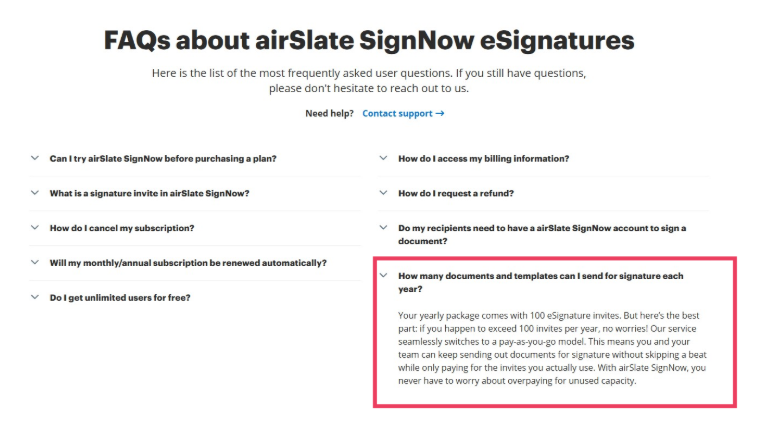
Go over that limit, and you’ll pay overage fees on top of your subscription. For a small team sending contracts regularly, that cap can arrive faster than expected.
There’s also special API Pricing if you plan to only send documents through an app or system. You are charged on a per-invite basis.
What Users Like
Pulled from real reviews on G2, Capterra, and independent testing sites, here’s what people consistently praise about SignNow:
- Affordable pricing. Reviewers repeatedly compare it favorably to DocuSign and Adobe Sign. They like the lower cost for similar functionality.
- Easy to learn. Most users get up and running thanks to a straightforward interface.
- Solid template and workflow tools. Reusable templates, signing order, and automatic field placement save a lot of time on repeat paperwork.
- Good mobile experience. Several reviewers say signing documents on the go is genuinely convenient.
- Useful reporting. The audit trail and reporting dashboards are clear and actionable.
What Users Don’t Like
The complaints are just as consistent across review sites:
- No free plan. Only a 7-day trial is available, which isn’t much time to fully test a tool your team will rely on daily.
- The 100 invite cap. Several reviewers say this limit isn’t obvious upfront. Overage fees can add unplanned costs once your team scales up.
- Support can be slow. Multiple users mention that customer support doesn’t always respond quickly once onboarding is done.
- Feature gating. Some features that users feel should be standard are locked behind the Enterprise plan.
- Occasional glitches. A handful of reviewers report minor syncing issues between desktop and mobile, and limited text formatting when filling out fields.
SignNow Ratings
Here’s a neutral snapshot of how SignNow scores across the platforms buyers usually check. It performs well across the board, with pricing and ease of use as its strongest categories and customer support as its weakest.
| Source | Rating |
| G2 | 4.6 out of 5 (1,756 reviews) |
| Capterra | 4.6 out of 5 (539 reviews) |
| Gartner Peer Insights | 4.6 (234 ratings) |
| TechRadar | Features rated 3.5-4 out of 5 |
Who is SignNow Best For?
Best fit: SignNow works best for small to mid-sized businesses that have a moderate volume of documents to be signed. It suits teams that want role-based signing order or basic workflow automation without paying DocuSign-level prices. It’s also a strong option for teams that need compliance coverage, such as HIPAA or 21 CFR Part 11.
Weak fit: SignNow is a weaker fit for freelancers or solo users who want to test a tool without paying upfront, since there’s no free plan to fall back on. Teams that send a high volume of documents should also be careful, since they’re likely to hit the 100 invite cap quickly. If you want the simplest possible interface with nothing to configure, SignNow will feel like more tool than you need.
Meet SignWell
SignWell is a popular SignNow alternative. It’s a straightforward eSignature platform built for growing businesses that need more than basic document signing without the cost and complexity of an enterprise platform. It combines compliant eSignatures, workflow automation, API flexibility, responsive support, and predictable pricing in a platform that remains straightforward to use. You upload a document, add fields, and send it out for signature, all in a few clicks.
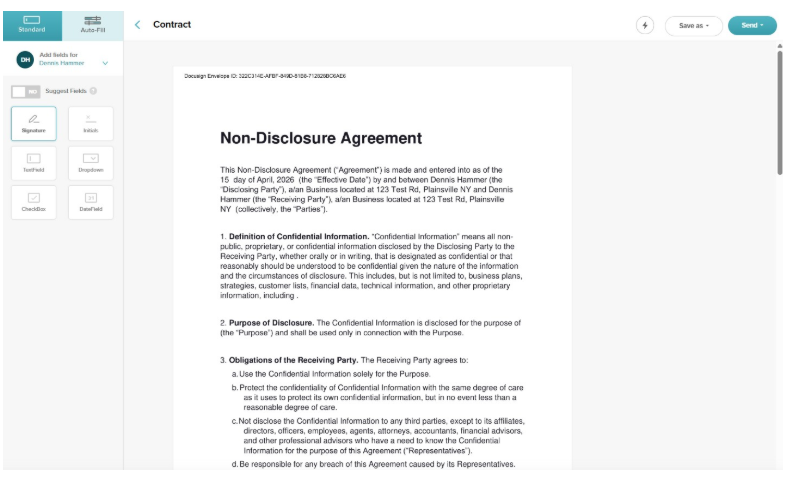
SignWell is one of the best electronic signature software and is designed for teams who want the essentials done well and for more complex or compliance-sensitive signing workflows, with features including reusable templates, automated reminders, bulk sending, embedded signing, and API access. And with a genuine free plan, businesses can get started before committing to a paid plan.
SignNow vs SignWell: Side-by-Side Comparison
If SignNow’s pricing or document cap gives you pause, it’s worth seeing how it stacks up against a simpler option. Here’s a feature-by-feature comparison of SignNow vs. SignWell.
| SignNow | SignWell | |
| Ease of use | Intuitive, but has more menus and settings to learn for advanced workflows | Simple, minimal setup, most people need no training at all |
| Free plan | None. 7 day free trial only | Yes. 3 free documents every month, with no expiration |
| Starting price | $8 per user per month (billed annually) | Free to start, paid plans from around $8 to $10 per month per sender |
| Document and signing speed | Fast, with a slightly longer setup for advanced fields | Fast, with fewer steps between upload and send |
| Templates | Unlimited templates on all paid plans | Generous template limits, with more room on higher tiers |
| Customer support | Reviewers report slower response times after onboarding | Reviewers consistently describe support as responsive and helpful |
| Security and compliance | Broad enterprise coverage, including HIPAA and 21 CFR Part 11 | SOC 2 compliant, ESIGN and UETA compliant, built for standard business needs |
| API | Full API with developer sandbox | Full API with developer sandbox |
Both tools are legitimate, well-reviewed options. SignNow leans toward teams that need deeper compliance coverage or enterprise-scale workflows. SignWell leans toward growing teams that want strong compliance and automation without the added complexity or unpredictable costs of a larger platform.
Why Teams Choose SignWell
- A simple interface means most people send their first document within minutes of signing up.
- SignWell’s pricing is transparent and affordable with no signature caps or overage fees.
- There are few steps between uploading a document and getting it signed.
- Responsive support and lots of help documents to solve your problems.
- Reusable templates, guided signing, automated reminders, and clear status tracking make everyday signing workflows straightforward for both senders and recipients.
- Bulk sending, signing orders, conditional logic, and tracking help teams automate repetitive work and move documents through workflows faster.
- Paid plans include unlimited signing requests with no per-signer charge, making costs more predictable as document volume grows.
- Strong security so your signatures are legally binding without a maze of settings. SignWell supports SOC 2 Type II, HIPAA, GDPR, eIDAS, ESIGN, UETA, and 21 CFR Part 11, giving teams strong compliance coverage.
- Teams can also start on a genuine free plan and use SignWell with real documents before deciding whether they need a paid plan.
SignNow Review Verdict
SignNow is a solid eSignature tool, especially if your business needs compliance coverage or advanced workflow features. It earns its strong ratings fairly.
That said, if you want something simpler, with transparent pricing and a free plan that doesn’t expire in a week, SignWell is worth a look. It handles the everyday signing work most businesses actually need, without the extra setup or the invite cap surprises.
Start free with SignWell and see how quickly you can get your first document signed.