

SignNow and DocuSign are two of the most popular eSignature tools. They both do the main job well: getting documents signed quickly. But if you compare them closely, you’ll notice significant differences in pricing, features, ease of use, support, and more.
This article compares SignNow and DocuSign across key criteria so you can see where each is strong and where it falls short. At the end, we also point you to a simpler, more affordable, and smarter alternative.
Ready to explore an easier option now? You can try SignWell for free or see the SignNow pricing to compare for yourself.
SignNow vs. DocuSign at a Glance
| SignNow | DocuSign | |
| Starting price | $8 per user/month billed annually | $11/month for one user (Personal); teams start at $30 per user/month (Standard) |
| Pricing model | Flat fee with unlimited users | Per-user fee on every plan |
| Free trial / free plan | 7-day free trial, no ongoing free plan | Free trial, then a very limited free tier; no full free plan |
| Document send limit | 100 signature invites per account/year, then overage fees | 100 envelopes per user/year on annual plans, then overage fees |
| Ease of use | Lightweight and quick to learn | Powerful but heavier, with a steeper learning curve |
| Integrations | Major CRMs and cloud tools like Salesforce, Google, Microsoft, and deeper ones on higher tiers | 1000+ integrations, including Salesforce, Google, and Microsoft, are available even on lower tiers |
| Customer support | 24/7 support across plans, priority help on higher tiers | Email support on base plans; phone and priority support are available only in paid support tiers |
| Security and compliance | SOC 2 Type II, HIPAA, 21 CFR Part 11, eIDAS, GDPR, PCI DSS | SOC 2 Type II, ISO 27001, FedRAMP, HIPAA, 21 CFR Part 11, eIDAS, GDPR, PCI DSS |
| Best for | Budget-conscious small and mid-sized teams wanting simple, affordable signing | Larger or regulated organizations needing deep integrations and enterprise features |
What is SignNow?
SignNow is a cloud-based electronic signature tool founded in 2011. It’s part of the airSlate platform and serves more than 20 million users. The product lets you upload documents, add signatures and data fields, send them out for signing, and track their progress from one place.
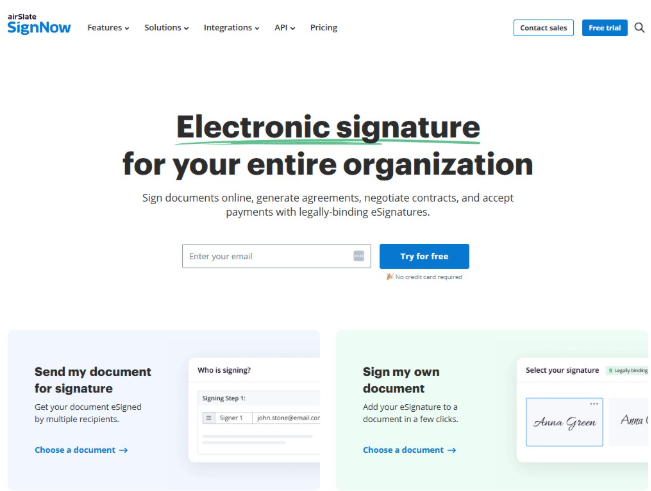
SignNow is designed for small and mid-sized teams. It has all the basic features, such as reusable templates, signing links, bulk sending, and basic automations. It works in a web browser and through mobile apps. It connects to common tools through integrations and an API.
What is DocuSign?
DocuSign, launched in 2003, is one of the most recognized eSignature brands in the world. For many people, it is the name that comes to mind first when they hear “electronic signature.”
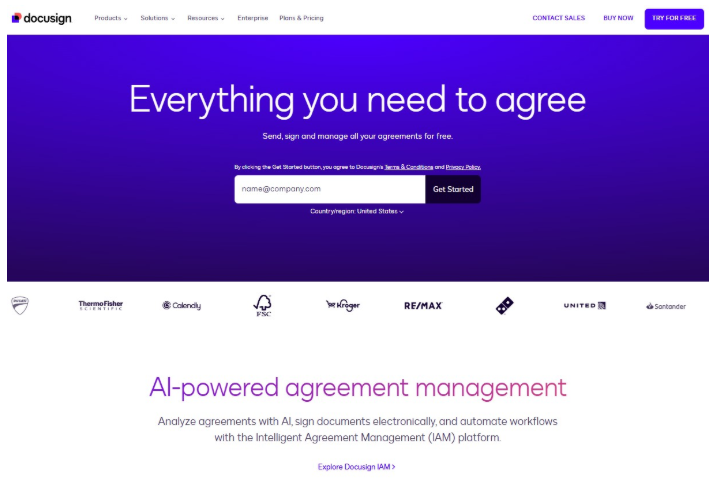
Like SignNow, it lets you upload documents, place signatures and data fields, send them for signing, and track everything from a central dashboard. The product leans toward enterprise buyers.
DocuSign offers a deep feature set that reaches well beyond basic signing. It comes with advanced workflows, detailed reporting, strong security and compliance options, and a large library of integrations.
DocuSign vs. SignNow: Feature Comparison
At their core, SignNow and DocuSign do the same job, and both handle the everyday signing tasks most teams need. Whichever one you pick, you can expect:
- Legally binding eSignatures with full audit trails
- Reusable templates and custom branding
- Multi-party signing with a set signing order
- Automated reminders and real-time tracking
- Bulk sending and the ability to collect payments alongside signatures
- Audit trails for recordkeeping and legal defense
So if all you need is to get documents signed, either tool will do. The real differences tend to land in two areas: how much you pay to unlock everything and how much complexity you take on.
In general, DocuSign offers a more extensive feature set that aligns with its enterprise focus, while SignNow keeps things lighter and relies on an unlimited-users model. Here is how the two compare.
Ease of Use
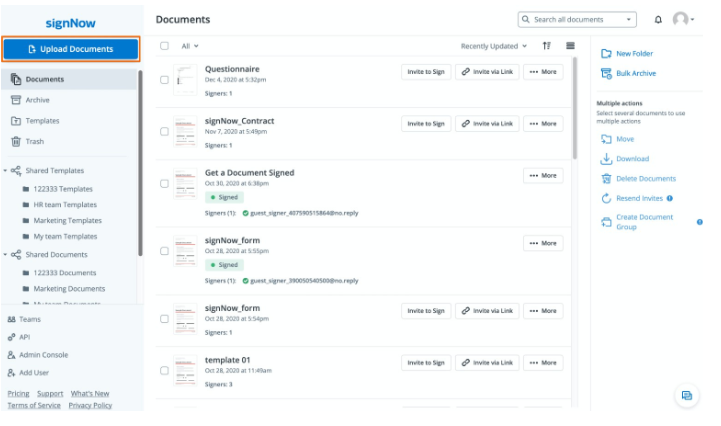
Most users find SignNow quick to learn. The interface is simple. Sending a basic document for signature takes only a few minutes. The feature set is more focused, so there is less to figure out than with DocuSign, which you get moving without much training.
DocuSign is polished and familiar, so many people already know their way around it. Lots of people have interacted with the app as a signer (not a paid user), so they are already familiar.
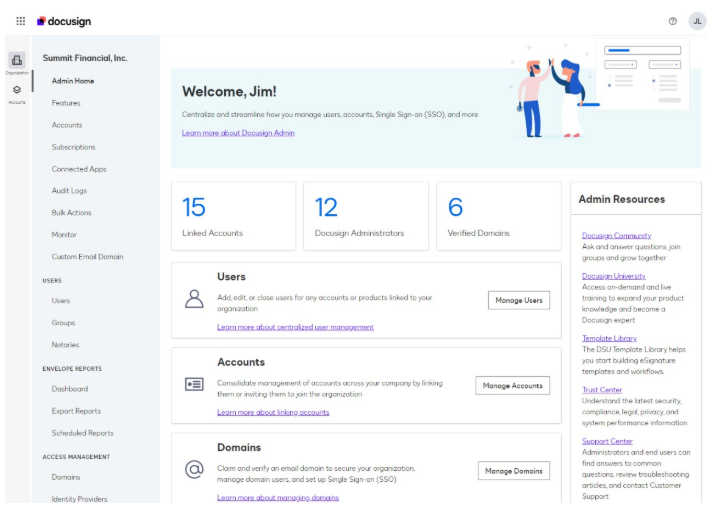
The trade-off to DocuSign is that all of its depth can make setup feel busier, especially for new users or anyone who needs advanced workflows. The more features you turn on, the steeper the learning curve.
Integrations
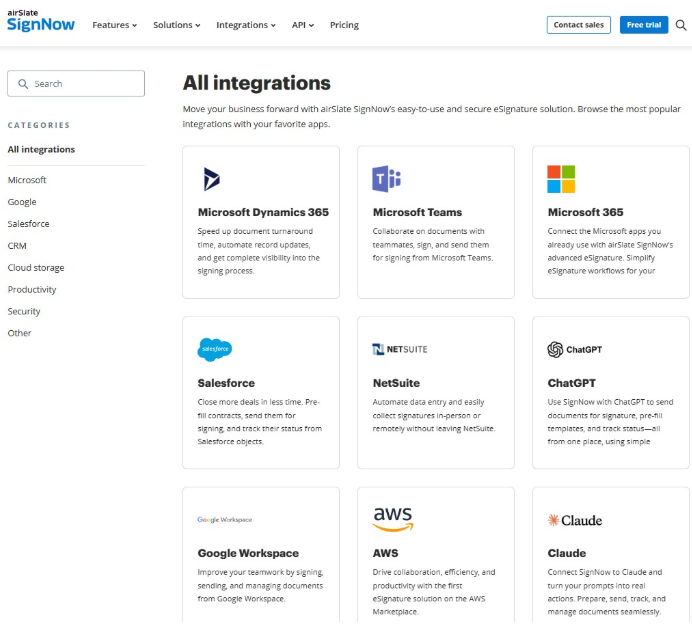
SignNow integrates with many common business tools, including CRMs, cloud storage, and productivity apps. It also offers an API for custom setups.
As part of the airSlate platform, SignNow ties into all of airSlate’s document workflow products. However, premium integrations (like Salesforce and NetSuite and full API access are gated to the top Site License Tier.
DocuSign has one of the largest integration libraries of all electronic signature apps. There are more than 1,000 prebuilt connections to popular software like Salesforce, Microsoft, and Google.
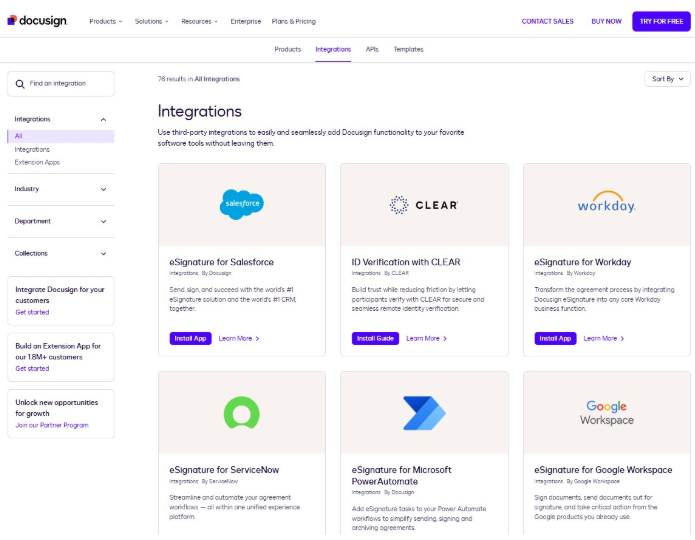
Most DocuSign integrations are available across plans, though Salesforce document generation sits on the contact sales tier. If you rely on a wide stack of tools, DocuSign is more likely to have an integration.
Document Editing
With SignNow, you can upload a file and drop in signature, date, text, and checkbox fields with a simple drag-and- drop editor. But you can’t change the words or layout of the document itself once it is uploaded.
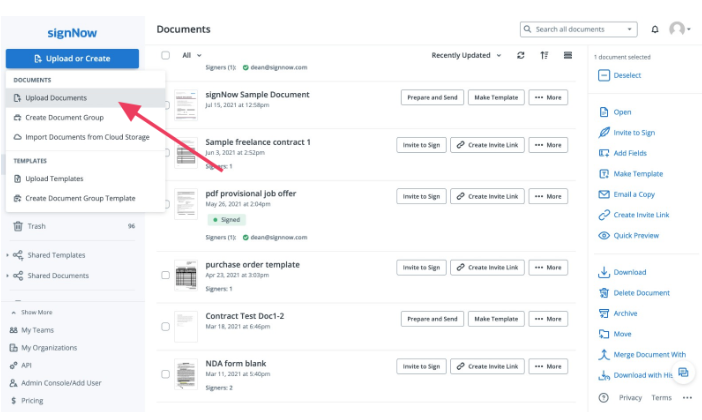
Many people view this as an obstacle, since it adds extra steps for teams that tweak language often. If a clause is wrong, you have to fix it in your original file and upload a new version.
DocuSign gives you more control over how a document is set up before it goes out, with stronger field options and support for advanced routing, conditional logic, and approval flows. You can make changes with DocuSign Edit, a desktop app that connects to your DocuSign account.
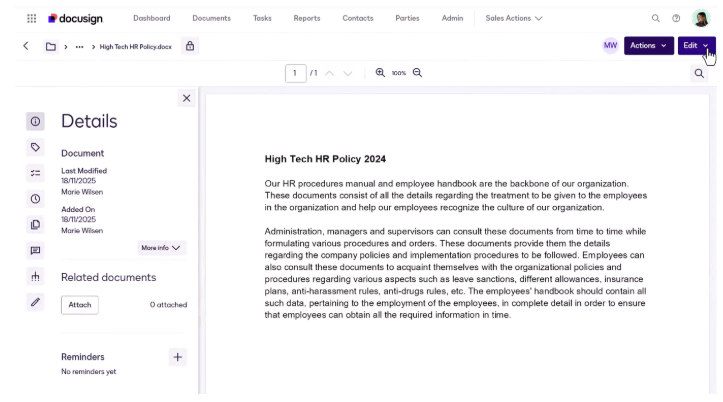
If your document has to pass through several people before it goes to a signer, DocuSign is the winner here because everyone can make changes.
Security and Compliance
SignNow meets the major standards, including SOC 2 Type II, ISO 27001, HIPAA through a BAA, GDPR, and 21 CFR Part 11. It also comes with audit trails and data encryption. A few of these, such as HIPAA, SSO, and advanced signer authentication, are on higher tiers.
For most regulated small and mid-sized businesses, these protections are more than enough.
DocuSign offers a very deep set of security and compliance features, which is why it’s a common choice in highly regulated industries. It supports a wide range of certifications, advanced identity verification, and signature standards that are used around the world.
For large enterprises with strict legal requirements, this breadth is a real advantage, though full security configurations and SSO require the highest tier.
Customer Support
Both platforms provide nearly the same level of customer support. Both have extensive online support resources, community forums, and knowledge bases. Both offer 24/7 live chat.
SignNow gives you a dedicated Customer Success Manager, but only on the top tiers. Reviews for support are generally positive.
DocuSign’s live support sits on the highest tier, so faster, more personal help usually means stepping up to a pricier plan.
Mobile Experience
Both SignNow and DocuSign have well-regarded mobile apps for iOS and Android. They let you send, sign, and track documents. Neither platform offers all its features in its mobile app, but both cover the basics.
In both cases, signers do not need the mobile app to receive and sign a document, which is an important part of the user experience for your recipients.
Audit Trails
Both platforms come with court-admissible audit trails and completion certificates for each document signed on all tiers. This record tells you who signed, when, and in what order.
Document Tracking
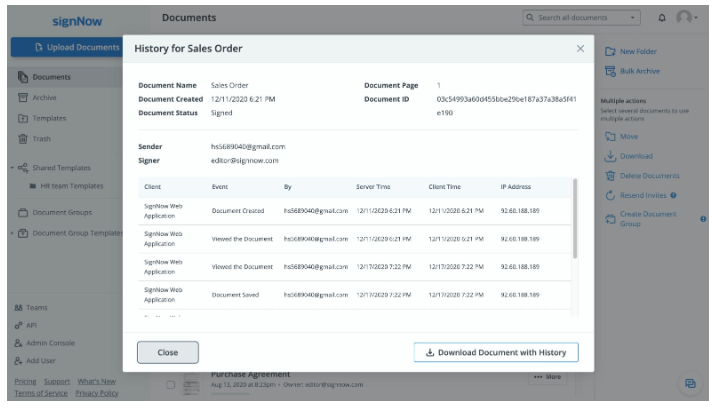
SignNow makes it easy to track documents at any time, so you always know what has been viewed, signed, or is still pending. The tracking view is simple and clear, which fits the product’s overall focus on keeping things easy to follow.
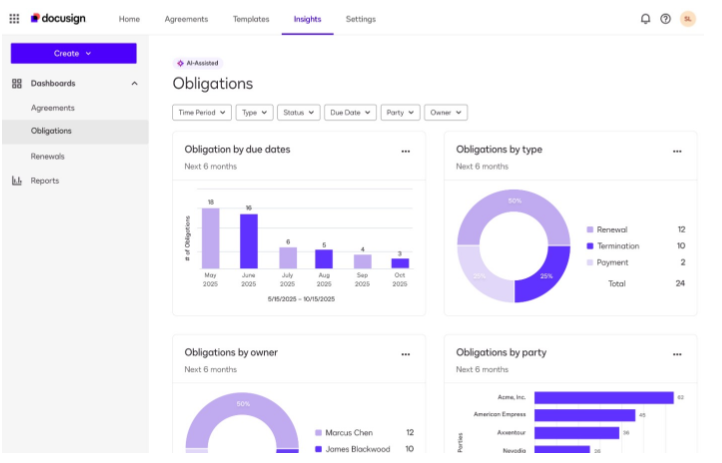
DocuSign also offers document tracking, but it comes with deeper reporting features that are available on every plan. You can monitor individual documents and see broader activity across your account. The added reporting layer is useful for teams with heavy document volume that want more than a status view.
Language Support
Language support is important if you work with international clients so everyone can interact with your documents in their preferred language.
SignNow supports signing in 13 different languages: English, Spanish, French, German, Italian, Portuguese, Russian, Polish, and Czech.
DocuSign offers signing in 44 languages across its plans, which is one of the broadest ranges in the electronic signature category.
Automated Notifications and Reminders
Notifications and reminders are an important part of any eSignature tool, which is why both platforms offer this feature on all tiers.
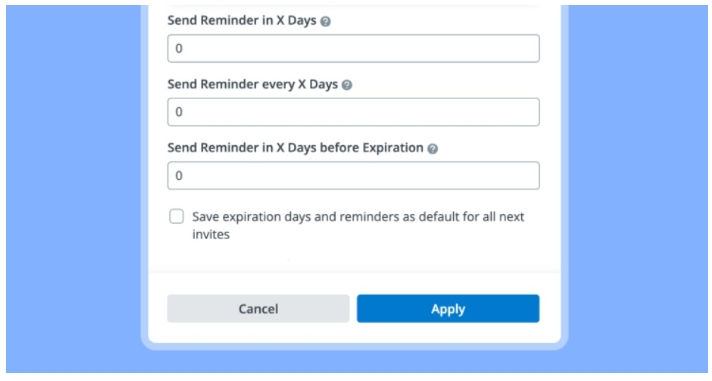
SignNow gives you basic settings to configure automatic reminders for X days, every X days, and X days before the document expires.
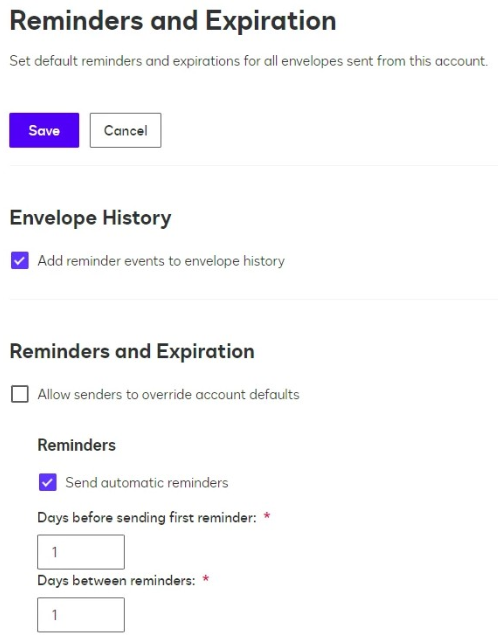
DocuSign’s reminder feature is a bit more advanced. You can add delays to your reminders (so the recipient doesn’t get a handful at once) and record the reminders in the audit trail.
Team Dashboard
SignNow’s workspace manager shows you all of your team’s shared documents, templates, folders, and even some analytics. The platform’s unlimited-users model lets you add your whole team without paying per seat, which is a real plus for growing groups.
DocuSign also provides team management tools, such as shared documents and templates. You can also comment on documents amongst the team, though most tools are available on higher tiers. Since the pricing is per user, the cost of giving everyone access climbs as your team grows.
SignNow vs. DocuSign Pricing
SignNow and DocuSign use very different pricing. SignNow offers flat plans with unlimited users, so a single price covers your whole team. DocuSign only permits one user on the Personal plan and up to 50 users on other plans. On top of that, DocuSign caps sends at 100 envelopes per user per year on its Standard and Business Pro plans.
Here is how the plans compare on annual billing.
| SignNow | DocuSign | |
| First Tier | Business. Unlimited users. 100 document invites/year. $8/month billed annually. | Personal: 5 envelopes/user/year. $10/month billed annually. |
| Second Tier | Business Premium. 100 document invites/year. Unlimited users. $15/month billed annually. | Standard. 100 envelopes/user/year. $25/month billed annually. |
| Third Tier | Enterprise. 100 document invites/year. Unlimited users. $30/month billed annually. | Business Pro. 100 envelopes/user/year. $40/month billed annually. |
| Enterprise Tier | Site License. $1.50 per signature invite. | Enhanced. Must contact sales for pricing. |
| Pricing model | Flat price for each tier. Unlimited users on every tier. | Price per user with envelope caps on each user. |
Note that monthly billing costs are significantly more on both, often close to double the annual rate, so check each company’s pricing page for current numbers before you budget.
The takeaway here is that SignNow is generally the cheaper option and stays affordable as your team grows, since you are not paying for each individual user. DocuSign scales more expensively because its per-user pricing means every seat you add raises the bill.
Keep in mind, though, that BOTH apps limit the number of documents you can send. DocuSign’s limit is 100 envelopes/user/year. SignWell has no invite or document cap on paid plans. Both charge overage fees for documents beyond the limit.
If cost is the deciding factor, SignNow usually comes out ahead, but both are expensive for high-volume teams or teams that need multiple users to interact with the documents.
SignNow vs DocuSign: Pros and Cons
Here is a quick look at where each tool shines and where it falls short.
SignNow Pros
- Flat pricing with unlimited users, so cost does not climb as your team grows.
- Generally cheaper than DocuSign at every tier.
- Clean, simple interface that is quick to learn.
- Solid core features like templates, bulk send, and payments.
- Strong mobile apps and court-admissible audit trails.
SignNow Cons
- Plans are limited to $100 in document invites/year, with overages charged.
- You cannot edit the document itself inside the platform; you can only add fields.
- Many useful features are gated to higher tiers.
- Premium integrations, HIPAA compliance, full API access, and SSO sit on the top Site License plan.
- Phone support and a dedicated success manager are reserved for top tiers.
- Less depth than DocuSign for complex enterprise workflows.
DocuSign Pros
- The most recognized eSignature brand, trusted in over 180 countries.
- Deep, advanced feature set for complex workflows and approvals.
- One of the largest integration libraries, with 1,000-plus connections.
- Strong security, compliance, and identity verification options.
- Mature, top-rated mobile apps and broad language support.
DocuSign Cons
- Per user pricing gets expensive fast as you add seats.
- Sends are capped at 100 envelopes per user per year, with overage fees.
- Some expected features, like SMS and ID verification, are paid add-ons.
- API access and HIPAA compliance are only available at higher tiers.
- 24/7 live support and SSO require the contact sales tier.
- More power and complexity than many small teams need.
For a deeper look at DocuSign, check out our full DocuSign review and learn why SignWell is a DocuSign alternative.
SignNow vs DocuSign: Which Should You Choose?
If you want the lower cost option with a simple interface and flat pricing for unlimited users, SignNow is the stronger pick, especially for small and mid-sized teams.
If you need deep workflows, the widest integration library, advanced compliance, and a globally trusted brand, DocuSign may be worth its higher price, particularly if your organization is burdened by heavy regulations.
A More Affordable Alternative with More Power: SignWell
While SignNow and DocuSign certainly belong on the list of best electronic signature software, they share the same three frustrations: send caps and fees that climb with usage. SignWell was built to avoid all of that.
SignWell pricing is flat and transparent, with unlimited documents and no per-envelope or per invite cap, and no per-signer fees. Paid plans start at $10/month, and there is a free plan that covers 3 documents/month, so you can try it before paying anything.
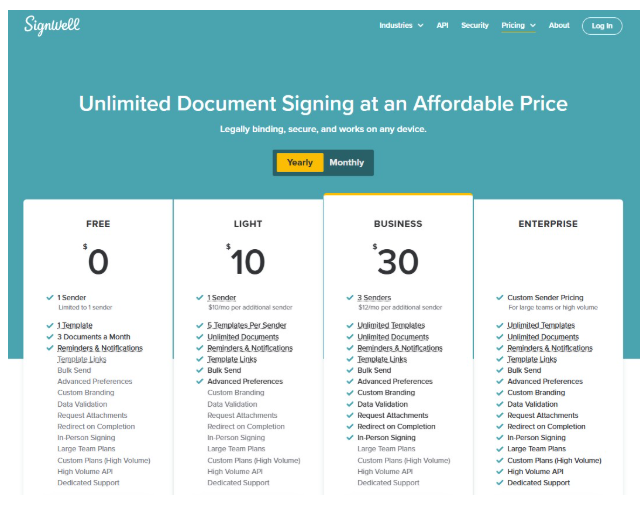
The core features come on every paid plan, not just the top one. You get unlimited templates, document tracking, audit trails, bulk send, and automated reminders on the least expensive tier. The editor is clean and simple. Most people start sending documents in minutes with no training.
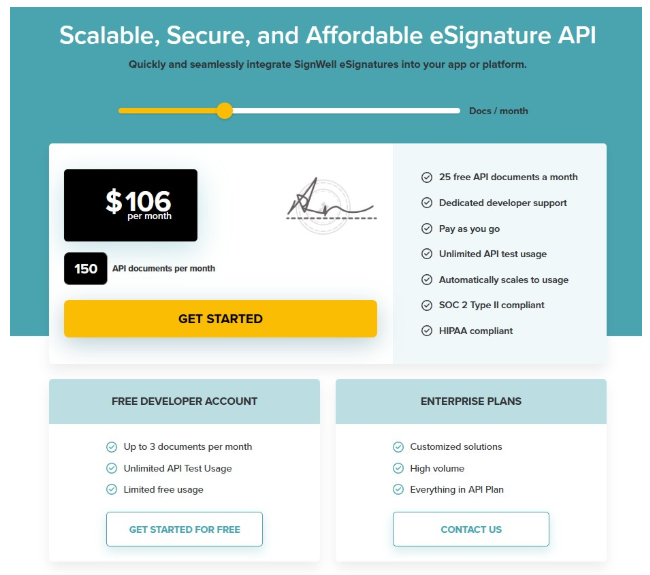
For developers, the SignWell API offers pay-as-you-go pricing after your plan’s free monthly documents (3 on Free, 15 on Light, 25 on Business), with no enterprise contract required. On security and compliance, it is SOC 2 Type II, GDPR, HIPAA, and ESIGN compliant, and it is already trusted by more than 65,000 businesses.
Let’s look at the pricing of Signell vs. SignNow vs. DocuSign.
| Feature | SignWell | SignNow | DocuSign |
| Starting price | $10/month | $8 per user/month | $10/month (1 user) |
| Pricing model | Flat per sender | Per team | Per user |
| Free plan | Yes, 3 docs/month | Trial only | Trial only |
| Document limits | Unlimited on paid plans | 100 per user/year | 100 per user/year |
| API pricing | Pay as you go, no contract | Site License or separate API plan | Separate, contract-based |
| Support | All paid plans | All plans, priority on higher tiers | Premium support on higher tiers |
With SignWell, the same price gets you more, with fewer limits and nothing important held back for a pricier plan. If you send a lot or plan to grow, the savings grow over time.
The Simplest Way to Get Documents Signed
Ready to skip the per-user fees and send caps? SignWell gives you affordable eSignatures without either one. You get the features most teams actually use, an interface anyone can pick up in minutes, and a clean API for building signing right into your own product.
Try SignWell free or see SignWell pricing to get started.