

Getting invoices and estimates approved should be an easy step, but in practice, it’s often where things stall. Estimates sit idle in someone’s inbox. A manager needs to sign off, but the sign-off is buried in an email thread. By the time everyone responds, the payment is late.
Invoice approval workflow software fixes that bottleneck by routing documents to the right people, capturing approvals and signatures, and keeping a record of who signed what and when.
If you run on QuickBooks Online, this is usually a weak spot. QuickBooks can handle your invoices and estimates well, but it was never built to collect signatures or move documents through a flow.
This article covers how an invoice approval workflow actually works, what features to look for, the best tools on the market, and how to approve and sign documents right inside QuickBooks with SignWell.
You can try SignWell free or connect it to QuickBooks Online in a few minutes.
What is Invoice Approval Workflow Software?
Invoice approval workflow software is a tool that moves invoices and estimates through review, approval, and sign off steps, then records the result. It replaces the manual back-and-forth of emails and the need to chase the next person in the workflow.
The term covers more than one kind of product. Some tools are full accounts payable (AP) automation platforms. They capture invoices, match them against purchase orders, route approvals, and pay vendors.
Others focus on the approval and electronic signature step, which is the part that gets a document officially signed off and filed. SignWell sits in this second group.
The right choice depends on where your bottleneck is. If your team struggles to capture and match high volumes of vendor bills, a full AP platform makes sense. If your invoices and estimates are ready but keep waiting on a signature, electronic invoice approval software is the faster fix.
How an Invoice Approval Workflow Works (Step by Step)
Most invoice approval processes follow the same basic path. The exact steps vary by company, but here is what a typical flow looks like:
- The invoice or estimate is received and captured. It arrives by email, gets uploaded, or is created directly in your accounting system.
- The invoice or estimate is checked against the purchase order and receipt. It’s matched to the order and the delivery. This is called three-way matching. It catches errors before they cost you.
- Exceptions are flagged and cleared. If a price, quantity, or detail does not line up, someone reviews it and resolves the discrepancy.
- The invoice or estimate goes to the person or people who need to review it, based on rules like dollar amount or department.
- The approver reviews and signs. (This is where electronic signatures come in.)
- Once approved and signed, the invoice is cleared for payment and recorded.
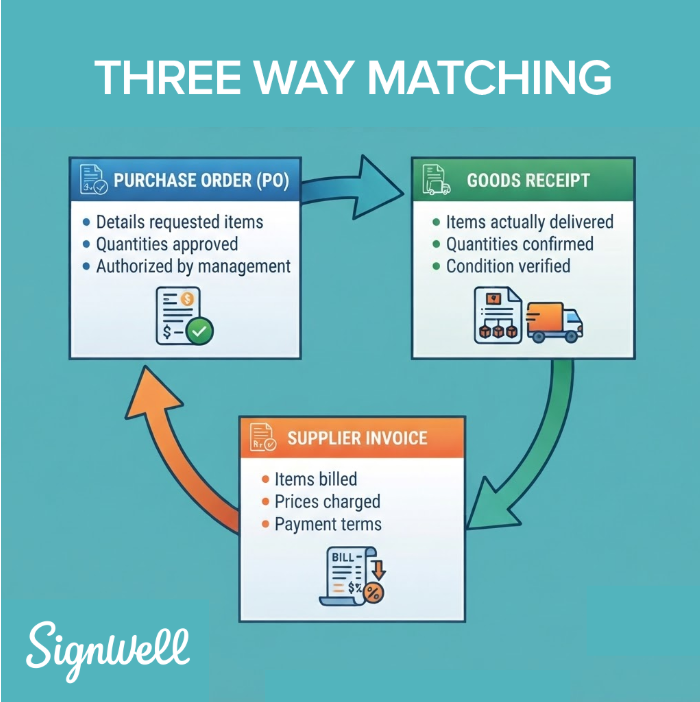
Approvals and signatures are usually the slowest part of this flow. An invoice can be ready to go and still sit for days while it waits on one signature.
Key Features to Look For in Invoice Approval Software
Not every tool does everything, so focus on the features that match your workflow. Here is what matters most in invoice approval software:
- Automated routing rules so documents reach the right person without manual forwarding.
- Three-way matching to catch errors and duplicate invoices before they get paid.
- Electronic signatures with audit trails so every approval is legally binding and fully traceable.
- Status tracking so you always know where a document stands and nothing gets forgotten.
- Automatic reminders to prompt each person in the chain to complete their part.
- A searchable record of approved and signed documents for easy reference and audits.
- Accounting integrations, especially with QuickBooks Online, so approvals sync with your books.
- API access for teams that want to build signing directly into their own systems.
Benefits of Automating Your Invoice Approval Process
There’s a high cost to managing your invoices manually. Ardent Partners found that companies without modern automation spend an average of $12.88 to process a single invoice, and it takes them an average of 17.4 days from receipt to payment. But with automated invoice approval, that cost is cut down to $2.78 per invoice and 3.1 days.
Late payments are another concern, especially if they cost penalties or damage relationships with your vendors and partners. Paying on time can save money and keep those relationships strong.
Automation is also great for catching errors and duplicates so you don’t pay anything that shouldn’t be paid or already has.
Furthermore, automation provides clear visibility at every stage of the invoice approval process. You can see exactly where each invoice stands at any moment so you know when to jump in if something stalls. Audit trails keep you ready for compliance (and defensible in court if that ever becomes necessary).
The Best Invoice Approval Workflow Software
There is no single best invoice approval software for every business. The right pick depends on whether you need full AP automation or a fast way to approve and sign documents. Here is a quick comparison, followed by a closer look at each option.
| Tool | Best for | Starting Price | Free plan |
| SignWell | The approval and signature step inside QuickBooks Online | $10/month (billed annually) | Yes, 3 documents per month |
| BILL (Bill.com) | Combined AP and AR for small and midsize teams | About $49 per user, per month | No |
| Stampli | Invoice focused AP with collaboration on each invoice | Custom quote | No |
| AvidXchange | AP and bill payment automation for midsize teams | Custom quote | No |
| Tipalti | High volume and global payments | $99/month | No |
1. SignWell: Best for Approvals and Signatures in QuickBooks Online
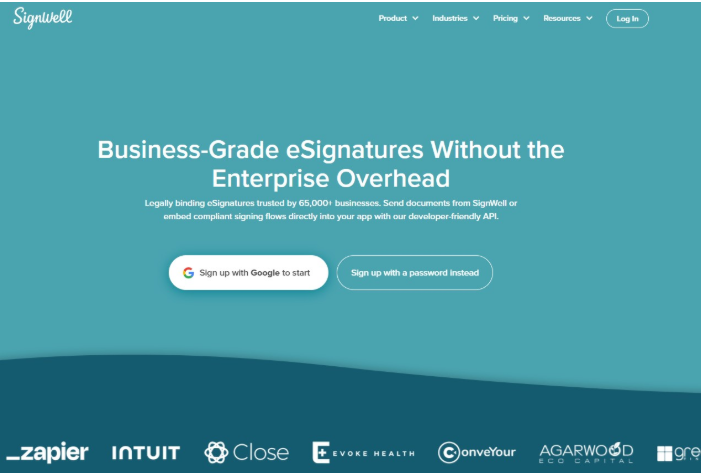
SignWell is the simplest way to handle the approval and signature step, which is why you’ll find it on every list of the best electronic signature software.
SignWell is the only eSignature tool with a native QuickBooks Online integration. You can send an estimate or invoice for signature without leaving QuickBooks, track its status, and convert a signed estimate into an invoice automatically.
SignWell is built for finance teams, accountants, and bookkeepers who want their approvals to be fast and clean. It’s SOC 2 Type II certified and supports GDPR and HIPAA. Signatures are secure, legally binding, and fully auditable.
SignWell’s pricing is quite affordable. There’s a free plan for light use, then plans start at $10 per month. For QuickBooks Online users who need the signature step, this is the clear pick.
2. Bill.com: Best for Combining AP and AR in One Platform
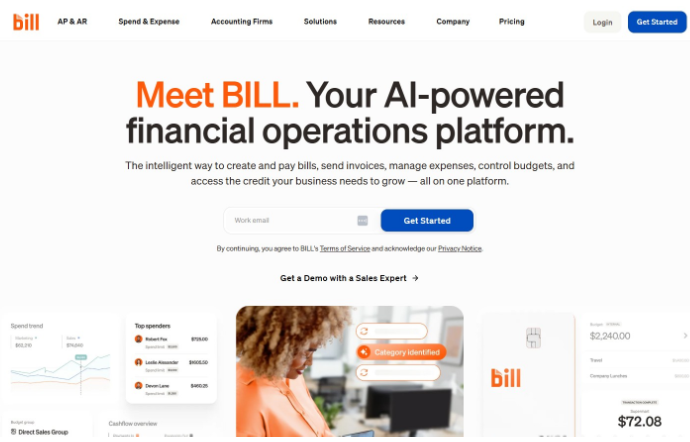
BILL is a broad financial operations platform that handles both accounts payable and receivable. It captures invoices, routes approvals, and pays vendors, and it syncs with QuickBooks and other accounting systems.
It suits small and midsize businesses that want one tool for AP and AR, though the per user cost can add up as your team grows. Pricing starts at around $49 per user per month.
3. Stampli: Best for Collaborative Approvals on Complex Invoices
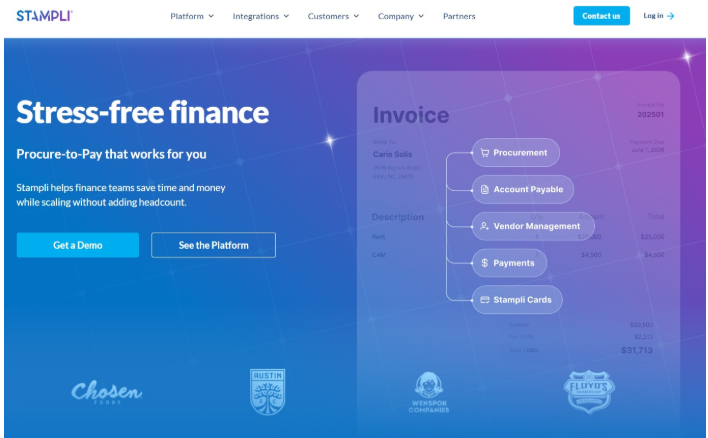
Stampli is an AP automation platform built around the invoice itself. Approvals, comments, and documentation all live on each invoice, which makes it strong for teams with complex approval chains or frequent disputes. Its AI assistant helps with coding, matching, and catching duplicates.
It fits midsize companies that need to collaborate with many parties. Pricing is by custom quote.
4. AvidXchange: Best for High-Volume Bill Payment Automation
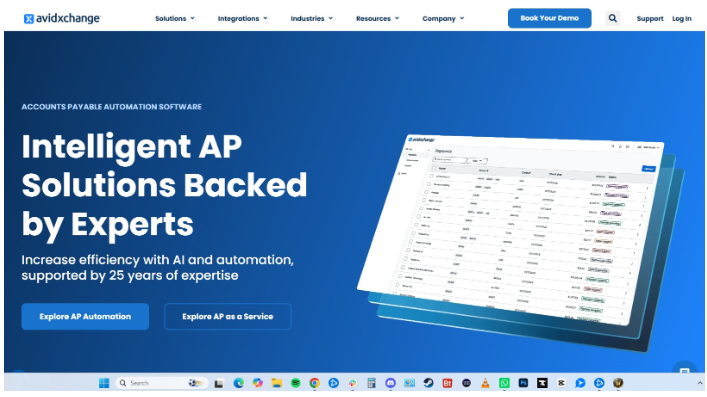
AvidXchange focuses on AP and bill payment automation. It’s most used in real estate, construction, and homeowner associations. It automates invoice capture, approval routing, and supplier payments.
It works well for companies processing a high volume of bills that want to hand off much of the manual AP work. Pricing is by custom quote.
5. Tipalti: Best for Global and High-Volume Payments
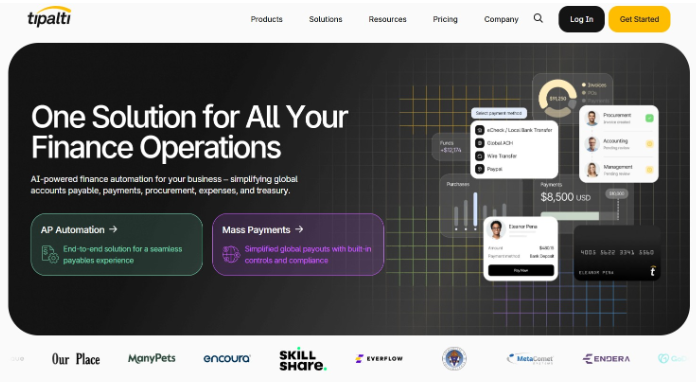
Tipalti handles the full payables cycle with a focus on high volume and global payments. It supports payments across many countries and currencies and includes tax and compliance features.
Plans start at $99 per month, with custom pricing for larger needs. It is best for companies managing international vendors or large payment runs, rather than teams that just need quick approvals and signatures.
How to Set Up Invoice Approvals in QuickBooks Online with SignWell
Setting up electronic signatures in QuickBooks Online only takes a few minutes. You’ll be able to approve invoices in QuickBooks and get estimates signed without switching tools. Here is how to do it.
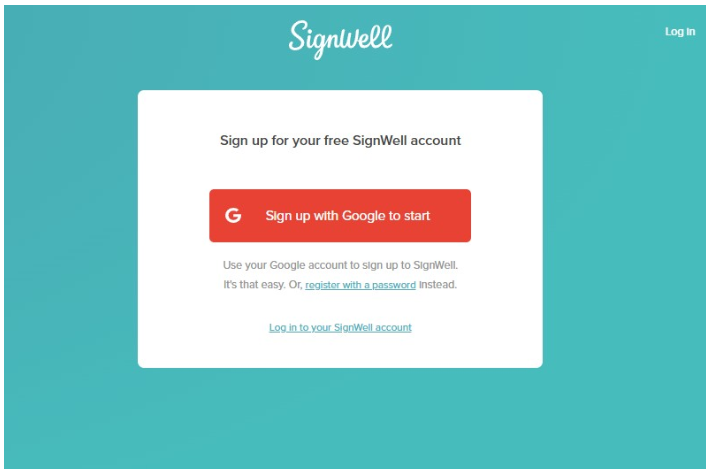
Step 1: Create your SignWell account
First, create an account with SignWell. The free plan lets you test the workflow right away. You can upgrade later if you need more volume or more senders. Add your company name and logo so your documents look consistent from the start.
Step 2: Set Up QuickBooks Online Account
Log in to QuickBooks Online and confirm your company information is correct. Connect your bank accounts, set up your payment methods, and customize your invoice and estimate templates.
Step 3: Connect SignWell from the QuickBooks Online App Store
Open the QuickBooks Online App Store, search for SignWell, and select Get App Now. Log in to your SignWell account when prompted and authorize the connection.
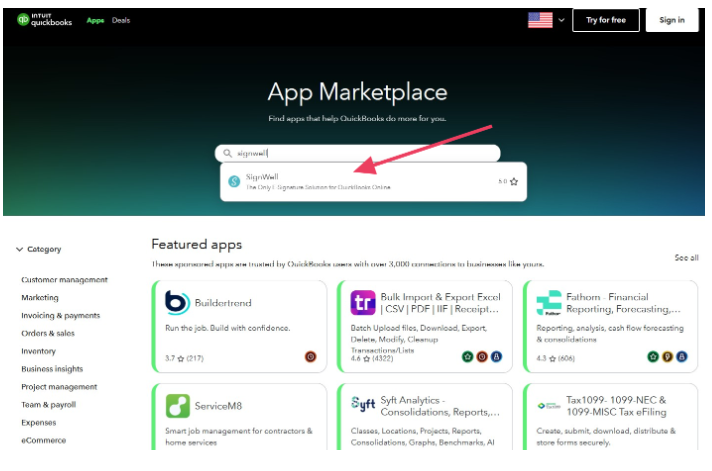
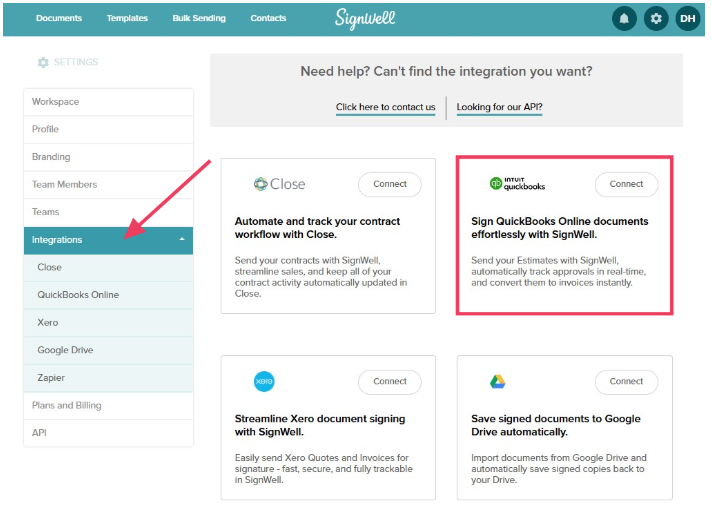
You can also connect from within SignWell under Settings> Integrations.
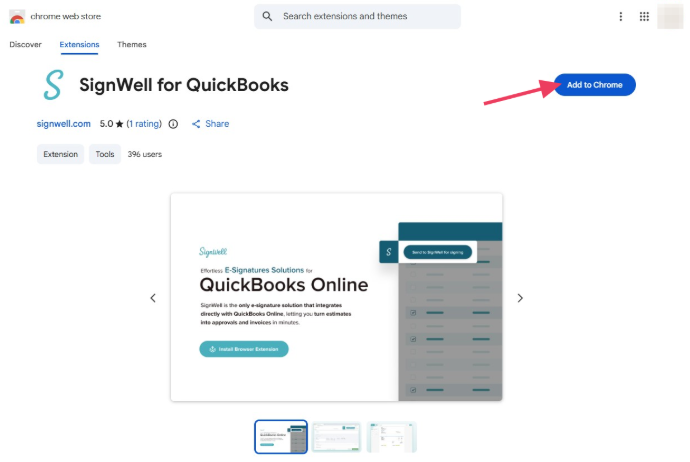
If your browser supports it, install the SignWell for QuickBooks extension so you can send documents without leaving QuickBooks.
Step 4: Send an Estimate or Invoice for Approval and Signature
Once the apps are connected, you can send documents for signature directly from QuickBooks. For instance, after creating an estimate, choose Send for eSignature with SignWell from the available actions. SignWell will populate the recipient fields with the client’s details.
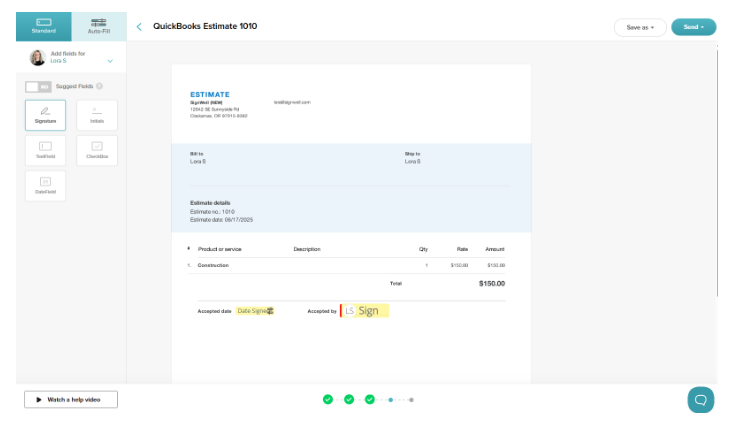
Click Send and your client will receive a secure email link to review and sign the document.
Step 5: Track Status and Send Reminders
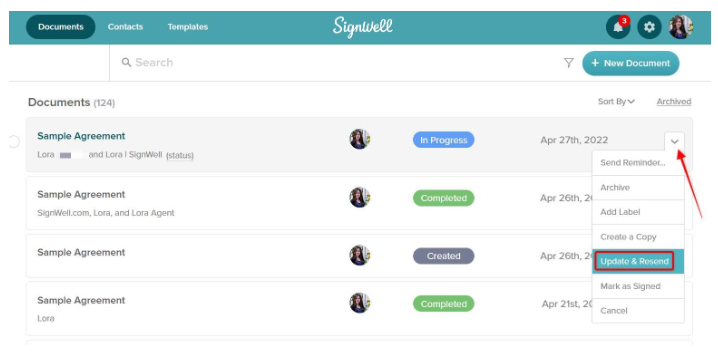
SignWell tracks each document in the SignWell dashboard as pending, in progress, or completed. If the signer doesn’t sign by the due date, you can send a reminder. When a document is signed, its status updates in QuickBooks Online as well.
(For advanced automation, turn on the QuickBooks setting that automatically creates a draft invoice when estimates are signed.)
Step 6: Store the Signed Document and Audit Trail
Once the document is signed, SignWell will produce a complete audit trail with timestamps, IP addresses, and signer details. This is important for compliance and recordkeeping.
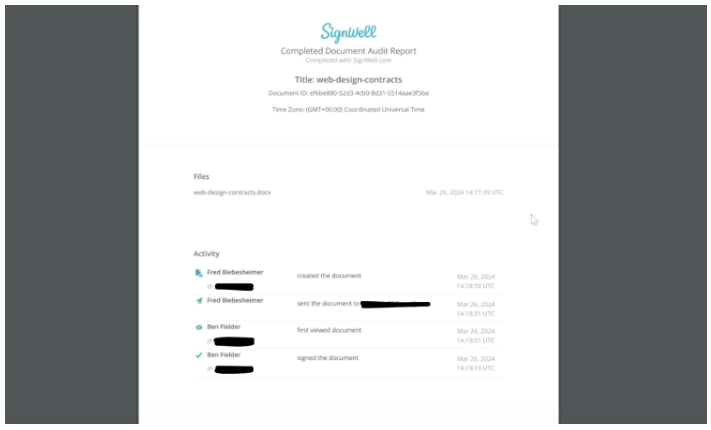
Store the document and audit trail somewhere safe. Some users opt to re-upload them into QuickBooks for permanent storage so that all records are in one place.
You can try SignWell free with QuickBooks Online and send your first document today.
How to Choose the Right Invoice Approval Workflow Software
A few simple questions will point you to the right invoice approval workflow software.
Where is the bottleneck? Is the slow part capturing invoices, matching them, routing approvals, or collecting signatures? Buy for the step that holds you up, not the whole pipeline.
How much are you processing? A team handling thousands of vendor bills a month needs something very different from one sending a handful of estimates for sign-off. Match the tool to your size and volume.
Do you need a full AP suite, or just fast approvals? A complete accounts-payable platform is powerful, but if you mainly need quick, trackable approvals and signatures, it’s more than you need and more than you should pay for.
What does it need to connect to? Make sure your tool integrates with the other apps you use. If you run on QuickBooks Online, confirm the tool integrates with it so your approvals and records stay in sync.
Does the pricing fit your volume and does it meet your compliance needs? Compare the pricing model against how much you actually process, and check that the tool offers the security standards your business requires, such as SOC 2, GDPR, or HIPAA.