

Xero does a great job with your books. Your invoices, quotes, contacts, and reports all live in one convenient place. But the moment something needs to be signed, your simple workflow falls apart.
Any process that requires you, your clients, or your customers to export, print, sign, scan, and send back a document is tedious and outdated. You need something smoother and faster.
Here’s a better way.
The SignWell Xero app is an eSignature integration that lets you send your Xero quotes, invoices, engagement letters, and contracts for signature. Everything stays connected to Xero so your financial data remains in one place.
In this article, we’ll cover what the app does, the top benefits it brings to your workflow, why it matters for accountants and bookkeepers, and the wider case for electronic signatures.
Want to see it in action? You can try SignWell free or connect SignWell to Xero in a few minutes.
(And if you use QuickBooks instead, check out our QuickBooks eSignature integration.)
What is the SignWell Xero App?
The SignWell Xero app connects your Xero account to SignWell so you can send documents for signature without leaving your usual workflow. Your Xero contacts, quotes, and invoices stay linked to the signing process. There is no need to manually copy details or track signatures in a separate system.
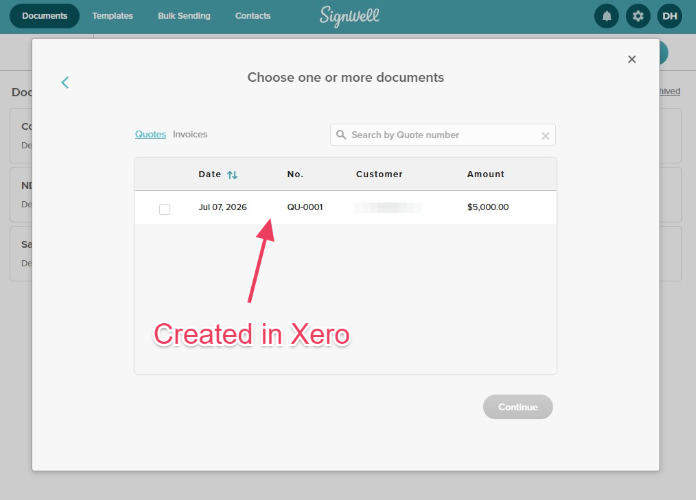
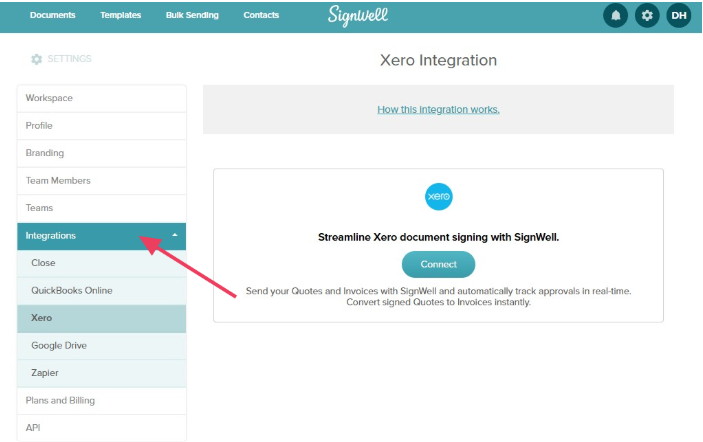
For the full technical walkthrough, including setup steps and supported document types, see our guide on the SignWell Xero integration.
8 Top Benefits of the SignWell Xero App
SignWell is the best electronic signature software. SignWell is rated 4.9/5 for ease of use on Capterra, based on more than 2,700 reviews, and 4.8/5 overall on G2. Combined with Xero, it offers several benefits that accountants and bookkeepers love.
1. Save Time With Xero Contacts That Auto-Fill
When you send a document through the SignWell Xero app, your Xero contact details pull straight through. Names, email addresses, and company information do not need to be typed out again for every quote or contract. This removes a constant source of admin time and typos.
2. Get Signed Off Faster and Improve Cash Flow
Quotes and invoices get approved and paid faster when clients can sign in a couple of clicks from their phone or laptop. There is no printing or scanning. This speeds up the whole cycle if you depend on quick approvals to start work or get paid.
3. Cut Errors and the Email Back and Forth
Sending a document by email usually means you have to send several messages: the first draft, a correction, a reminder, and the final confirmation. eSignature requests remove most of that. You send the document once, and you get a notification when it is done.
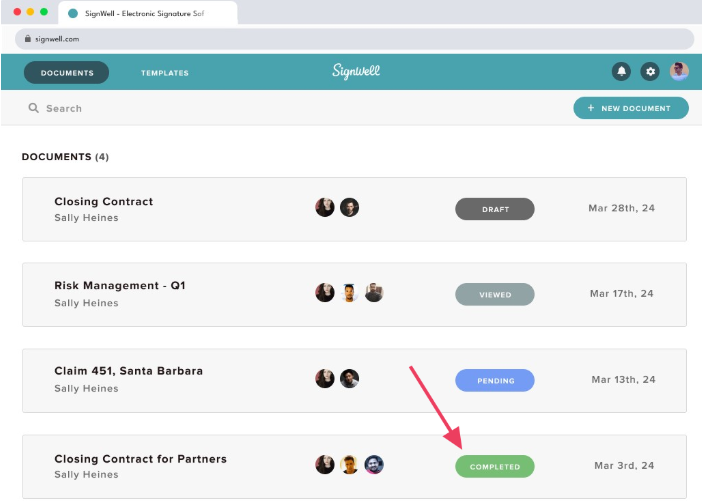
Since you can dynamically edit a document (before it gets signed), you don’t have to worry about different versions floating around and restarting the whole process if the signer signs the wrong version.
4. Keep a Full Audit Trail With Legally Binding Signatures
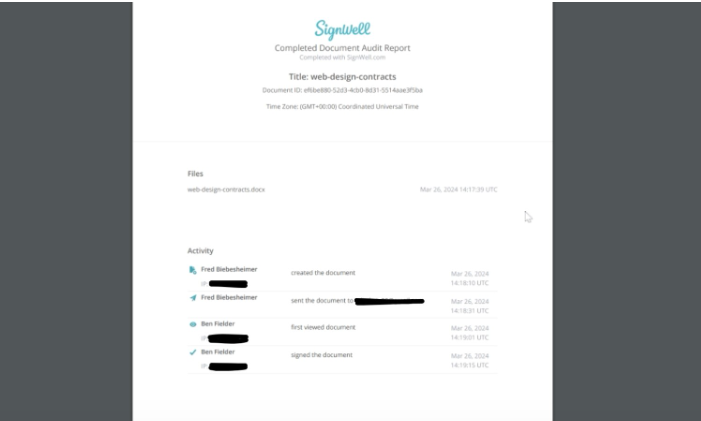
Every document signed through SignWell comes with a timestamped audit trail showing who signed, when, and from where. eSignatures are legally binding, which matters for contracts, engagement letters, and any document that might need to hold up later. You get proof of the process, not just a signed PDF.
5. Go Paperless Accounting
Printing, signing, scanning, and filing paper documents takes time and creates clutter. Sending documents for signature through Xero keeps everything digital from the start. It keeps your accounting paperless.
6. Stop App Switching
Without an integration, sending something for signature usually means leaving Xero, opening another tool, uploading the document again, and then coming back to update your records. So tedious!
The SignWell/Xero integration keeps the signing step inside your existing workflow so you aren’t juggling tabs or duplicating work across systems.
7. Scale as You Grow
As a business takes on more clients, more quotes and contracts need to go out. Manual signing does not scale well. An eSignature app handles higher volumes just as easily as lower ones. The process is exactly the same whether you are sending five documents a month or fifty.
8. Sign From Anywhere
Clients can review and sign documents from a phone, tablet, or laptop, wherever they are. This matters if you work with clients in different locations or time zones. It also means that a signature is rarely the reason a deal or job gets delayed.
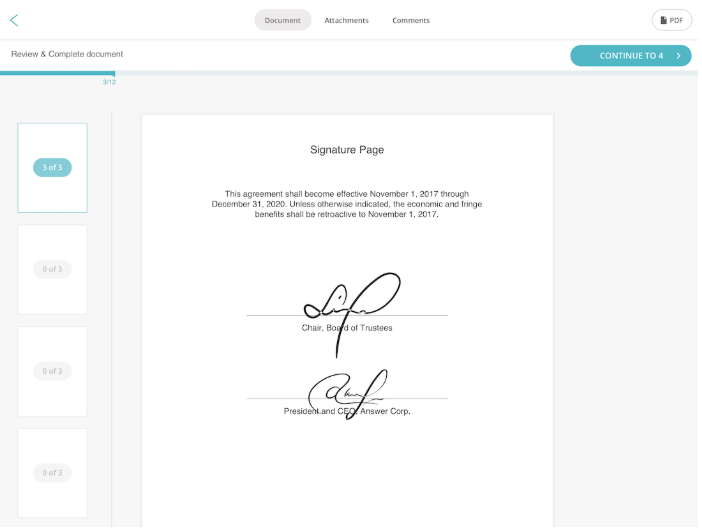
Why Accountants and Bookkeepers Like eSignatures
Accountants and bookkeepers deal with a steady stream of documents that need signing: engagement letters, client agreements, authority and consent forms, and various tax documents.
Each document typically has to be printed, signed, scanned, and sent back, often more than once a year per client. That’s a LOT of tedious work that should be automated.
An eSignature app for Xero removes that print-sign-scan-send loop. Engagement letters can go out and come back signed the same day. Consent forms tied to tax filings are easier to track and store. Client agreements are simpler to update and re-send when terms change.
This also keeps client documents properly auditable. Every signed document has a clear record attached to it, which is useful if a client ever questions when something was agreed or by whom.
Firms that use electronic signatures for accountants also tend to look more modern to clients who expect a smooth, digital experience. The practice itself moves faster because less time is spent on document admin.
The Wider Benefits of Electronic Signatures
If you are new to electronic signatures, the case for it is straightforward. Paper-based signing adds waiting time, cost, and risk to every business. eSigning is simpler and faster for everyone, in every way.
Let’s look at the benefits of electronic signatures for any business:
- Faster turnaround. Documents get signed in minutes instead of days. There is no waiting on the mail, on printers, or for someone to be back in the office to sign.
- Lower cost than paper. No printing, scanning, or postage for every document, which adds up quickly across dozens or hundreds of contracts a year.
- Security and audit trails. Every signature is timestamped and recorded, so there is always a clear record of who signed what and when.
- Legally binding results. Signed documents are designed to meet the requirements of the ESIGN Act, UETA, and eIDAS, so contracts, quotes, and agreements carry real legal weight.
- A better client experience. Clients can sign from any device without extra steps, which reflects well on the business that sent the document.
- Fewer lost or misplaced documents. Signed files are stored digitally and easy to find later, instead of sitting in a drawer or an old email thread.
- Easier compliance. A clear digital trail makes it simpler to show a document was signed correctly if it is ever questioned.
For more details, check out our full guide on electronic signatures.
Start Using SignWell With Xero
If you want faster sign-off, less paper, and a clean audit trail without leaving your Xero workflow, connect your Xero account to SignWell. It only takes a few minutes. You can send your first quote, invoice, or engagement letter for signature the same day you set it up.
Start free with SignWell or head to the SignWell Xero app page to connect your account.