

Ask any sales representative where deals stall, and they will tell you the same thing: contracts.
Reps spend a lot of time formatting templates, chasing approvals, and following up on signatures while deals sit in limbo. Sales contract automation removes the manual steps from the process. Contracts go out faster, approvals happen on a clear timeline, and signatures come back without the back-and-forth.
In this guide, you will learn what sales contract automation is, which parts of your process are worth automating, and how to do all of it without buying a heavy contract lifecycle management platform.
What is Sales Contract Automation?
Sales contract automation is the use of software to handle the repetitive, manual parts of creating, sending, approving, and managing sales contracts. Rather than building each contract by hand and moving it through approvals manually, automation lets you set up rules, templates, and workflows that do all of the work for you.
The types of contracts that most sales teams automate include master service agreements (MSAs), statements of work (SOWs), nondisclosure agreements (NDAs), order forms, and renewal agreements. These documents follow predictable patterns, which make them ideal for automation.
Why Automating Sales Contracts Matters: 5 Main Benefits
Sales contract automation gives your team a faster path to a signed agreement, so they can spend their time on more meaningful activities (like the ones that boost revenue and their commissions). Here is what that looks like in practice.
1. Reps Spend More Time Selling
Building a contract from scratch, hunting down the right template version, and filling in deal details takes time that your sales team could invest in the pipeline.
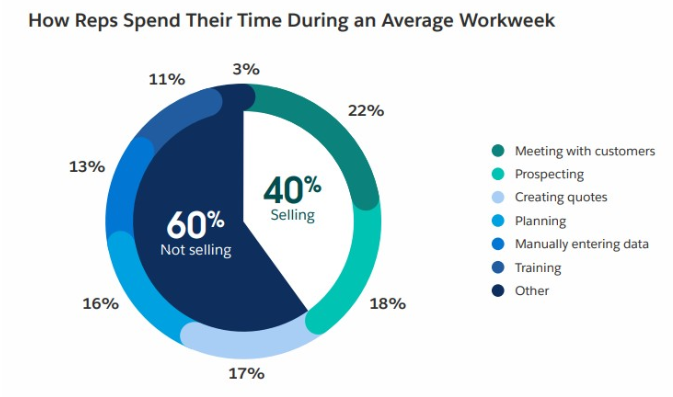
According to Salesforce’s State of Sales report, reps spend around 60% of their time on non-selling tasks. Contract admin is a big part of that. Automation gives that time back.
2. Approvals Move on a Clear Timeline
When a contract needs legal or finance to sign off, an automated sales contract workflow sends it to the right people instantly and keeps everyone accountable to a deadline. Deals that used to stall for a week or more move through approval in a predictable, trackable way.
3. Every Customer Gets the Right Terms
Pre-approved templates with controlled access mean reps always work from the current, correct version of a contract. Pricing, clauses, and terms remain consistent across all deals.
4. You Close Deals Before Competitors Can React
According to B2B Sales Benchmarks 2025, opportunities that close within 50 days carry a 47% win rate, while those stretching beyond 50 days drop to 20% or lower.
This means a fast contracting process is a competitive advantage, especially in deals where multiple vendors are being evaluated simultaneously. When you can get a clean contract in front of a prospect within hours, you remove one more reason for them to hesitate.
5. Renewals Happen on Time
Automated tracking and reminders make sure contract end dates never sneak up on you. Your team can act early to renew and protect revenue that would otherwise be at risk.
5 Main Things to Automate in Your Sales Contract Process
A strong sales contract workflow covers more than just getting a signature. Here are the five parts of the process worth automating first.
1. Contract Creation and Templating
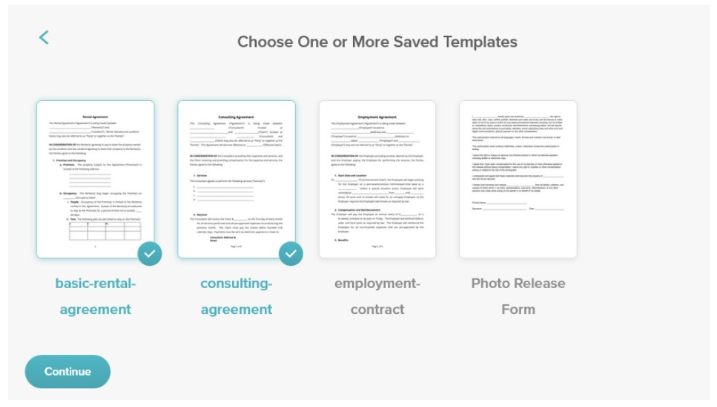
Pre-approved templates with dynamic fields let reps generate a complete contract in minutes. Instead of building from scratch, your reps can fill in a few deal details, and the system populates the whole document. This eliminates formatting errors and keeps your terms consistent across every deal.
2. Approval Workflows
Sometimes a contract has to be approved by multiple people before it can be sent to a prospect, client, or new hire. Automated approval workflows can route contracts to the right people based on rules you define.
For example, any deal over a certain dollar threshold automatically goes to legal and finance before reaching the customer. Everyone knows who needs to act and when.
3. Contract Negotiation and Redlining
Contract negotiation automation gives both sides a structured way to request and review changes. Instead of exchanging marked-up PDFs over email (and possibly making mistakes), teams can work within a redlining process that tracks every change and maintains a clear record of what was agreed to.
4. Signing / eSignatures
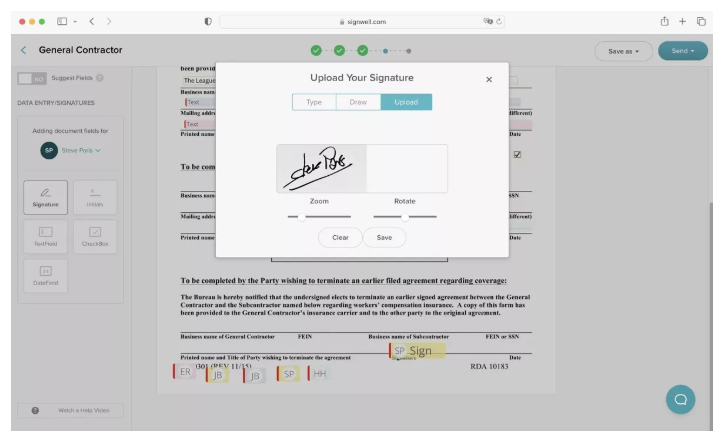
Electronic signatures eliminate the need to print, sign, scan, or mail anything. With an automated signing workflow, contracts go to the right signers, who also get automatic reminders if they have not acted. Signature turnaround drops from days to hours.
5. Storage, Tracking, and Renewals
Once a contract is signed, automated storage makes sure it ends up in the right place with the proper metadata. Tracking tools let you see which contracts are active, expiring soon, or overdue. When combined with automated reminders, this is a great tool to ensure people act before a contract lapses.
How to Implement Sales Contract Automation in 5 Steps
Once you know what to automate in your sales contracts, getting started is simpler than most teams expect.
Step 1: Map Your Current Sales Contract Workflow
Before you automate anything, document what actually happens today. Walk through the steps from the moment a deal reaches the contract stage to the moment the agreement is fully signed. Include the following:
- Who touches it
- What each person is supposed to do
- How long each step takes
- Where it typically gets stuck
Step 2: Identify the Bottlenecks
Look at your map and find the steps that cause delays. For many teams, it’s the stages where you seek approvals or chase signatures, but your situation may be unique. Prioritize them in order from the biggest bottleneck to the least. You’ll focus on the big ones first.
Step 3: Choose the Right Tool for Your Stage
A small sales team with straightforward contracts probably does not need a full contract lifecycle management platform. A simple combination of contract templates and eSignature software (both available at an affordable cost in SignWell) will often solve 80% of the problem.
Match the tool you choose to the actual complexity of your workflow. Don’t just choose the biggest or “industry standard” as it most likely has expensive features you won’t use.
Step 4: Start with One Contract Type
Pick the contract type your team sends most often and automate that one first. Getting one workflow right before expanding keeps things manageable and helps everyone feel confident about the new process.
Step 5: Measure and Expand
Track how long the automated workflow takes compared to the manual process. Look at the time to send, the time to signature, and the approval turnaround. Use those numbers to make the case for expanding automation to other contract types.
6 Common Mistakes to Avoid with Sales Contract Automation
Getting sales contract automation right is mostly about sequencing. Avoid these four pitfalls, and you will save yourself a lot of frustration.
- Buying a full CLM when you only need templates and eSignatures. These platforms are powerful but complex. If your core problem is just contract creation and signing, start there.
- Automating before you standardize your templates. If there are errors in your contract workflow, automation will move them along just as fast as anything else. Clean up your templates.
- Leaving legal out of the conversation. Getting legal involved early means your templates, approval rules, and redlining policies are set up correctly from the start.
- Choosing a tool that does not connect to your CRM. If your contract tool lives in isolation, your reps will work around it. Make sure the tool you pick integrates with the systems your team uses.
- Skipping training and assuming the team will figure it out. Even simple automation fails if your reps do not know how to use it. A short onboarding session and a clear guide go a long way.
- Trying to automate everything at once. Start small, get it right, and build from there.
The Easiest Way to Automate Sales Contract Signing: SignWell
Most sales teams do not need a full contract lifecycle management platform. They just need a fast and reliable way to create, send, and sign contracts. That is exactly what SignWell is built for.
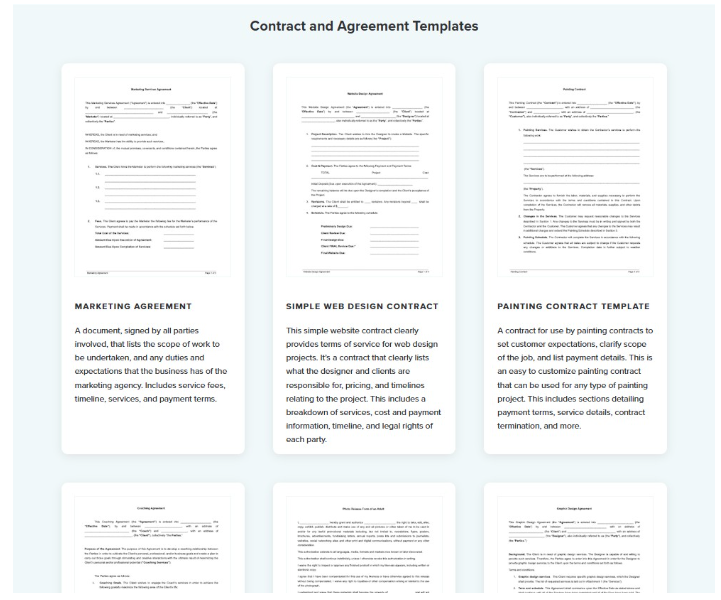
SignWell Templates let you build reusable contracts with predefined fields so reps can generate a complete, ready-to-send document in minutes. This means there’s no reformatting, no copy-pasting, and no hunting for the latest version.
Signing order lets you set the exact sequence in which signers receive the document, so internal approvers can review and sign before the contract reaches the customer.
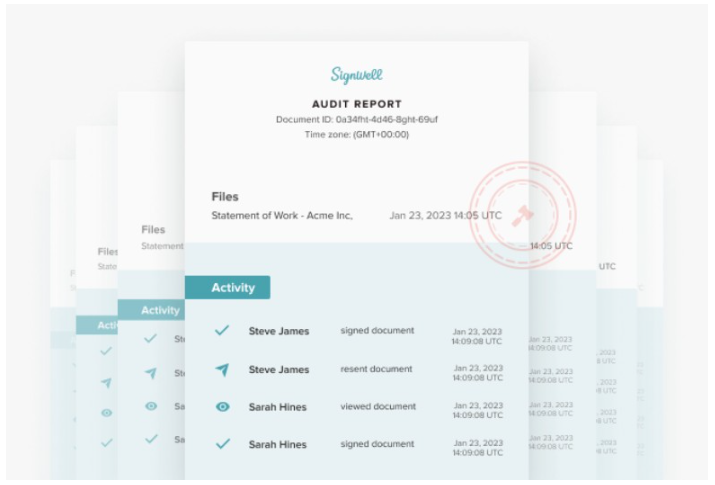
Automated reminders follow up with anyone who has not yet signed. Every completed document also includes a full audit trail showing who signed, when, and from where. This creates the documentation you need if questions arise.
Integrations connect SignWell with the CRMs and other business tools your team already uses, so signed contracts flow into the right place automatically.
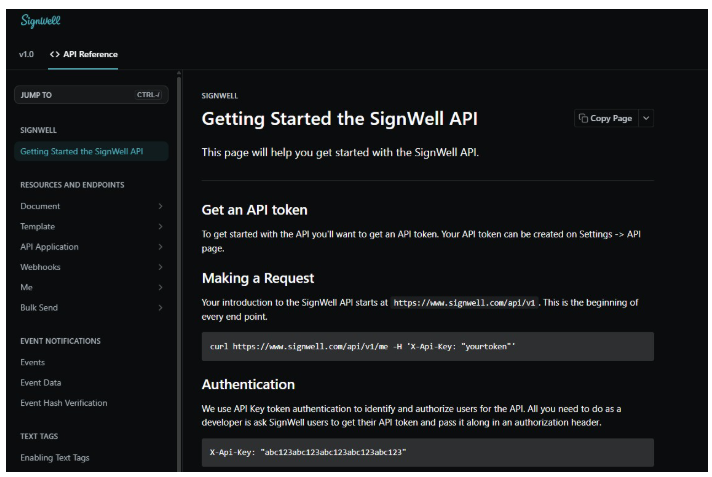
If you need to embed signing into your own product or build a custom sales contract workflow, the SignWell API makes that straightforward without requiring you to start from scratch.
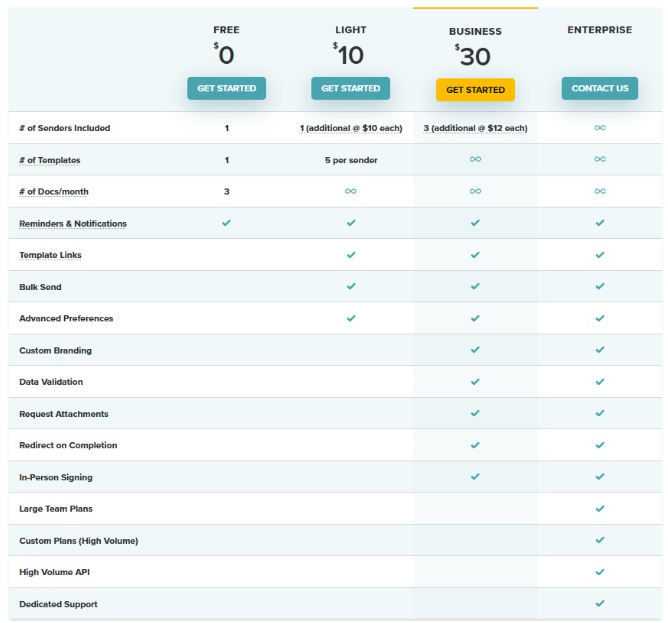
Pricing is simple and transparent with no hidden fees or confusing tier structures. Every signed contract meets ESIGN and UETA standards. This means your agreements carry legal weight wherever your customers are located.
Ready to Speed Up Your Sales Contract Process?
If you want a simple and reliable way to automate the signing side of your sales contracts without a full CLM rollout, give SignWell a try. It’s the best electronic signature software for most organizations. Set up your first template, send your first contract, and see how much faster deals can close when the workflow gets out of the way.