

Running your books in Xero usually feels smooth… until something needs a signature. When a quote, an invoice, an engagement letter, or a contract needs to be signed, the whole process turns into a lot of email back-and-forth.
The SignWell Xero app lets you send documents for electronic signature while keeping everything connected to your Xero contacts and records. Signing becomes part of your workflow instead of a detour.
SignWell combines secure, auditable signing with an easy experience for senders and recipients, so growing businesses can manage important documents without adopting a complex enterprise platform.
In this article, you’ll learn what the SignWell Xero app is, how it works, why you should use it alongside Xero, and how to connect it in a few simple steps.
Ready to see it in action? Try SignWell free or connect SignWell to Xero today.
(Prefer QuickBooks over Xero? Check out our QuickBooks eSignature integration.)
What is the SignWell Xero App?
The SignWell Xero integration is an e-Signature Xero app that lets you send quotes, invoices, engagement letters, and contracts for signature directly from your Xero workflow.
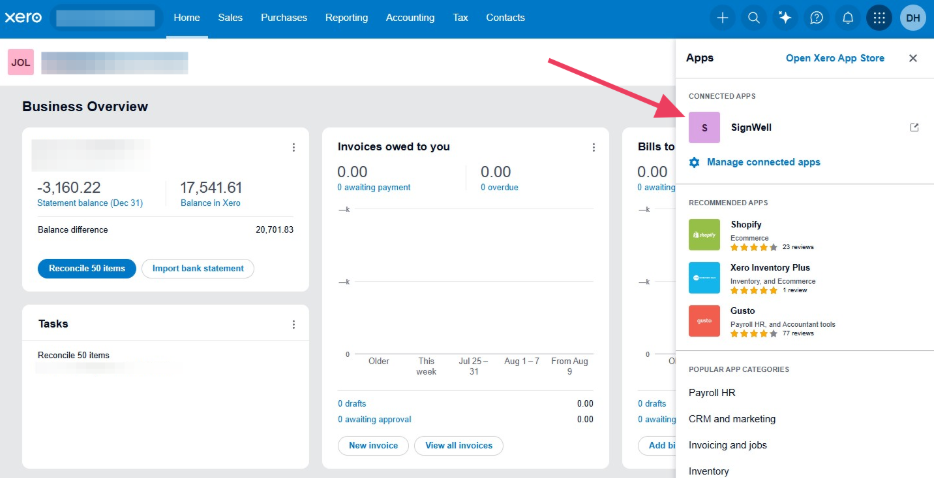
In the past, you would have to export a document, attach it to an email, and manually chase electronic signatures. Now you can simply send it through SignWell with your Xero contact details already filled in.
The SignWell Xero app is built for the everyday documents that small businesses, accountants, and bookkeepers deal with constantly. It handles the signing side of the process so Xero can continue to handle the accounting side of your business. The two always stay in sync. SignWell and Xero stay connected throughout the supported signing workflow. SignWell pulls the selected quote or invoice and its associated contact details from Xero. Once signing is complete, the status, signed PDF, audit report, and supported activity events can be sent back to the corresponding Xero record.
As a new addition to the Xero App Store, Xero users get an affordable option for signing that fits into the tool they already use. There’s no need to adopt a separate system just for signatures.
How Does the SignWell Xero App Work?
With the SignWell Xero app, there’s a straight line from document to signature to record, with no manual re-entry along the way. Here’s a simple breakdown of how it works from start to finish.
1. Connect SignWell to your Xero account
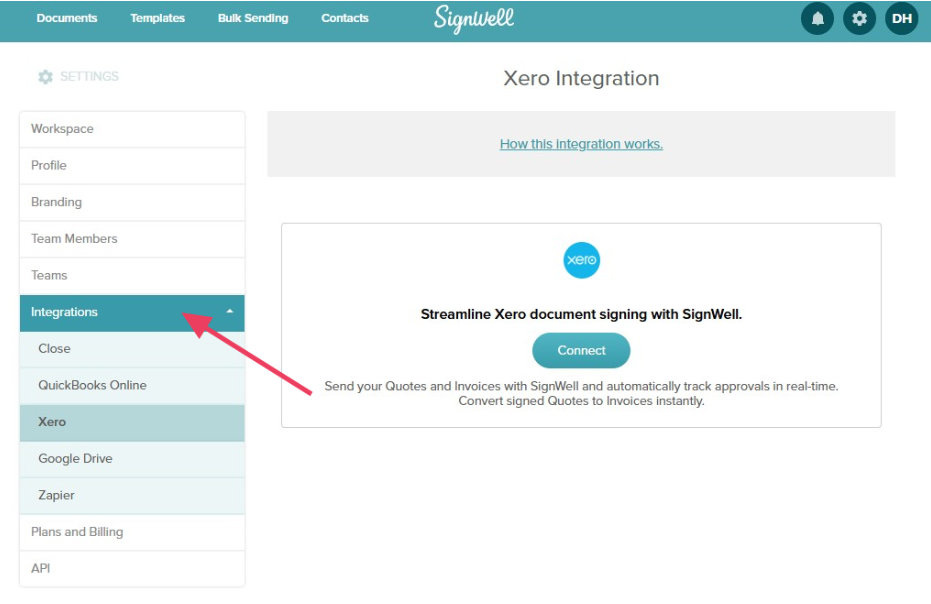
You can do this from the Xero App Store or from SignWell’s integration settings. Once connected, the two systems can talk to each other.
2. Your Xero contacts sync in automatically
The contact associated with the selected Xero quote or invoice is added to the SignWell document automatically, including the recipient information needed for signing. You don’t need to type information manually because it will auto-populate.
3. Pick the document you need signed
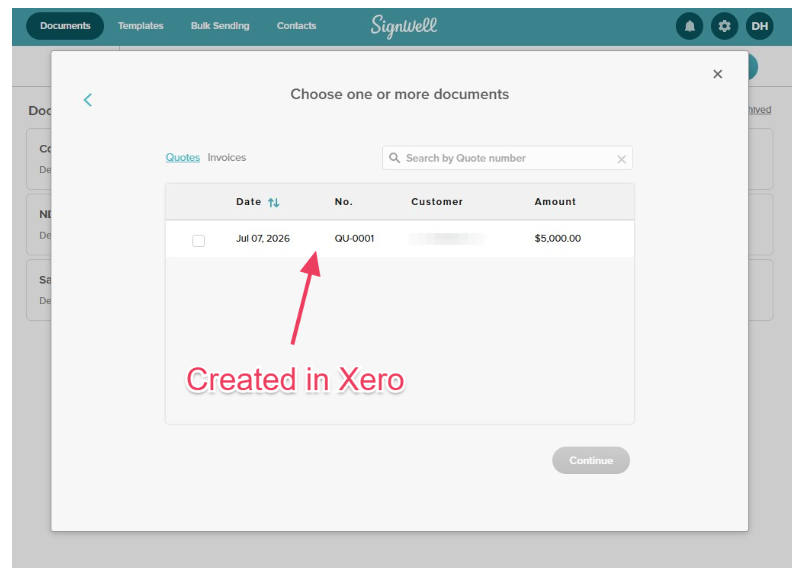
Select an existing quote or invoice from Xero. You can then add supporting files—such as terms and conditions, an engagement letter, or a contract—and combine them into a single signing request. Drag on signature fields, date fields, and initial fields wherever they need to appear.
4. Send it for signature and track status
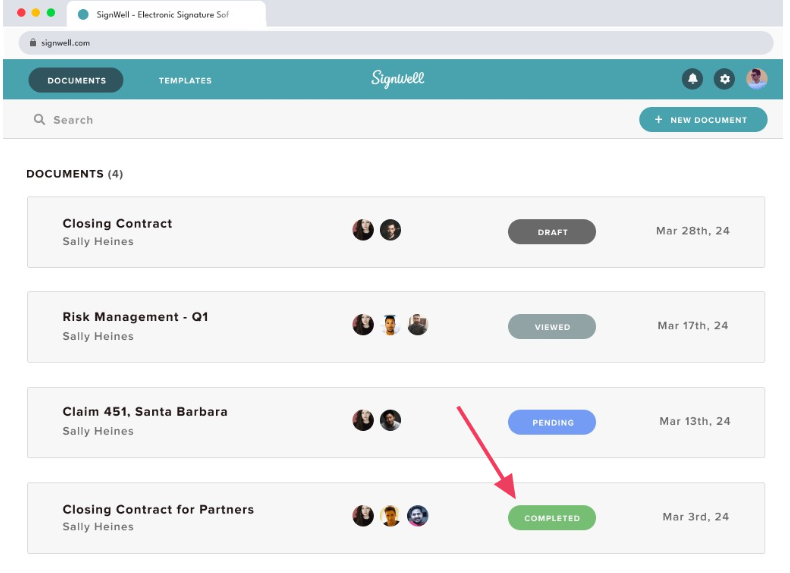
You’ll see when a document has been sent, viewed, and signed, so you always know where things stand without needing to send a follow-up email to ask.
5. Keep the signed record
The completed document and a full audit trail are saved automatically, and any relevant data flows back to your Xero records.
Why Use an Electronic Signature App with Xero
Pairing an eSignature app with Xero solves a lot of small, recurring problems at once.
- No more duplicate client entry: Use supported details from existing Xero contacts instead of repeatedly copying names and email addresses into signing requests.
- Faster client approvals: Send quotes, engagement letters, payment authorizations, and agreements electronically, with reminders and status tracking to reduce manual chasing.
- Repeatable workflows: Turn frequently used engagement letters, contracts, and authorization forms into reusable SignWell templates
- A defensible document record: Keep the completed document with a detailed audit trail showing document and signer activity.
- Legally binding signatures backed by a full audit trail.
- Easier client signing: Recipients can review and sign from a phone or computer without creating a SignWell account.
SignWell customers have reported reducing document preparation time by as much as 80%, while another customer reduced contract completion from weeks to hours.
If you’re a small business sending quotes and invoices regularly, that difference adds up to real time saved every week.
Does Xero Have a Built-In Electronic Signature?
Technically, yes. Xero does offer e-signing through document packs, known as Xero Sign and powered by Adobe Acrobat Sign, inside Xero HQ and Xero Tax.
However, this tool is built specifically for accountants and bookkeepers. It’s sold in prepaid transaction bundles and is designed mainly for signing reports and tax returns within an accounting practice.
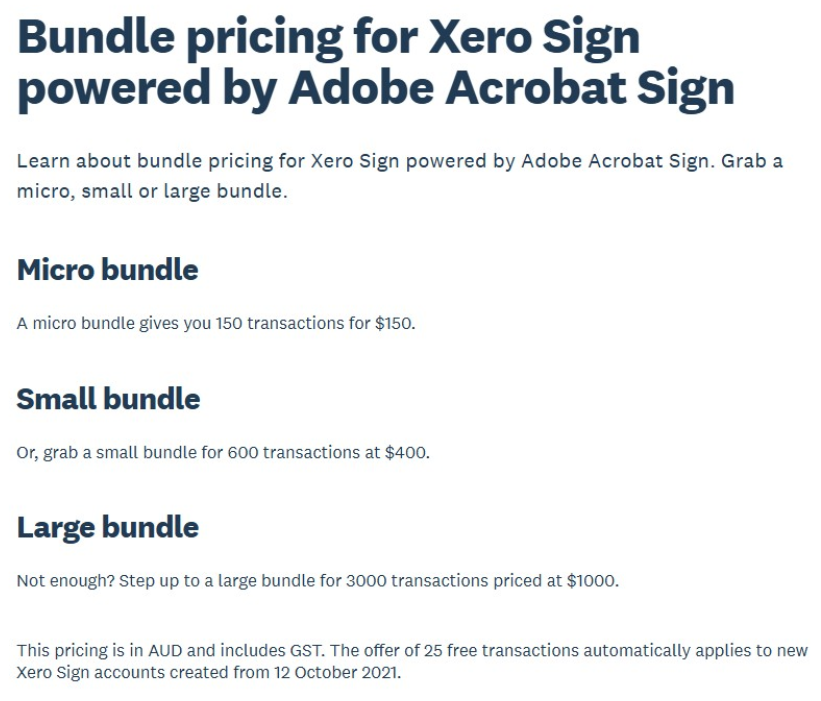
For everyday business signing (including sending a quote to a customer, getting an invoice approved, or signing a client contract), most Xero users need a dedicated eSignature app built for that purpose.
That’s where SignWell fits in. It’s a straightforward way to add secure, auditable eSignatures to everyday Xero workflows, with predictable pricing as your signing needs grow.
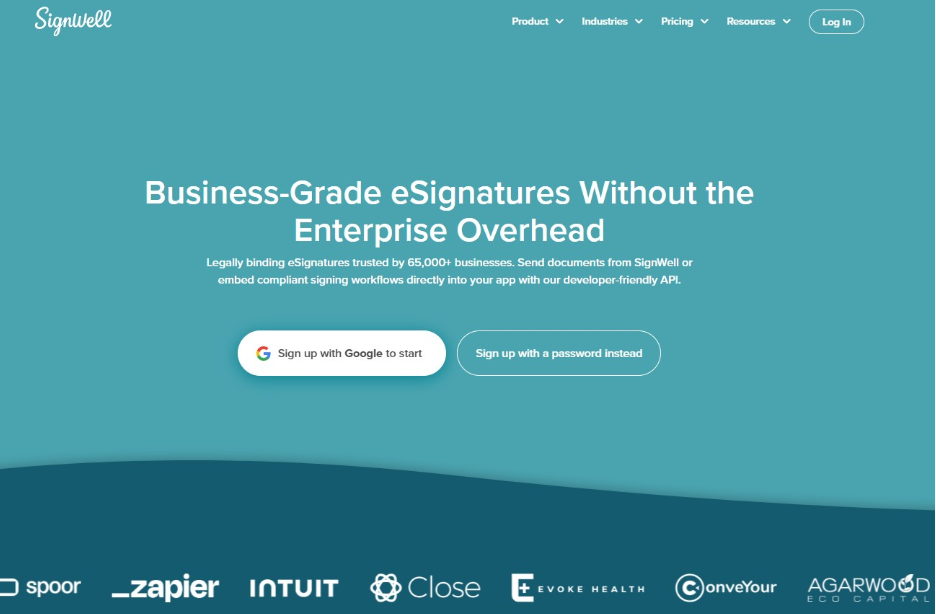
Ready to send your first document? Connect SignWell to Xero or get SignWell from the Xero App Store.
How to Connect SignWell to Xero
Setting up the xero eSignature integration takes just a few minutes. SignWell provides detailed audit trails and secure document handling, with support for standards and regulations including SOC 2 Type II, GDPR, ESIGN, and UETA.
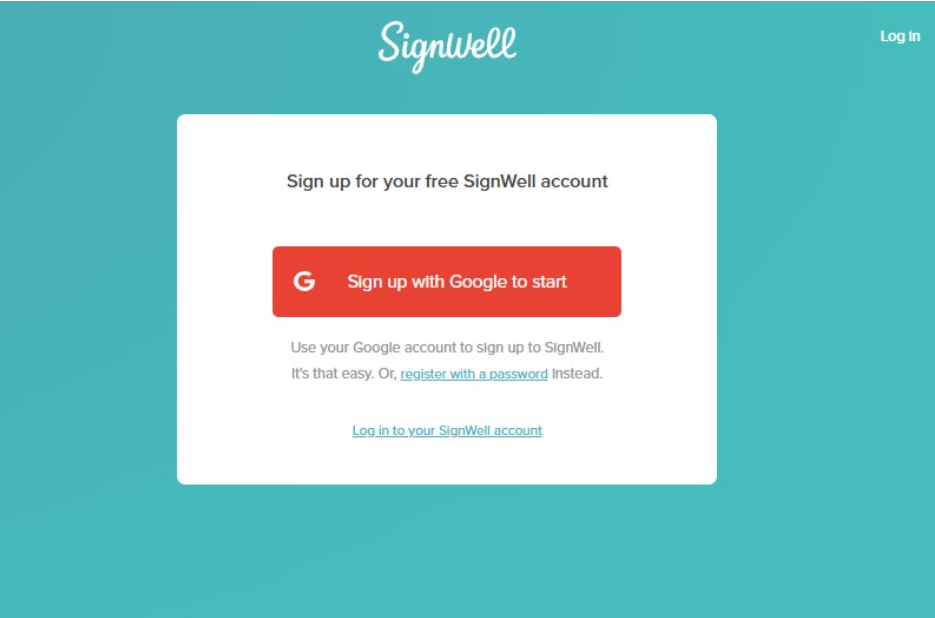
Step 1: Create Your SignWell Account
Sign up for a free SignWell account using your email address. You’ll be guided through a short setup process before you connect anything to Xero.
Step 2: Find SignWell in the Xero App Store
Search for SignWell in the Xero App Store, or head to SignWell’s integration settings directly. Either path leads you to the connection screen.
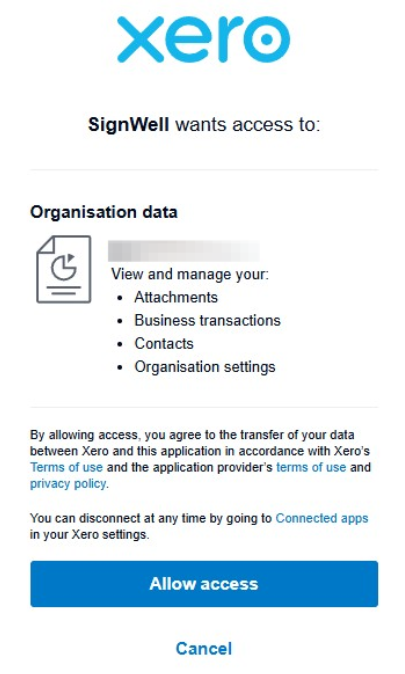
Step 3: Connect and Approve Access
Log in to your Xero account and approve SignWell’s request to access your contacts and relevant document data. This is what allows recipient details to sync automatically.
Step 4: Send Your First Document for Signature
Choose a quote, invoice, engagement letter, or contract. Add signature, date, and initial fields, then send it to your recipient for signature.
Step 5: Track Status and Keep the Signed Copy
Watch the status update as your recipient views and signs the document. Once it’s complete, the signed copy and audit trail are stored automatically, with relevant details flowing back into Xero.
Want to see how easy it is? Try SignWell free with Xero.
What You Can Do With the SignWell Xero App
Once connected, the SignWell Xero app supports a big range of everyday signing needs, including:
- Sending quotes and estimates for signature, then turning them into invoices in Xero.
- Getting invoices and payment authorizations signed off.
- Signing engagement letters and client agreements for accounting and bookkeeping work.
- Collecting signatures on contracts and purchase orders tied to a Xero contact.
Whether you’re a small business owner sending a quote, a bookkeeper collecting an engagement letter, or a finance team getting a contract approved, the app fits into whatever document you’re already working on.
Get Documents Signed Faster With Xero and SignWell
If you want a simple way to get quotes, invoices, and contracts signed without leaving your Xero workflow, SignWell is the best electronic signature software. Connect SignWell and send your first document in minutes.
Start free with SignWell or visit the SignWell Xero app integration page to get started.