

Finding the right eSignature platform is frustrating. Many bundle features you don’t need and lock core functionality behind expensive tiers. Some even make their pricing so rigid that scaling up feels like a financial risk.
And if you’re trying to move quickly (whether to close deals, onboard new hires, or finalize partnerships), you don’t have weeks to evaluate bloated tools. You need electronic signatures that just work, without having to justify a software budget before you can send your first document.
In this guide, you’ll find a detailed look at the best free eSignature software options available right now. We break down what each provider actually offers on their free plan and compare them side by side, so you can find a tool that fits your needs today and still has room to grow with you.
Overall Comparison
| Brand | Free plan limit | Branding removal | Support | Paid plan starts at |
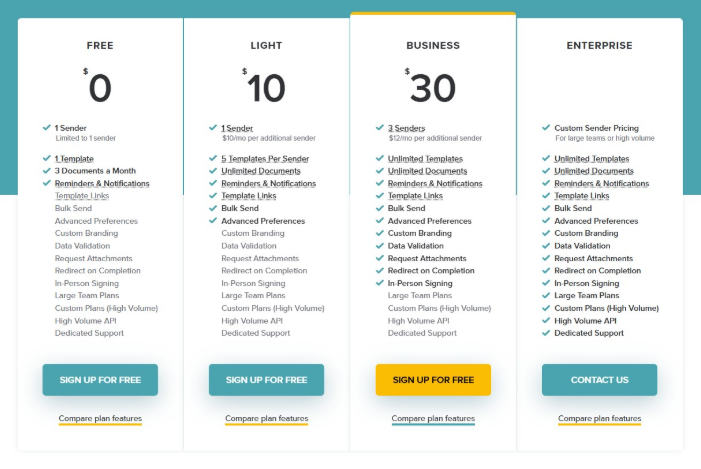
| SignWell | 3 documents per month | Paid plans only | Included | $10/month |
| BoldSign | 1 sender, up to 5 documents/month | Paid plans only | $10/user/month | |
| DocuSign | 30-day free trial only | Paid plans only | Help center, community | $10/month (Personal) |
| Dropbox Sign | 3 documents/month, 1 sender | Paid plans only | Email (paid plans only) | $20/month |
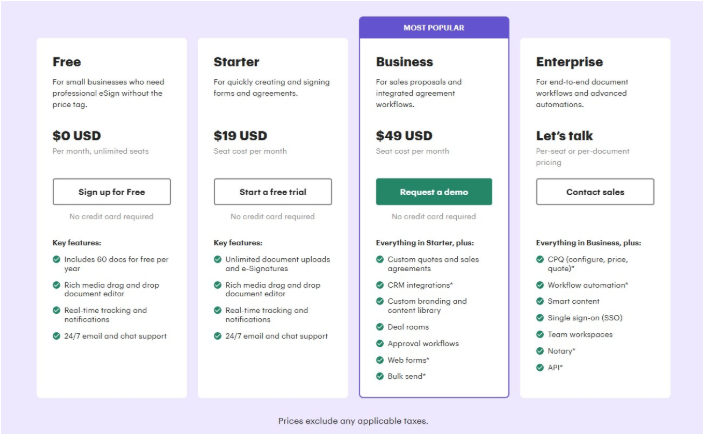
| PandaDoc | Unlimited eSignatures on uploaded docs | Paid plans only | Knowledge centre | $19/user/month |
| Xodo Sign | 3 documents/month | Paid plans only | $9.99/user/month | |
| JotForm Sign | 10 signed documents/month | Paid plans only | $39/month | |
| OpenSign | Unlimited (self-hosted, open source) | Requires self-hosting | Community and GitHub | Free if self-hosted |
| DocuSeal | Unlimited (self-hosted, open source) | Requires self-hosting | Community and GitHub | $29/month (cloud Pro) |
The 9 Best Free eSignature Software for 2026
To build this list, we evaluated the best eSignature software based on what you actually get without paying. We looked at the number of documents you can send per month, the quality of features included in the free plan, any usage limitations or signer restrictions, available integrations, and whether customer support is accessible or reserved for paying customers.
Please note that pricing changes frequently. As of the time this article was published, these are the current pricing structures for all the listed tools.
1. SignWell
SignWell is a lightweight platform built for speed and simplicity. It’s easy for small teams and individuals to send, track, and sign documents online for free, with no steep learning curve.
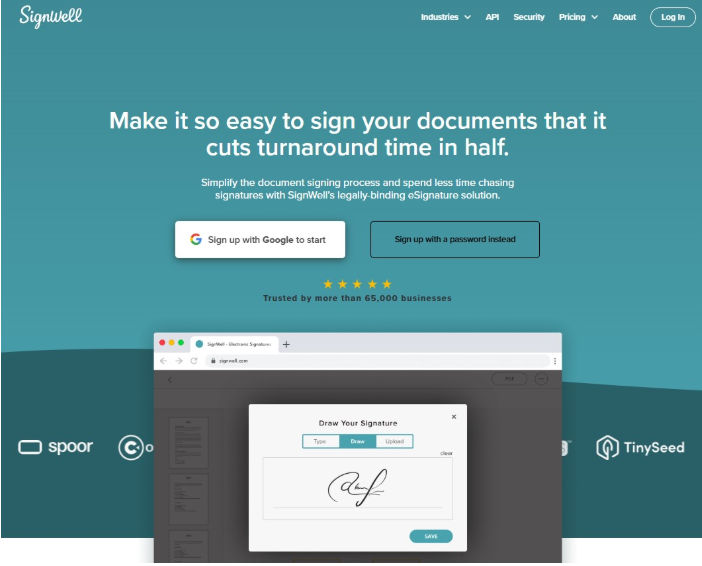
Free Plan Features:
- Up to three documents per month
- One reusable template
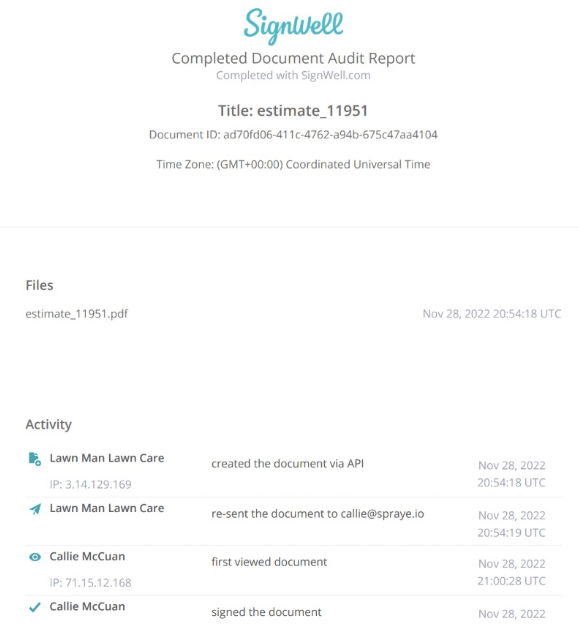
- Audit trails
- Automatic reminders
- Real-time status tracking
- Signing order controls
- All signatures are legally binding and compliant with ESIGN and UETA.
Use Cases: Contracts, NDAs, onboarding documents, proposals, and lease agreements.
Who It Serves: Freelancers, solopreneurs, and small business owners who need a simple way to get documents signed without paying up front.
Support: Online resources only. No dedicated support.
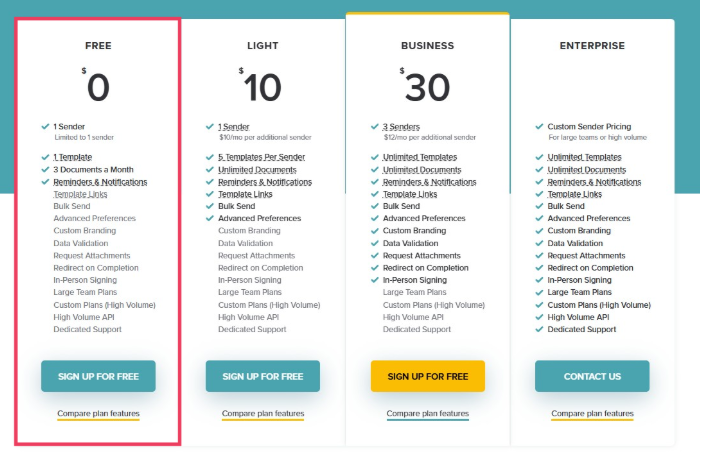
Pricing After the Free Plan: Starts at $10 per month per user, billed annually. All paid plans include unlimited documents, no per-signer fees, and no cancellation contracts. Check out SignWell pricing.
Pros:
- Extremely easy to set up and use.
- Transparent pricing that scales gradually.
- Audit trails and reminders are included on the free plan.
- Integrations with 5,000+ apps through Zapier.
- Not bloated with pricey features you won’t use.
- Same human support on the free plan as the light and business plans.
Cons:
- Three documents per month on the free plan.
- SignWell branding on free-tier documents.
2. PandaDoc
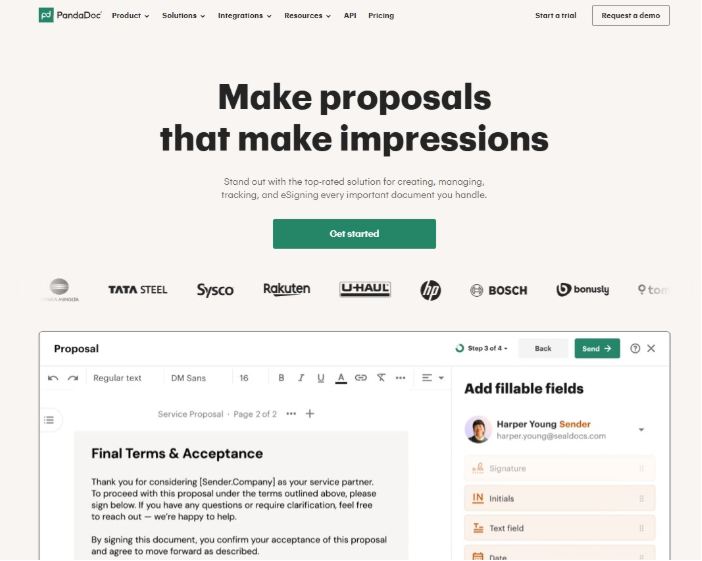
PandaDoc is a document automation platform that goes beyond eSignatures. It combines proposal creation, payment collection, and contract workflows into a single tool built primarily for sales teams.
Free Plan Features:
- Five eSignatures per month
- Five documents sent per month
- Five templates
- Audit trails and notifications
- Payment collection integration
- Unlimited seat
Use Cases: Sales proposals, client contracts, quotes, onboarding agreements, and any workflow where document creation and signing must occur in a single place.
Who It Serves: Sales teams and small businesses that want to create, send, and sign documents without switching between tools. Great if you also need to collect payments alongside signatures.
Support: Help center, email, and chat support only. Premium support is available on all plans for an additional cost.
Pricing After the Free Plan: The Essentials plan starts at $19 per user per month, billed annually, which unlocks unlimited documents, a full document editor, analytics, and a template library.
Pros:
- One of the few free plans that includes payment collection.
- Unlimited seats on the free tier, so your whole team can access it.
- Combines document creation and signing in a single platform.
Cons:
- The five-document monthly limit on the free plan feels restrictive for regular use.
- CRM integrations require the Business plan at $49 per user per month.
- PandaDoc branding appears on free plan documents, and removing it costs extra.
- Minimal support offered.
3. Dropbox Sign
Dropbox Sign (formerly HelloSign) is an eSignature tool built into the Dropbox ecosystem. It provides a clean signing experience with tight integrations into some cloud storage and productivity apps.
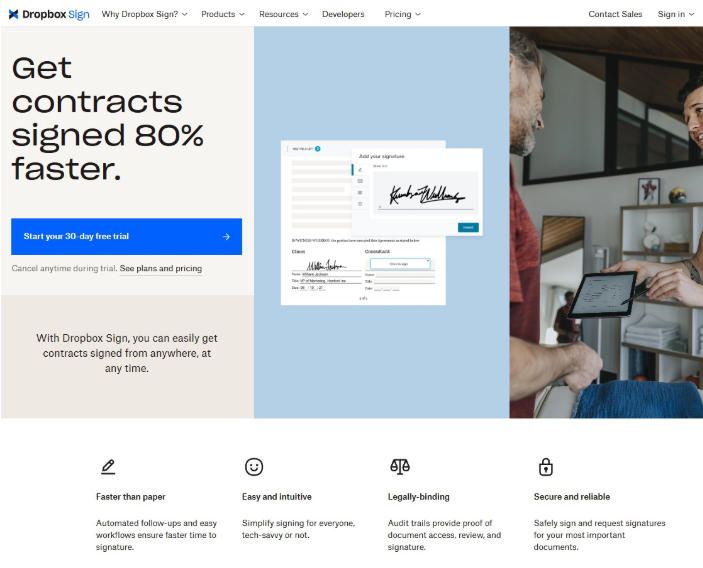
Free Plan Features:
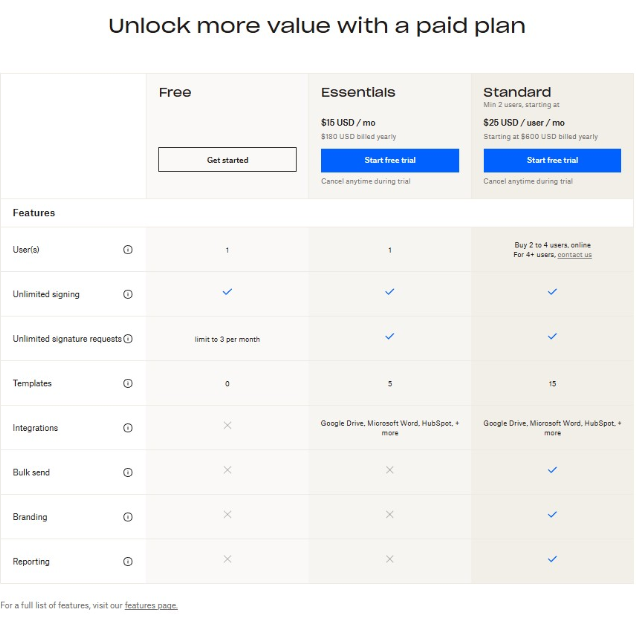
- Three signature requests per month (renews every 30 days)
- Unlimited self-signing
- Audit trail on completed documents
- Reminders and notifications
- Integrations with Google Drive, Dropbox, OneDrive, and more
- Signers do not need an account
Use Cases: Employment agreements, freelance contracts, client onboarding documents, and any workflow where cloud storage integration helps.
Who It Serves: Freelancers and individuals already using Dropbox or Google Workspace who need a simple way to send a few documents per month for signature.
Support: Email support is available on paid plans. The free plan relies on self-service help resources.
Pricing After the Free Plan: The Essentials plan starts at $15 per user per month and unlocks unlimited signature requests and 5 reusable templates.
Pros:
- Seamless integration with Dropbox, Google Drive, and other cloud storage tools.
- Very clean and intuitive signing experience for both senders and recipients.
Cons:
- Only three signature requests per month on the free plan.
- No templates available on the free tier.
- No support access without a paid plan.
- Custom branding and team features require the Standard plan at $25 per user per month.
4. JotForm
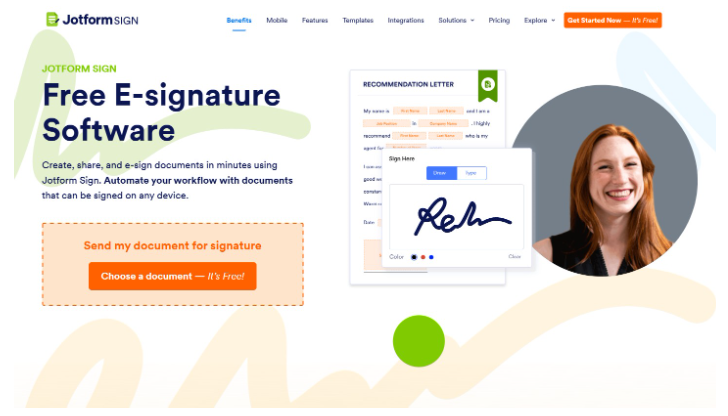
Jotform Sign is a form-first eSignature tool that lets you build signable documents from scratch using a drag-and-drop editor. There are thousands of ready-made templates for everything from contracts to consent forms.
Free Plan Features:
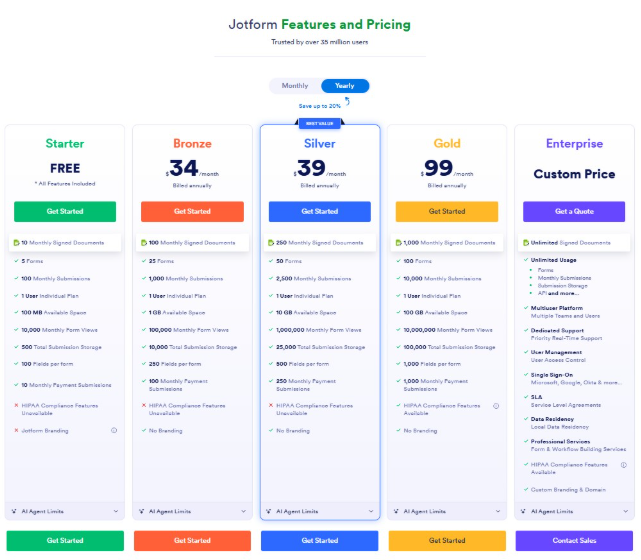
- Up to 10 signed documents per month
- Five active forms
- 100 monthly submissions
- 100 MB upload storage
- Access to 10,000+ form and eSign templates
- Payment collection integrations
- 100 form fields per form
- Jotform branding on all documents
Use Cases: Registration forms, consent forms, waivers, service agreements, order forms, and any document that combines data collection with signature capture.
Who It Serves: Small businesses, nonprofits, and solo professionals who need a flexible way to collect information and signatures in a single step.
Support: Online resources only for all plans. Live phone and Zoom support are reserved for Enterprise users.
Pricing After the Free Plan: The Bronze plan starts at $19.50 per month, billed annually, which increases your limit to 25 forms, 100 signed documents, 1,000 monthly submissions, and 1 GB of storage. It also removes Jotform branding.
Pros:
- Massive template library with over 10,000 options ready to customize.
- Combines form building and eSignatures in one tool.
- Payment collection is included in the free plan.
Cons:
- 100 submissions and 1,000 form views can run out fast.
- All plans except Enterprise are single-user only.
- HIPAA compliance is only available on the Gold plan at $99 per month.
- Support is limited.
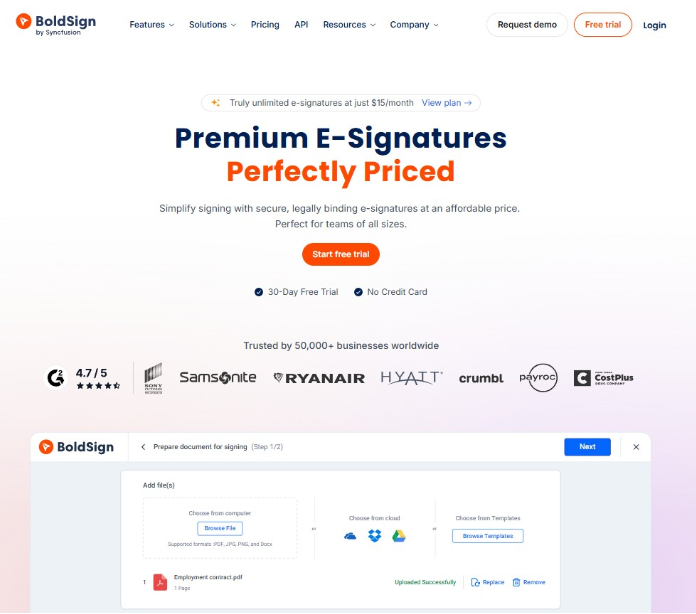
5. BoldSign
BoldSign is an affordable eSignature platform by Syncfusion with a surprisingly complete free plan. It offers features like audit trails and signer authentication that many competitors lock behind paid tiers.
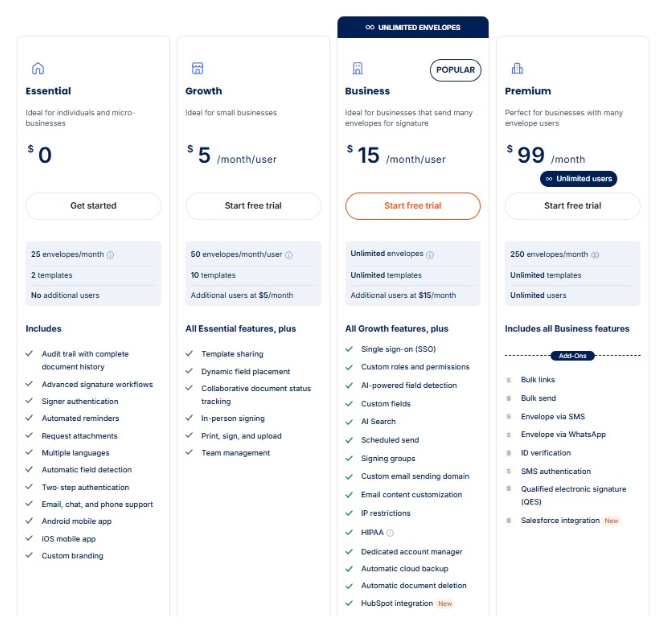
Free Plan Features:
- Up to 25 envelopes per month
- Audit trails
- Signer authentication
- Automated reminders
- Multi-signer workflows
- Two templates
Use Cases: Consent forms, client contracts, onboarding documents, and recurring agreements for small teams or solo operators.
Who It Serves: Freelancers, micro businesses, and small teams that need a generous free plan with professional features like branding and authentication included from the start.
Support: Customer support via chat, email, and ticketing is available on all plans, including the free plan.
Pricing After the Free Plan: The Growth plan starts at $5 per user per month, billed annually, and includes 50 envelopes per user per month and additional templates.
Pros:
- One of the most feature-rich free plans available, with 25 envelopes per month.
- Custom branding and signer authentication included at no cost.
- Customer support available even on the free tier.
- Very affordable upgrade path starting at just $5 per month.
Cons:
- Bulk sending and SMS delivery are paid add-ons with per-use fees.
- Some users have found it unclear which features belong to which tier.
- Less brand recognition compared to larger competitors.
- API access requires the Enterprise plan starting at $30 per month.
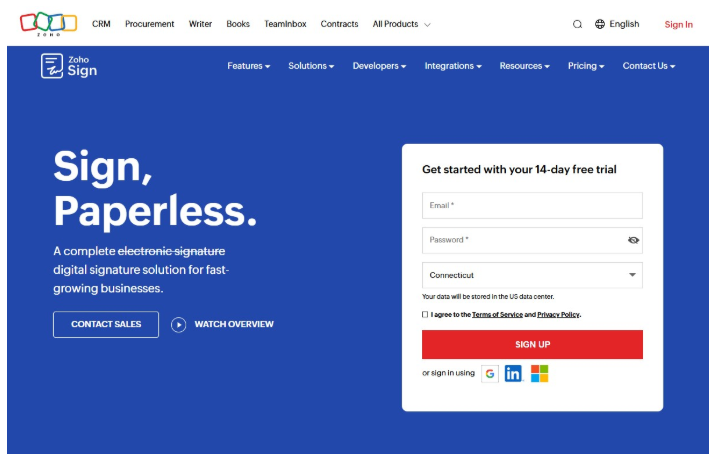
6. Zoho Sign
Zoho Sign is a digital signature tool built to integrate seamlessly with the Zoho ecosystem. It’s an appealing option for teams already using Zoho CRM, Zoho Books, or other Zoho apps.
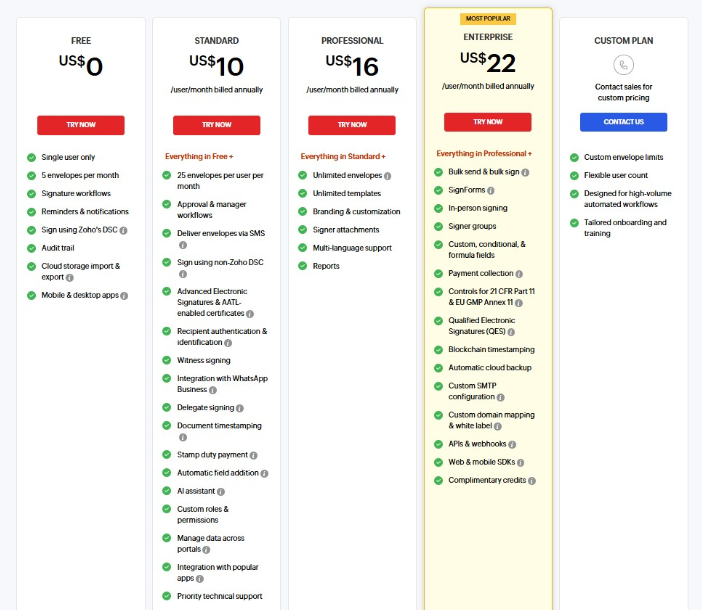
Free Plan Features:
- One user
- Up to five envelopes per month
- Basic eSignature workflows
- Audit trails
- Cloud storage imports and exports (Dropbox, Google Drive, OneDrive)
- Mobile app access on iOS and Android
Use Cases: Offer letters, employment contracts, client agreements, vendor documents, and any recurring paperwork within a Zoho-powered workflow.
Who It Serves: Solopreneurs and small businesses already in the Zoho ecosystem who want a free way to start signing documents digitally.
Support: The free plan includes basic email support. Priority support is available starting on the Standard plan.
Pricing After the Free Plan: The Standard plan is $10 per user per month, billed annually, which increases your limit to 25 envelopes per user per month and adds SMS signer authentication, automated reminders, templates, certificates, and third-party integrations.
Pros:
- Deep native integrations with Zoho CRM, Zoho Books, Zoho People, and more.
- Affordable paid plans that scale gradually.
- 14-day free trial with access to Enterprise-level features.
- Strong compliance with ESIGN, eIDAS, GDPR, and HIPAA.
Cons:
- The free plan is limited to a single user and allows only 5 envelopes per month.
- The platform works best inside the Zoho ecosystem and feels less flexible as a standalone tool.
- Custom branding requires the Professional plan at $16 per user per month.
- Some users report that advanced features require a steep learning curve.
7. DocuSign
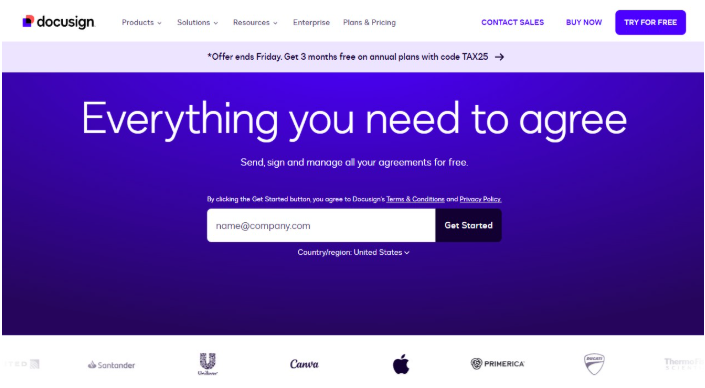
DocuSign is the most widely recognized name in eSignatures. It’s built for enterprise scale with advanced workflow automation, compliance tools, and a large integration ecosystem.
Free Plan Features:
- Up to three signature requests in total (not per month)
- Signature fields and basic annotations
- Real-time audit trail
- Cloud document storage
- Mobile app access
Use Cases: Contracts, sales agreements, HR documents, and compliance workflows across nearly every industry.
Who It Serves: Individuals who need to sign documents sent to them or send a very small number of signature requests to test the platform before committing to a paid plan.
Support: Online resources only. The free plan does not include direct customer support. Email and phone support begin on paid plans.
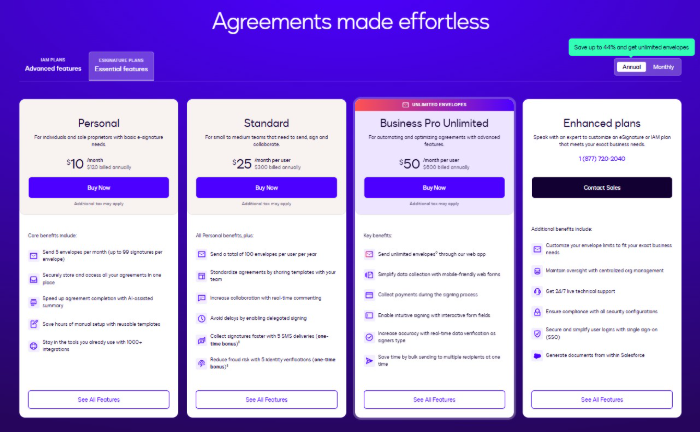
Pricing After the Free Plan: The Personal plan starts at $10 per month, billed annually, which allows five envelope sends per month. (An envelope can request up to 99 signatures.)
Pros:
- Industry-leading brand recognition and trust.
- Massive integration library for enterprise workflows.
- 30-day free trial available on paid plans with no credit card required.
- Strong compliance and security standards.
Cons:
- The free plan is essentially a one-time test, not an ongoing solution.
- No templates or integrations without upgrading.
- Pricing jumps significantly between tiers.
- Customer support is limited or unavailable on lower plans.
8. OpenSign
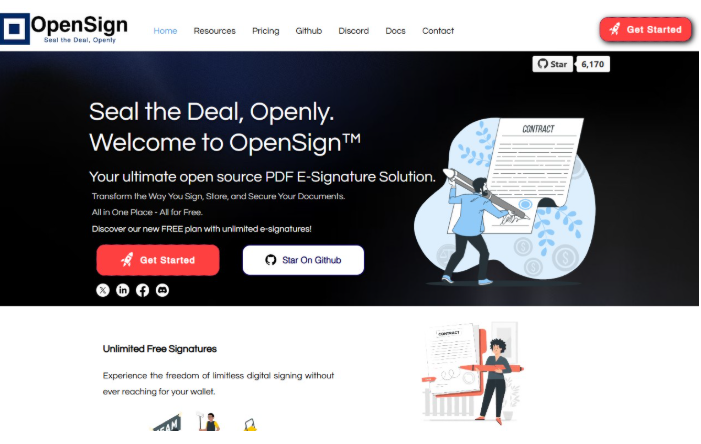
OpenSign is an open-source eSignature platform that offers unlimited document signing on its free plan. This makes it one of the most generous options for teams that need flexibility over polish.
Free Plan Features:
- Unlimited envelopes and signature requests
- Unlimited guest signers
- 14 field types
- Completion certificates with access logs
- Signing order controls
- Secure document storage
Use Cases: Contracts, agreements, internal approvals, and any workflow where volume matters more than advanced automation.
Who It Serves: Startups, open source enthusiasts, and budget-conscious teams that need to send a high volume of documents without hitting a cap.
Support: Community-based support through Discord. Official support is only available on paid plans.
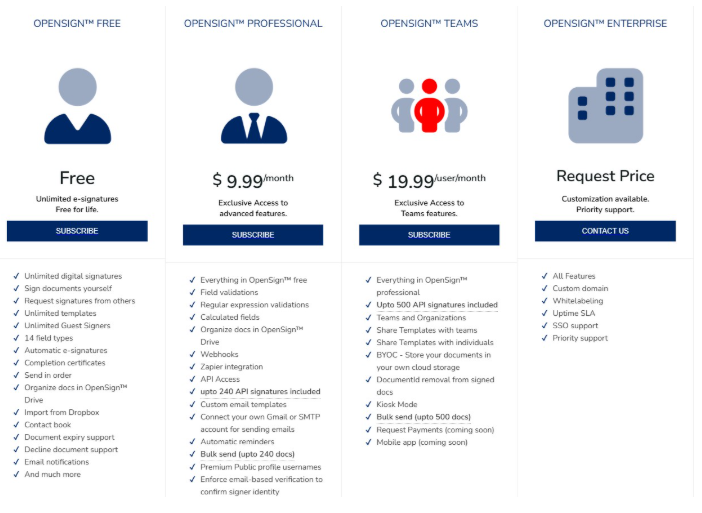
Pricing After the Free Plan: The Professional plan starts at $29.99 per month and includes API access, Zapier integration, webhooks, templates, advanced field validation, and document organization in OpenSign Drive.
Pros:
- Unlimited signatures and documents on the free plan with no monthly cap.
- An open source codebase that can be self-hosted for full data control.
- Completion certificates are included at no cost.
- No restrictions on the number of collaborators.
Cons:
- It is free because you must set it up yourself. Self-hosting requires technical setup and maintenance.
- Community-only support on the free plan, with no email or phone option.
- Some advanced features are still in development.
- Fewer third-party integrations than commercial alternatives.
9. DocuSeal
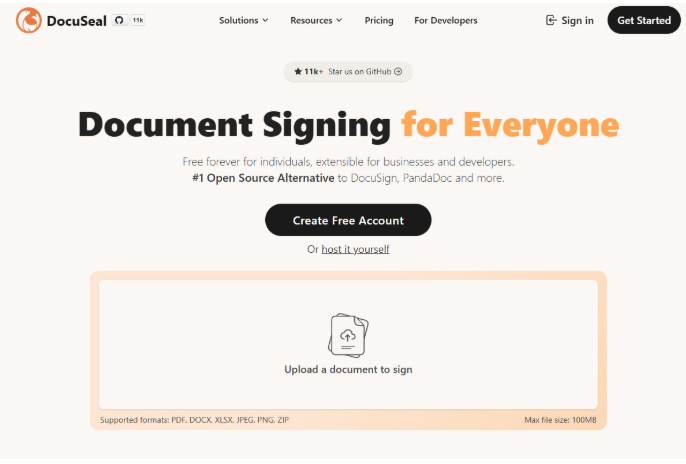
DocuSeal is an open source document signing platform with a clean, developer-friendly interface that makes it easy to create fillable PDF forms, collect signatures, and integrate signing workflows into existing apps.
Free Plan Features:
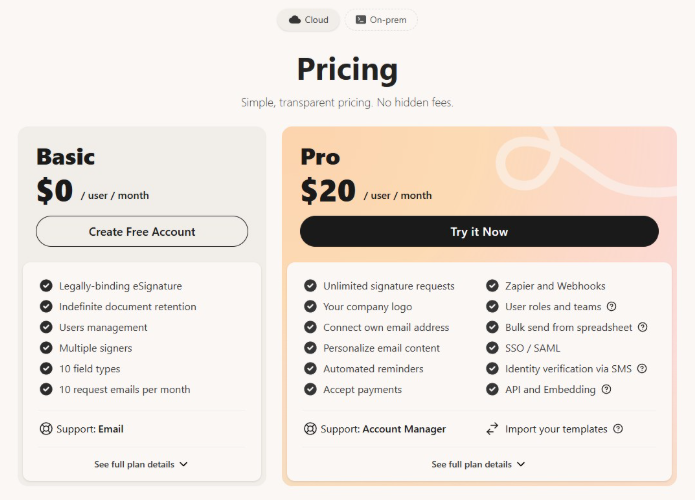
- Unlimited document signing and sending
- Fillable PDF form builder with 10 field types
- Multi-party signing
- Digital PDF eSignatures with verification
- Mobile-optimized signing
Use Cases: Contracts, client onboarding forms, internal approvals, and developer-led signing workflows embedded into web or mobile apps.
Who It Serves: Developers, startups, and small to midsize businesses that want a no-cost, open-source signing solution with the option to self-host.
Support: Email support and community support through documentation and GitHub. Priority support is available on the paid plan.
Pricing After the Free Plan: The Pro plan is $20 per user per month (or $200 per year), which adds automated reminders, conditional fields, bulk sending, SMS verification, SSO, and API access with embedding capabilities.
Pros:
- Unlimited documents and signatures on the free plan with no caps.
- An intuitive form builder that users consistently praise for its simplicity.
- Can be self-hosted for full control over data and infrastructure.
Cons:
- It is free because you must set it up yourself. Self-hosting requires technical setup and maintenance.
- API and embedding access require upgrading to Pro.
- No dedicated customer support on the free plan.
- Fewer out-of-the-box integrations than commercial competitors.
Traps to Avoid When Choosing a Free eSignature Software
Some free plans look great on the surface but come with catches that can slow your team down or force an upgrade sooner than you expected. Here are the most common traps and how to avoid them.
Document Limitations
Many free electronic signature plans cap you at a handful of documents per month, sometimes as few as 3 or 5. Before committing to any platform, think about how many documents your team realistically sends and whether the free tier can keep up.
Legal Validity and Compliance Issues
Some free plans skip features such as audit trails, certificates of completion, and support for regulations like ESIGN and eIDAS. If you are working in an industry where signed documents need to hold up legally, make sure the free plan offers the compliance you need.
Rigid Pricing
Some platforms make the jump from free to paid feel like a cliff. Instead of letting you add what you need gradually, they push you into a plan that costs significantly more and includes a bunch of features you will never use. Look for providers that offer flexible, affordable upgrades.
User Experience Barriers
Some platforms make the signing process unnecessarily complicated for recipients of your documents. If your signer has to create an account, download an app, or click through five screens before they can sign, that adds friction to every transaction. The best free tools make signing simple for everyone.
Limited Integrations
If your team relies on tools like Google Drive, your CRM, or a project management platform, you need an eSignature tool that integrates with them. Check whether the free plan includes at least basic integrations with the tools you already use.
Branding Restrictions
Many free plans stamp the platform’s logo on every document your signers receive. If you are sending agreements to clients or partners, third-party branding can make your business look less professional.
What You Can Do With a Great Free eSignature Software Like SignWell
The right free plan should not hold you back. It should give you enough room to actually run your business while you figure out if the platform is worth growing into.
SignWell is built with that mindset by giving free users access to the tools that matter most from day one. It aligns with eSignature best practices so you can focus on your work instead of worrying about limitations.
Send and Sign Multiple Documents: Handle up to three real transactions per month with support for multiple signers and signing order controls on every document.
Generate Secure Signatures: Every signature is legally binding and compliant with ESIGN and UETA, with a full audit trail attached at no cost.
Automate and Track Workflows: Automatic email reminders and real-time status tracking come included, so you always know where your documents stand.
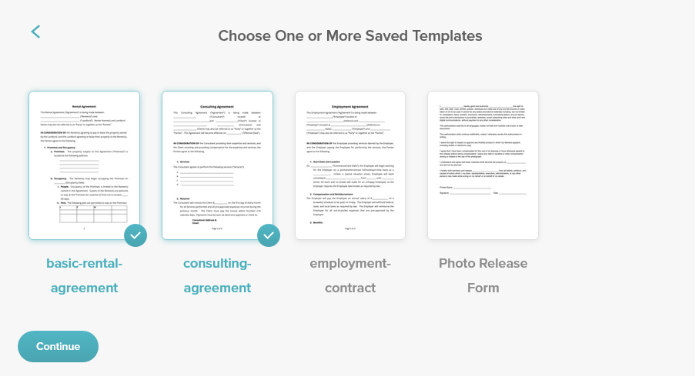
Save Time With Reusable Templates: Set up your most common document once with the included free template and send it to new signers in seconds.
Scale Without Surprises: Paid plans start at just $10 per month with unlimited documents and no per-signer fees. This means upgrading never feels like a cliff.
Explore SignWell for Free Today
All the apps on this list offer something valuable, but the best free eSignature software is the one that lets you work without constantly hitting walls. SignWell gives you legally binding signatures, audit trails, reminders, real human support, and a clear path to scale.
If you are looking for a simple way to start sending and signing documents today, create your free SignWell account and see how it fits into your workflow. No credit card required.