
Here’s How to Initial a Document: A Step-by-Step Guide
6 mins
This article explains how to correctly initial a document, covering step-by-step methods using SignWell and ILovePDF. It highlights SignWell’s advantages, including legally binding initials, advanced features, real-time tracking, and multi-device compatibility. SignWell simplifies document signing for businesses and individuals. Visit the SignWell Resources Page to learn more about automating eSignatures on Documents.
Ever been asked to initial a document and wondered if you’re doing it right? Whether it’s a contract, legal form, or business agreement, adding your initials seems simple, but small mistakes can cause delays or even make the document invalid.
In this SignWell article, we’ll break down exactly how to initial a document step by step, so you can do it quickly, correctly, and confidently.
But first…
We’ve helped over 65,000 businesses and individuals streamline their document signing process with secure, legally recognized electronic signatures. SignWell provides a fast, user-friendly solution for initialing, signing, and tracking contracts, eliminating the need for printing, scanning, or mailing documents.

Initialing a document means adding a short set of your initials; typically, the first letters of your first and last name, to specific sections of a contract, agreement, or legal form. Unlike a full signature, initials serve as a quick acknowledgment that you have reviewed and agreed to particular terms, clauses, or changes within the document.
This practice is common in legal, financial, and business agreements where signers need to confirm specific details, prevent unauthorized modifications, or verify multi-page contracts.
Wondering if your signature can be anything? We’ve got the answer in this article.
At SignWell, we offer a free, secure document signing tool that makes initialing documents quick and effortless. Simply upload your file, whether it’s a PDF, Word document, or image, add your initials, and download the finalized document.
Make sure the Document you need to initial is already saved or downloaded onto your computer, phone, or tablet. If not, take the necessary steps to save it before proceeding.
a. Using your preferred browser, navigate to the SignWell document sign tool page: SignWell Document Sign Tool.
b. Once the page is loaded, you’ll see a marked box prompting you to drag and drop your document or a yellow button to choose your file. It’s FREE – No sign-up is required.
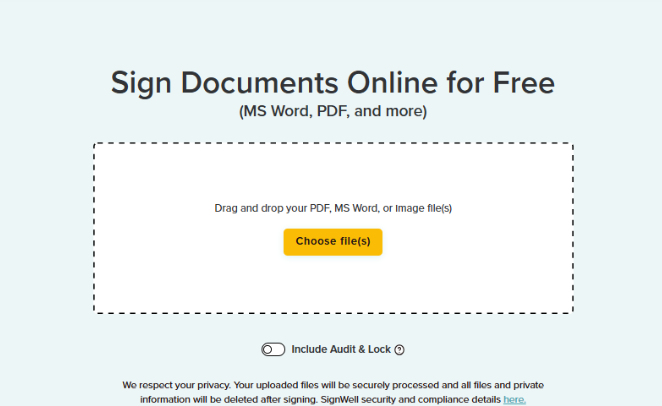
c. Tap the yellow button and select the Document you previously saved to your device. You can upload up to three documents at a time.
d. After selecting your document, you’ll have the option to include an audit trail, which tracks signing activity for enhanced security.
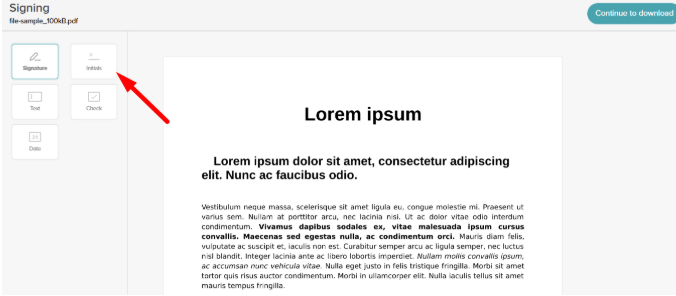
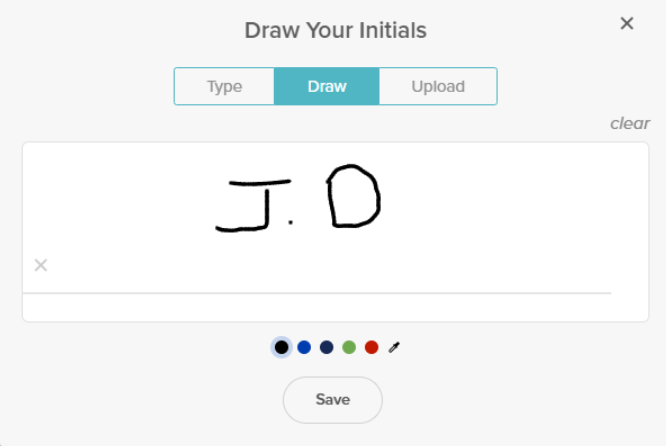
See our guide to the different types of signatures.
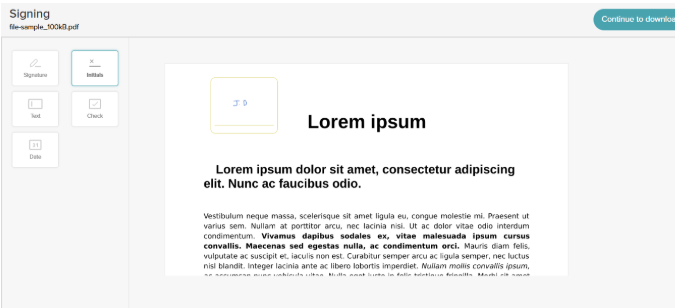
a. After placing your initials, click Continue to Download at the top right corner of the preview page.
b. You’ll be redirected to the download page. It may take a few seconds to process your completed document. When ready, tap the Download button to save the signed Word document to your iPhone.
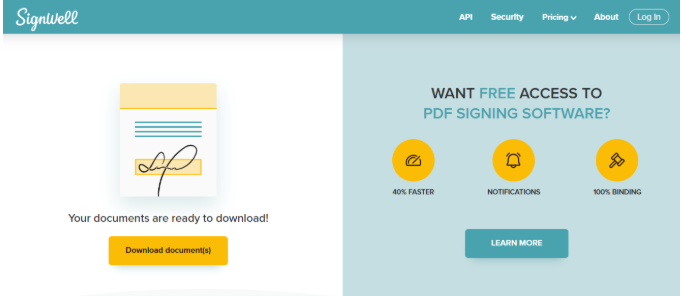
Note: All uploaded files are securely processed and automatically deleted after signing to ensure your privacy, including any personal data uploaded for the secure audit.
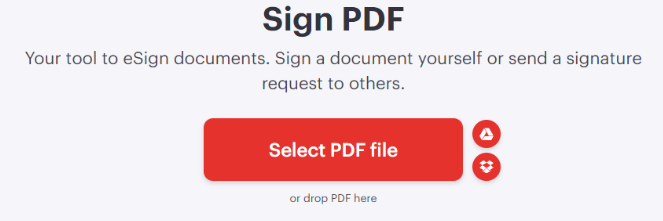
If you’re looking for a way to initial a PDF without printing, ILovePDF is a great option. This web-based tool is perfect for quick PDF editing and signing. No software installation is required.
Here’s how it works:
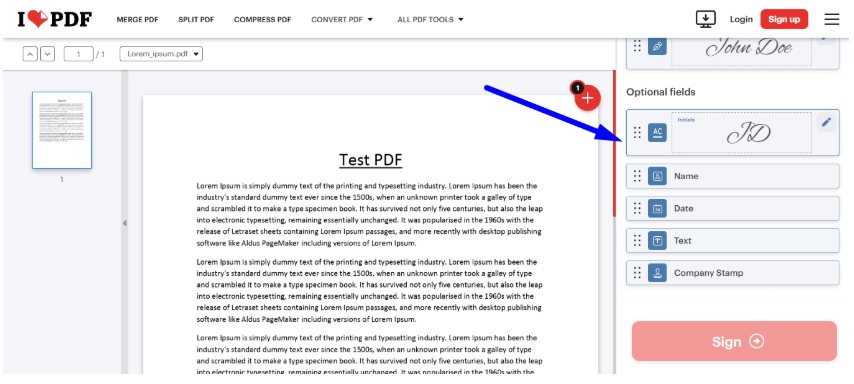
Visit the Website: Open your browser and go to the ILovePDF – Sign PDF website page.
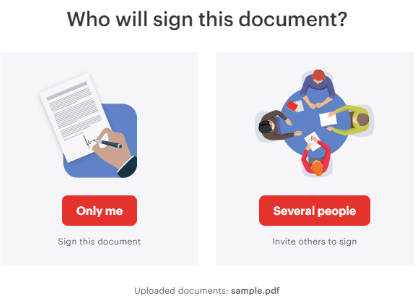
a. Enter Your Details:
b. Select Your Initials Style:
Upload: Upload a scanned image of your handwritten initials.
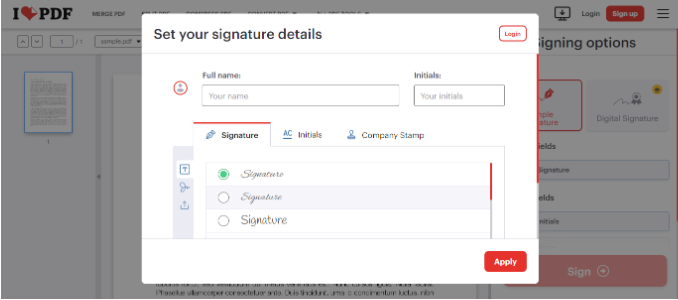
c. Apply Your Preferences: Once you’ve customized your Initials to your preference, click Apply.
Note: The Simple Signature option is available for free users.
While ILovePDF works exclusively with PDFs, SignWell is a robust e-signature tool that allows you to initial and sign any document type, from Word and Excel to PDFs, on any device. Whether you need to initial contracts, agreements, or approvals, SignWell makes the process seamless, secure, and legally binding.
Other reasons why SignWell stands out include:
SignWell ensures that every initial and signature meets U.S. and international e-signature laws, giving your documents the same legal validity as traditional ink initials. This is crucial for business agreements, legal contracts, and compliance documents.
Signing with your initials has never been easier. SignWell’s user-friendly interface allows you to upload documents, place initial fields, and assign signers in just a few clicks, no technical skills required.
Unlike ILovePDF, which offers only basic signing, SignWell provides:
With SignWell, you can track document progress effortlessly:
Every document signed or initialed with SignWell includes a detailed audit report with timestamps and recorded actions, ensuring transparency and security for professional and legal documentation.
SignWell is fully compatible with computers, tablets, and mobile devices, so you can initial and sign documents whether you’re at your desk or on the go.
Initialing documents shouldn’t be a hassle. Whether you’re approving contracts, signing agreements, or confirming edits, adding your initials should be quick, simple, and legally binding.
With SignWell, you can initial any document; PDFs, Word files, and more, on any device. Our intuitive platform streamlines the process with reusable templates, automated reminders, and real-time tracking, ensuring your documents are signed efficiently and securely.
Get started with SignWell today!
 .
.businesses served
customer support satisfaction
documents signed