

eSignature tools make everyday life easier and offer a modern way of sealing the deal. But the transition from physical to digital isn’t always seamless—you need an eSignature tool that supports your day-to-day operations with ease.
DocuSign and Adobe Acrobat Sign are two of the more popular eSignature tools—and they’re tools we’re very familiar with here at SignWell. However, we (like many of our users) have come to realize that these tools aren’t for everyone.
In this guide, we’ll compare these two tools with SignWell to help you decide which is the best for your business in 2026 and beyond.
DocuSign vs. Adobe Acrobat Sign vs. SignWell: Key Differences
Ease of Use
All three platforms are designed to simplify the eSignature experience. That said, SignWell has an edge over DocuSign and Acrobat Sign in terms of ease of setup and use; we cut out unnecessary features and bloat to give you a quick, straightforward experience.
Pricing
Each tool is priced slightly differently, with SignWell taking the lead in terms of budget-friendly plans. We offer a free-forever plan (the other two tools do not), and paid plans (both individual and team) start at $12/month, beating out DocuSign ($15/month) and Acrobat Sign ($12.99/month).
Security
DocuSign, Acrobat Sign, and SignWell all comply with industry-standard practices for eSignatures. They offer comprehensive audit trails for traceability and legally valid eSignatures, and all three comply with HIPAA and SOC 2 Type II.
Features
All three tools offer similar core eSignature features, with slight variations in terms of execution. You can send documents, trace signer activity, and set reminders. DocuSign and SignWell offer workflow creation on all plans, while this is an enterprise feature with Acrobat Sign.
Integrations
DocuSign offers 1000+ pre-built integrations with a range of products and ecosystems, including Microsoft, Google, and Salesforce (though some are only available on higher-tier plans).
Acrobat Sign offers a similar set of integrations, with the obvious benefit being easy integration with the Adobe ecosystem.
SignWell integrates natively with QuickBooks online and also with 5,000+ apps via Zapier, including Dropbox, Slack, and Gmail.
Extra Fees
DocuSign limits standard features such as advanced custom branding and 24/7 live phone support to its enterprise plans.
In contrast, Adobe Acrobat Sign includes custom branding and standard support in its Pro for Teams plan.
SignWell includes custom branding, audit reports, and support even on lower-cost plans, making it easier for growing businesses to control costs while still delivering a professional signing experience.
What is DocuSign?
DocuSign is a global electronic signature platform that has evolved from a simple eSignature tool into a broader Intelligent Agreement Management (IAM) platform. It helps businesses manage the full agreement process, from creating and sending documents to signing, tracking, and managing them after execution.
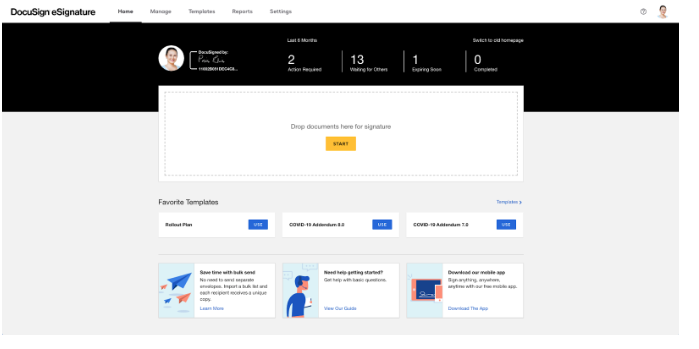
Users can upload documents, add signature fields, and send them to recipients who can sign securely from any device. DocuSign provides legally binding signatures that comply with major regulations like the U.S. ESIGN Act and the EU eIDAS framework.
Beyond signing, DocuSign also supports contract lifecycle management, document generation, identity verification, and agreement analytics, making it a complete solution for handling business agreements at scale.
Key Features
- Advanced Signing & Routing: Legally binding signatures with customizable routing, roles, and authentication.
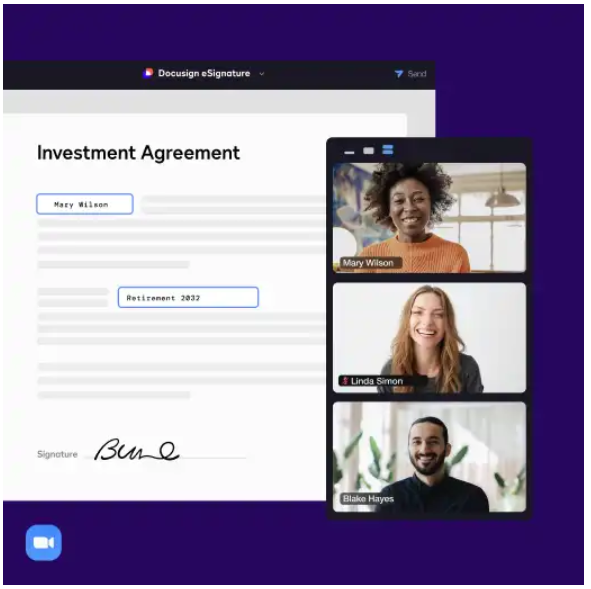
- Templates & Web Forms: Reusable templates and interactive forms to standardize and speed up document creation.
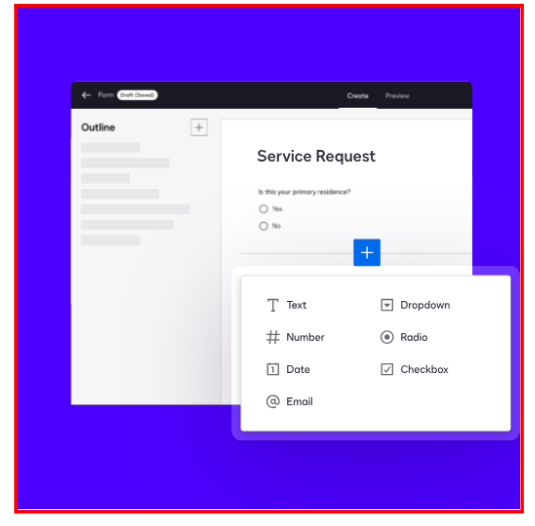
- Maestro Workflow Automation: No-code workflow builder for approvals, signatures, and system integrations.
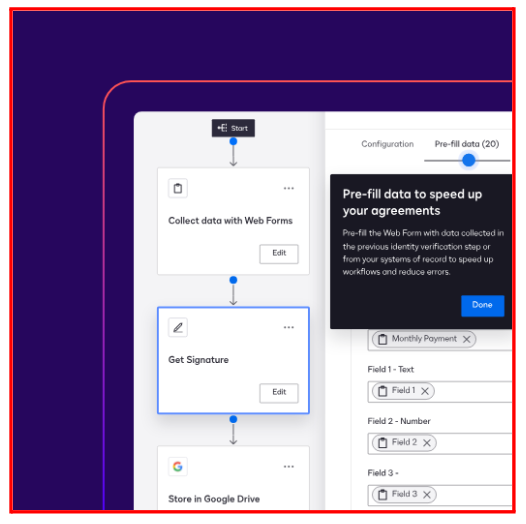
- Agreement Desk: Central hub for contract intake, request tracking, and team collaboration.
- AI-Assisted Review & Iris AI: AI-powered review, redlining, and data extraction (obligations, dates, etc.).
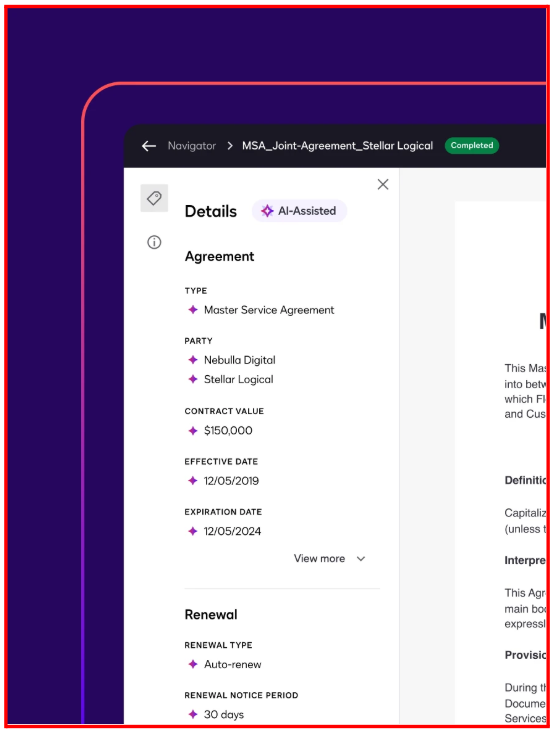
- Navigator Analytics & Obligations: Repository with AI-driven analysis, obligation tracking, and reporting.
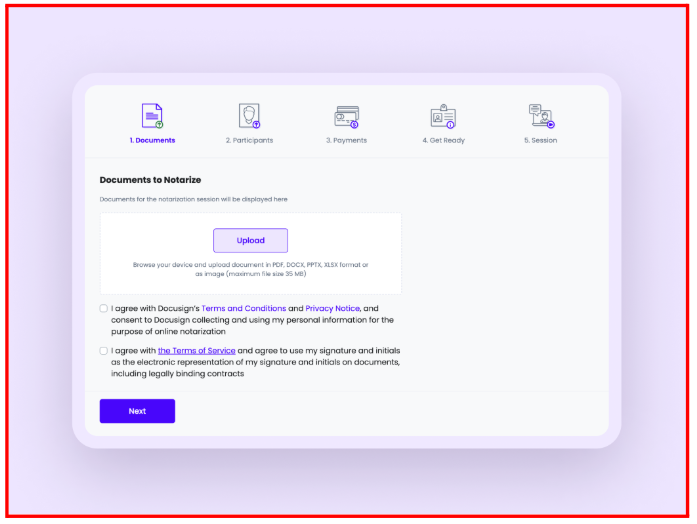
- Identity Verification & Notarization: Signer ID verification and remote online notarization for security and compliance.
Pricing
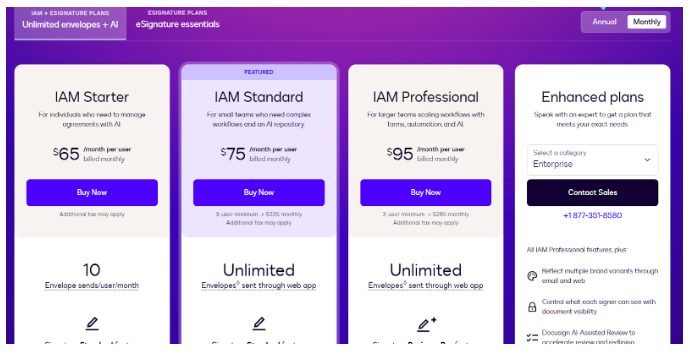
Intelligent Agreement Management (IAM) Plans: Start at $65/month per user. IAM includes eSignature, AI-assisted agreement management, automated workflows, and data extraction to streamline and optimize the entire agreement process.
eSignature Plans:
- Personal: $15/month for individuals; 5 envelopes/month, AI-assisted summaries, reusable templates, and 1,000+ integrations.
- Standard: $45/month per user for small to medium teams; 10 envelopes/month, team templates, real-time commenting, delegate signing, SMS deliveries, and identity verifications.
- Business Pro: $65/month per user; 10 envelopes/month, mobile-friendly forms, payment collection, interactive fields, real-time data verification, and bulk sending.
Pros
- Easy to use on the web and mobile
- Strong security and legal compliance
- Real-time document tracking
- Supports bulk sending
- Integrates with popular business tools
Cons
- Field formatting can feel clunky
- Occasional bugs or performance issues
- Pricing can be restrictive for growing teams
What Is Adobe Acrobat Sign?
Adobe Acrobat Sign (formerly called EchoSign) is a comprehensive eSignature solution that automates document signing and workflow management. It allows users to create, send, and track legally binding eSignatures from the web or integrated applications.
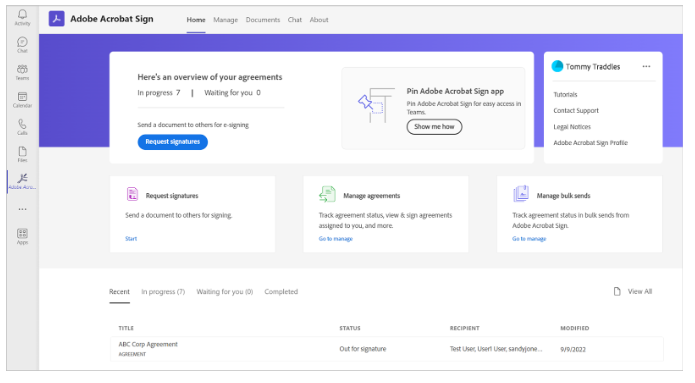
Acrobat Sign integrates deeply with enterprise tools like Microsoft 365, Salesforce, Workday, Google Drive, and Box. It meets global compliance standards, including HIPAA and FERPA, and offers advanced signer authentication and certificate-based digital signatures for added security.
Key Features
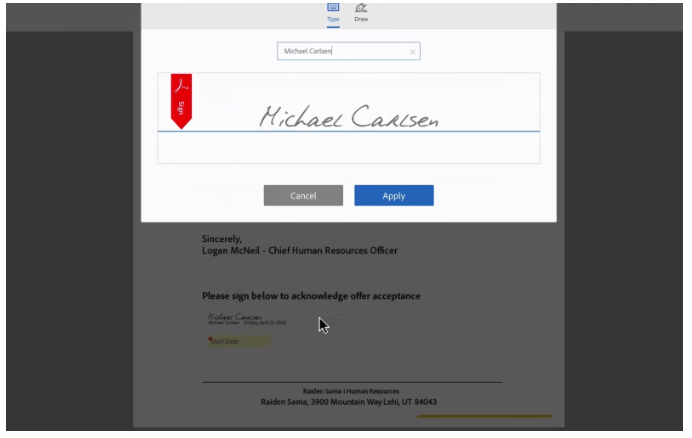
- Electronic and Digital Signatures: Collects legally binding eSignatures, with support for higher-security certificate-based digital signatures.
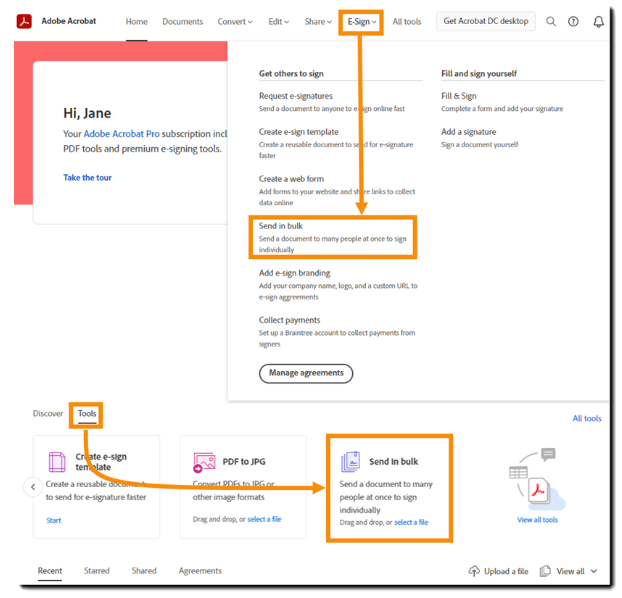
- Workflow Automation & Bulk Send: Automates processes with workflow templates, signing orders, and bulk sending for one-to-many documents.
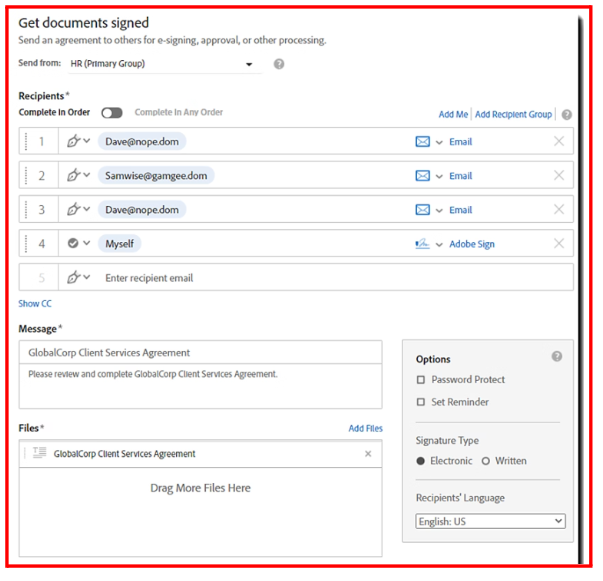
- Tracking, Management & Audit Trail: Provides real-time notifications, reminders, and a comprehensive audit trail for every document.
- Security & Compliance: Offers global and industry compliance (HIPAA, eIDAS), signer authentication (KBA, phone), and data encryption.
- Document and Form Authoring: Includes tools to prepare documents with fillable fields, create reusable templates, and post documents as web forms.
- Wide-Ranging Integrations: Integrates with Microsoft 365, Salesforce, Workday, Box, and Google Drive and offers APIs for custom connections.
- Mobile and Global Accessibility: Allows sending, signing, and tracking from any device via web or mobile; supports multiple languages and regions.
Pricing
Adobe Acrobat Sign is bundled as part of Adobe Acrobat and offered in several subscription plans for individuals and teams.
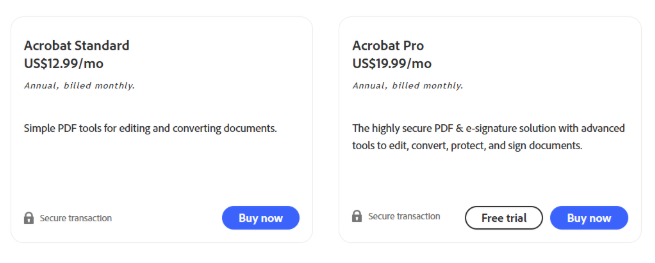
- Individual Standard ($12.99/month) and Pro ($19.99/month) both allow individuals to create and sign unlimited documents. Pro offers advanced features like version comparisons and redacting.
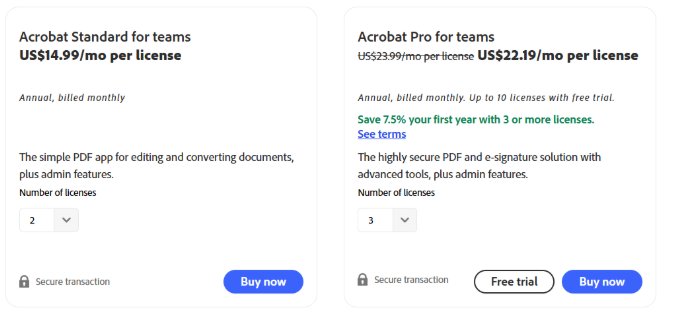
- Team plans start at $14.99/month per user for Standard and $23.99/month per user for Pro, including admin tools and 24/7 support.
- Enterprise solutions are custom-priced, offering advanced compliance, complex workflows, and full API access.
Note: Plans are billed annually, and an optional Acrobat AI Assistant add-on is available for $4.99/month. Free trials are generally offered for evaluation.
Pros
- Intuitive and easy for basic signing tasks
- Comprehensive PDF editing and creation tools with Pro
- Acrobat Sign builds on the familiar Adobe platform
- Seamless integration with Microsoft 365 apps
- Enterprise-grade security and compliance
Cons
- Interface updates can cause bugs and lag
- Difficult to manage advanced edits and workflows
- Subscription management and cancellations can be cumbersome
Best DocuSign & Adobe Acrobat Sign Alternative: SignWell
SignWell is an eSignature tool that streamlines the document signing process to boost productivity and cut turnaround times.
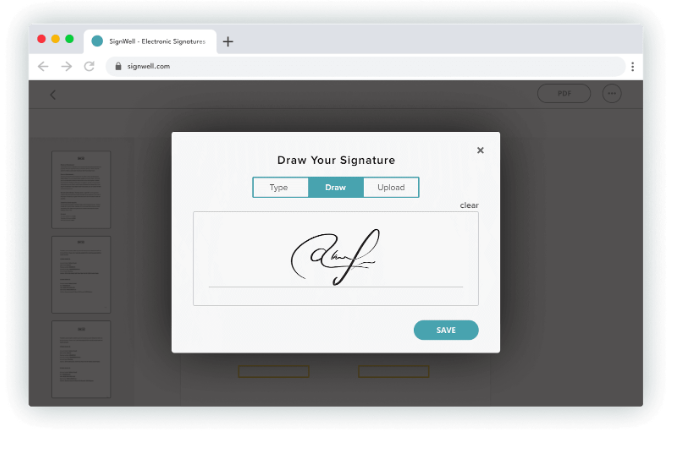
The tool packs in all the essentials—you can easily send documents, create complex workflows with multiple signatories, track each document’s status, generate detailed audit reports, and notify recipients when they need to take action.
SignWell is fully compliant with U.S. and international eSignature laws, so your contracts are always legally binding. Combine that with an affordable pricing model, and you get an unbeatable combination.
Key Features
Document Signing
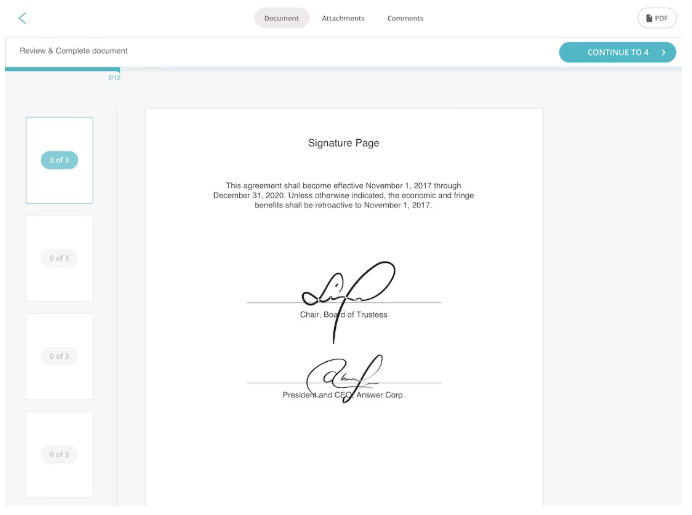
Document Signing makes the process of getting your docs signed straightforward—no printers or scanners required. All signed documents are compliant with U.S. and international eSignature laws, so you can rest easy knowing you’re protected from fraud or errors.
Document Workflows
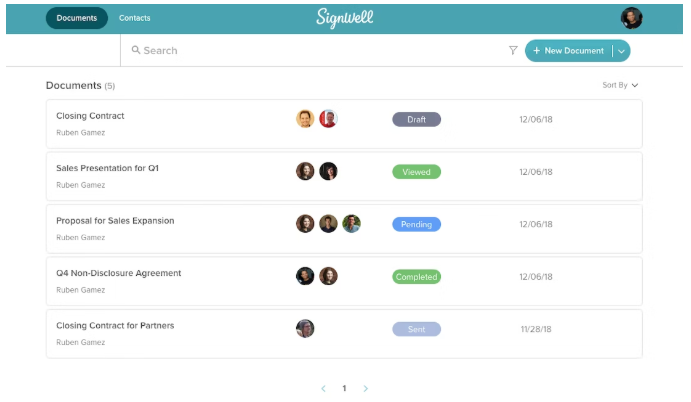
Document Workflows allow you to keep tabs on all your outstanding and completed documents. You can choose signatories, set an order, and automate the process of moving documents to where they need to be. Everyone involved will receive notifications when they need to take action.
Audit Reports
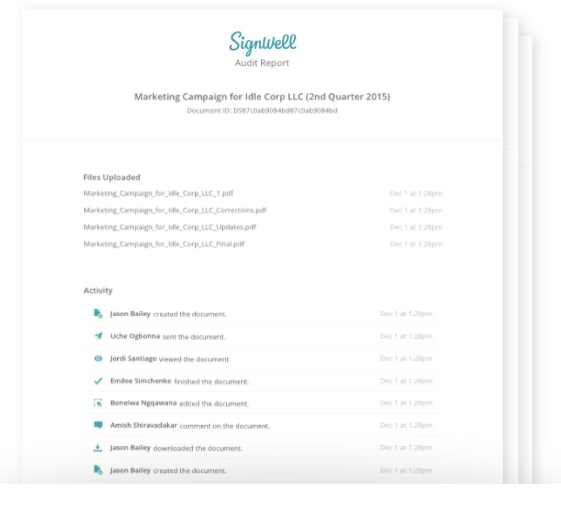
Audit Reports provide a detailed history, revealing when documents were opened and signed. Gain full visibility, access time stamps for each document activity, and stay compliant with all regulations. All documents are safely archived, so you can access them whenever you need to.
Custom Templates
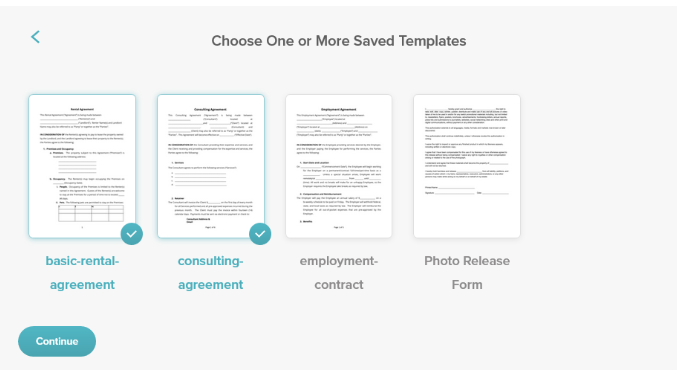
Reuse any document with Custom Templates—perfect for cutting down on paperwork and streamlining processes. From contract templates to employee handbooks, create your own signature-ready template in minutes.
Easy Integrations
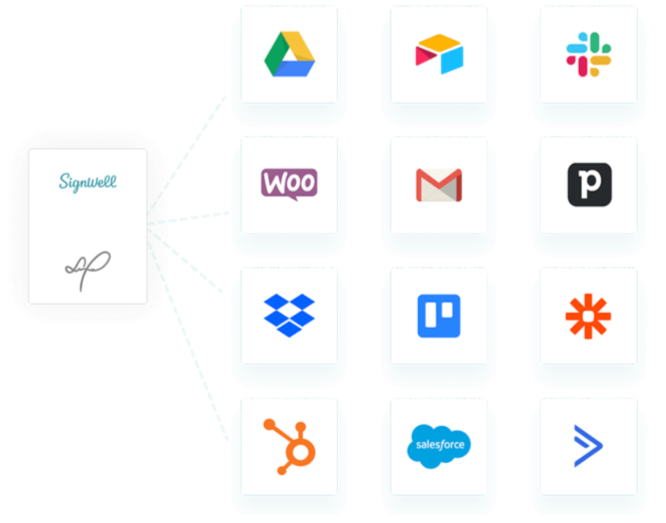
SignWell offers native integration with QuickBooks Online and can connect to your existing tech stack via Zapier, which supports over 5,000 apps, including Dropbox, Gmail, and Slack.
Intuitive eSignature API
Build SignWell’s signature capability directly into your app with our easy-to-use API. API plans are flexible and affordable, and your free monthly API documents depend on your plan (3 on Free, 15 on Light, 25 on Business).
Signatures requested through SignWell’s API are SOC 2 Type II and HIPAA-compliant.
Pricing
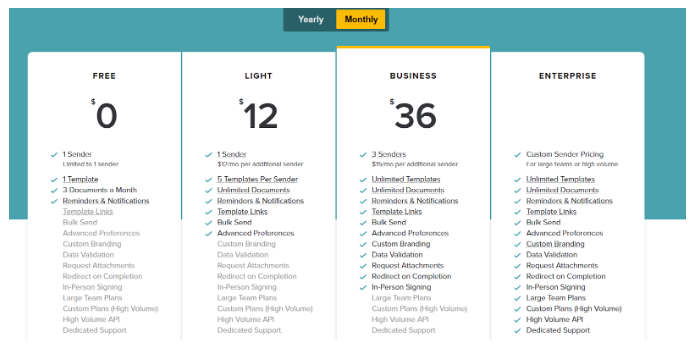
- Free Plan: $0/month, 1 sender, 1 template, up to 3 documents/month, reminders, and notifications.
- Light Plan ($12/mo): 1 sender, 5 templates per sender, unlimited documents, bulk send, template links, advanced preferences. Suitable for solopreneurs looking for an easy, budget-friendly solution for sending unlimited documents.
- Business Plan ($36/mo): 3 senders minimum, unlimited templates and documents, custom branding, data validation, request attachments, in-person signing, bulk send, and advanced preferences.
- Enterprise Plan: Custom pricing for large teams or high-volume use, includes all Business features plus high-volume API access and dedicated support.
For full details, see our pricing page.
Pros
- Easy and quick onboarding and setup
- Optimized for fast, seamless signing from any device
- Excellent, responsive customer support
- Affordable, transparent pricing
Cons
- Dedicated support is only available on the Enterprise plan.
SignWell vs. DocuSign vs. Adobe Acrobat Sign: Feature Comparison
| Features | SignWell | Docusign | Adobe Acrobat Sign |
| Pricing | Free tier; paid tier starts at $12/month | eSignature plans start at $15+/month | Starts at $12.99/month |
| Ease of Setup & Use | ✅ Very simple | ❌ Complex | ❌ Steep Learning curve |
| Legally Binding Signatures | ✅ | ✅ | ✅ |
| Document Workflows | ✅ Automated workflow, easy to implement | ❌Solid workflows but not intuitive | ❌Adobe-Focused Workflows |
| Bulk Send | ✅ | ✅ | ✅ |
| Custom Templates | ✅ Available on free plan | ❌ Paid Feature | ❌Paid Feature |
| Integrations | ✅ 5,000+ via Zapier + QuickBooks | ✅ 1,000+ | ✅ Wide range of integrations |
| Audit Reports | ✅ | ✅ | ✅ |
| Mobile Accessibility | ✅ | ✅ | ✅ |
| Customer Support | ✅ Responsive | ❌ Slow and sometimes unhelpful | ❌ Limited, mainly enterprise |
Reasons Why People Choose SignWell Over Competitors
Here are reasons why SignWell is the best alternative for DocuSign and Acrobat Sign:
- Branded signing experiences: Our product is customer-led and focuses on simplifying the signing experience. We’ve designed SignWell to support the ways users naturally want to use eSigning tools rather than forcing them to adapt. We listen and learn from customers to refine SignWell to deliver a great eSigning experience.
- Economical pay-as-you-go pricing: Our pricing is designed to be affordable and accessible to everyone, from individuals to enterprises. Our API pricing starts as pay-as-you-go, where you’ll only be charged per signature request.
- Responsive customer service: You can rely on SignWell to get the help you need anytime. Our customer success team provides help via email, phone, and quick Zoom calls.
- Easy to use: We’ve trimmed the fat from our eSignature workflow to ensure it’s as fast and reliable as possible.
- Lots of integrations: SignWell integrates with 5,000+ popular apps and tools, giving you the flexibility to automate and customize whatever you need.
- Secure and compliant eSignatures: Signed documents are secured in your archive and compliant with U.S. and international eSignature laws.
- Reliability & uptime: Our operations teams work hard to ensure SignWell has an uptime of 99.99%. That’s roughly 5 minutes of downtime per year!
Use SignWell for Accessible, Affordable, and Fun eSigning
Docusign and Adobe Acrobat Sign stand out as two leading tools in the market today. Both offer an array of features for signing documents, making it challenging to choose between them. When making your decision, take into account factors such as team size, budget, and specific requirements.
Looking for a fully featured, cost-effective alternative? At SignWell, we provide a secure and reliable signing platform that doesn’t break the bank.
Easily gather legally binding signatures, create complex signature workflows, and automate notifications and reminders. Get started for free today.
Frequently Asked Questions
Can I integrate eSignatures directly into my existing software or website?
SignWell offers an intuitive API for embedding eSignatures into your apps or website. DocuSign and Acrobat Sign provide similar APIs, though SignWell’s pricing and setup are more flexible.
Can I request signatures from multiple signers in different locations simultaneously?
Yes, SignWell, DocuSign, and Acrobat Sign all support multi-signer workflows, allowing signers in different locations to sign in sequence or in parallel.
Is it possible to collect payments along with document signatures?
Yes. DocuSign supports multiple gateways (Stripe, PayPal, Authorize.net, and more) for credit cards, ACH, and digital wallets. Adobe Acrobat Sign supports payments via Braintree. SignWell focuses on a streamlined eSignature workflow without payment collection, keeping the process simple, fast, and user-friendly.
What types of documents can be signed electronically?
All three platforms support PDFs, Word docs, and other common formats. SignWell also offers templates for recurring forms such as contracts, employee agreements, and invoices in its free plan.
How do these eSignature tools handle reminders?
SignWell automatically sends reminders for pending signatures, even on the free plan, and allows manual reminders. DocuSign and Adobe Acrobat Sign also offer automatic reminders, but advanced scheduling or customization may require higher-tier or enterprise plans.