

Quick Summary
This guide explains how to sign documents online for free without installing software. Learn what electronic signatures are, how to sign documents on your phone or computer, and how to request signatures from others using a simple, browser-based signing flow with SignWell.
The Easy Way to Sign Documents Online, No Printer Needed
If you could sign an important document from your browser while sitting on your couch, would you really want to get dressed, leave your house, and walk three blocks just to print and sign it?
Well, I won’t, and most people would not. And the good news is, you do not have to. Online document signing lets you sign agreements, forms, and contracts in minutes, without printing, scanning, or installing software.
In this guide, you will learn what an online contract signing flow looks like, how to sign documents on your phone or computer, how to request signatures from others, and answer common questions about signing documents online.
Why Listen to Us?
At SignWell, we work closely with thousands of businesses every day to solve real eSignature challenges. Our hands-on experience across industries gives us a clear understanding of what matters most in digital signing, allowing us to offer practical, unbiased guidance and help you choose the right solution for your workflow.
What is an Electronic Signature?
An electronic signature is a digital way to sign documents without printing, scanning, or using physical paper. When you sign electronically, the eSignature platform verifies your identity and records your intent to sign, creating a legally binding document that holds up in court.
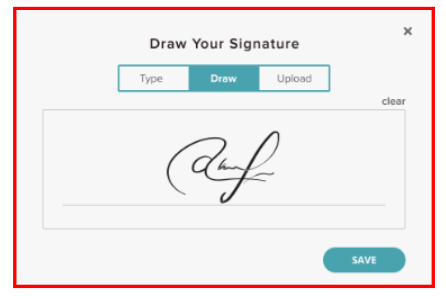
These platforms record every action taken on a document with timestamped audit trails, helping maintain integrity and prevent unauthorized changes. Digital signing also speeds up document completion compared to manual, paper-based processes. In addition, you can create a digital version of your handwritten signature that appears consistent, professional, and authentic across all documents.
How to Sign Documents Online
How to sign documents on your phone
To sign documents on your phone, you’ll need to upload the document to your preferred signing tool, then sign in the right space for your signature. Here’s how to do it with SignWell:
Step 1: Visit our page and sign up
- On your web browser, go to our page and sign up using either a Google account or your email address and a password.
Step 2: Upload the document
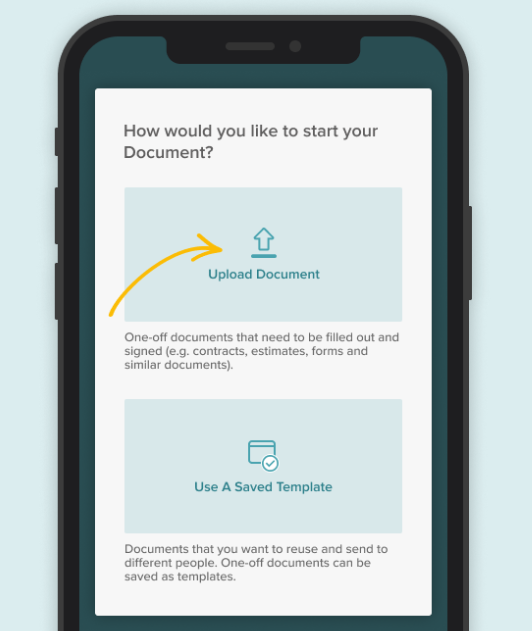
- Click “Upload Document” to add your document to SignWell and wait a few seconds.
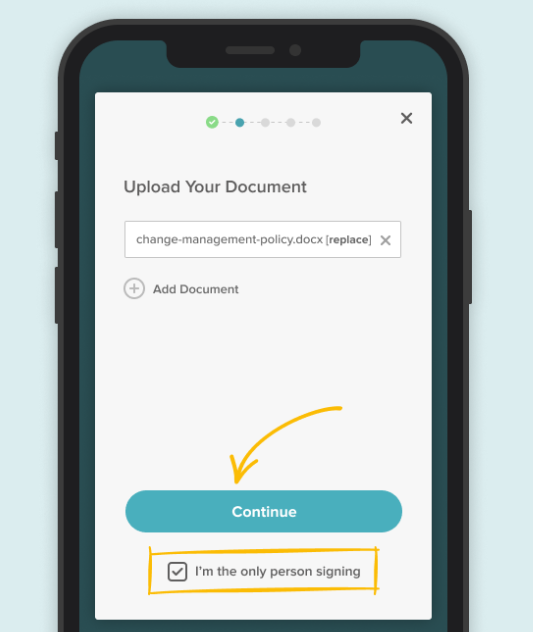
- Once your document uploads successfully, check the “I’m the only person signing” box if you alone need to sign the document; otherwise, click “Continue”.
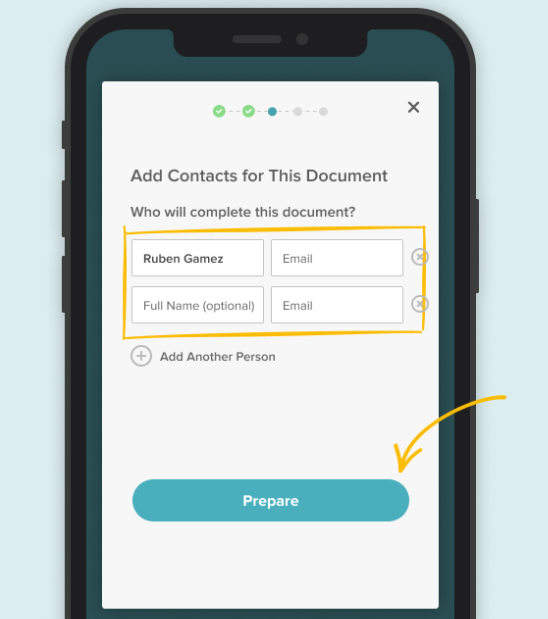
- Then fill in the necessary details about others involved and click “Prepare”.
Step 3: Fill Required Fields
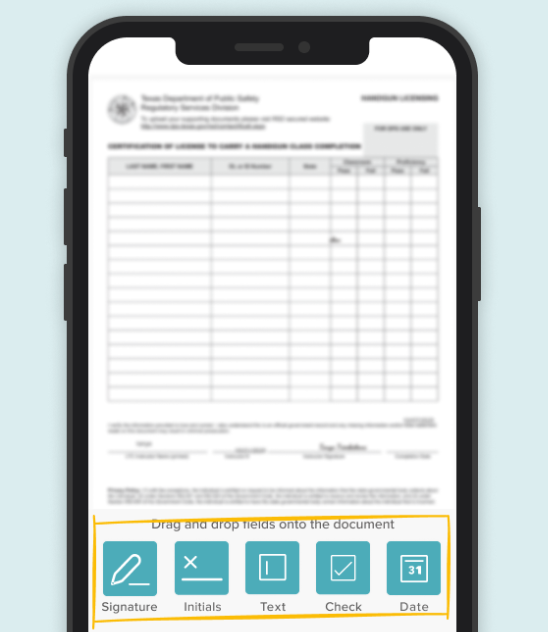
- Drag and drop fields like “Signature”, “Text”, or “Date” to create entry lines for them in the document as needed.
Step 4: Sign your Document and Save
- Finally, sign your document and either save it or send it to other signers to complete the process.
How to sign documents on your computer
Aside from the actual device, there isn’t much difference between signing on a phone and a computer. To sign documents on your computer, you’ll need to upload the document to your preferred signing tool, then sign in the right space for your signature. Here’s how to do it with SignWell:
Step 1: Visit our page and sign up
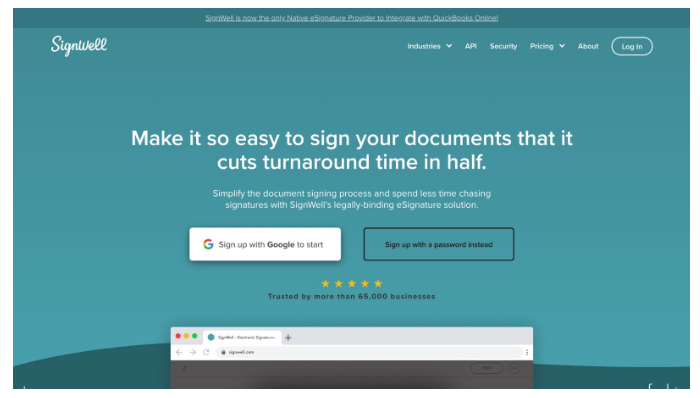
On your web browser, go to the SignWell Homepage and sign up using either a Google account or your email address and a password.
Step 2: Upload the document
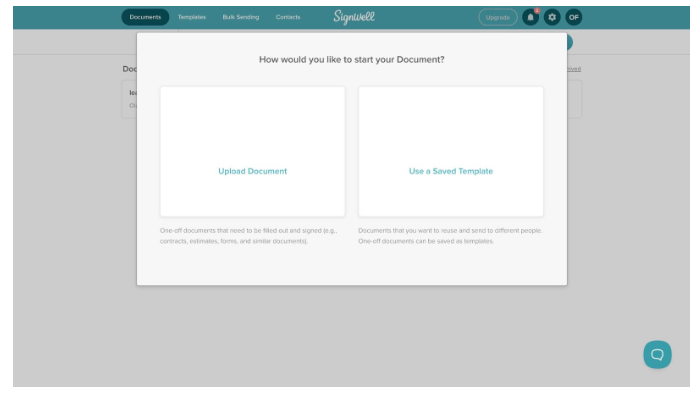
- Click “Upload document” to add your document to SignWell and wait a few seconds.
- Check the box if you are the only person signing, ignore and click “Continue” if otherwise.
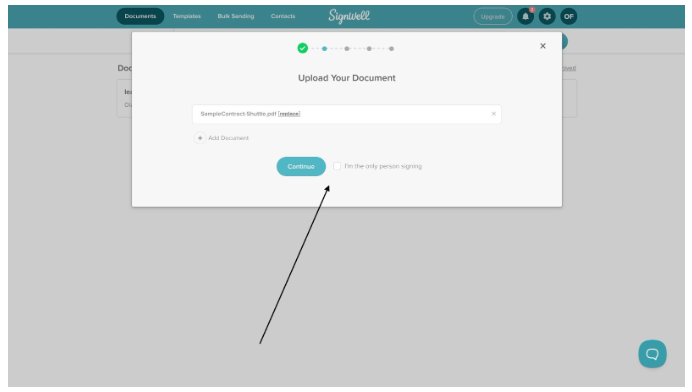
- Fill in all required details about other signers, if any.
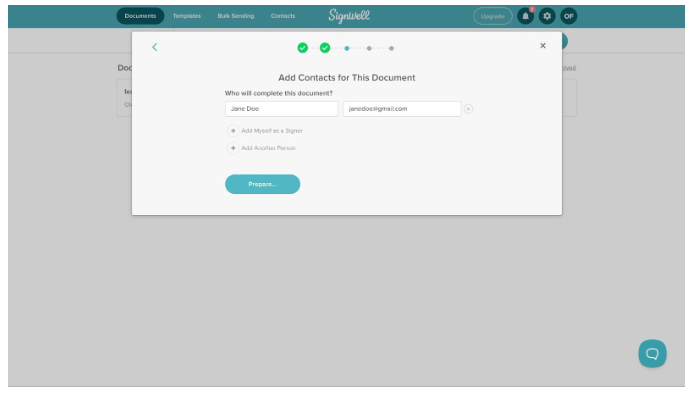
Step 3: Sign and Save
- Select appropriate fields from the sidebar, then click on a specific place in the document to add the selected field there.
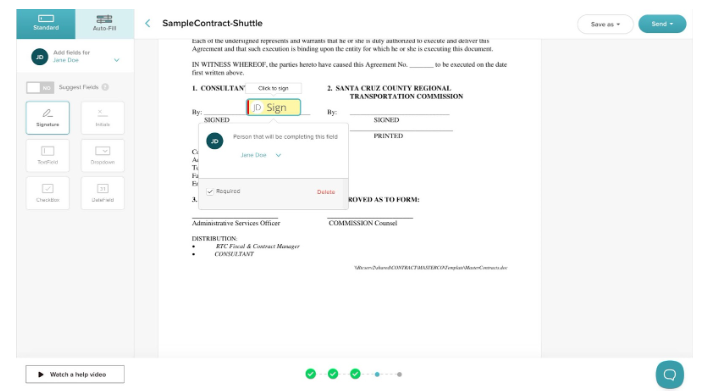
- Finally, sign your document and either save it or send it to other signers (if any); to complete the process.
How to request signatures
- Sometimes, you need other signatories to sign a document as well as yourself. Or maybe you only need one signature on the document, and that signature isn’t yours.
In cases like that, you can send a signature request to the person (or people) you’d like to sign your document.
Here’s how to request signatures with SignWell.
- Enter the name and email address of the person whose signature you request. If you and another party need to sign, enter both your names using the “Add another person“ option.
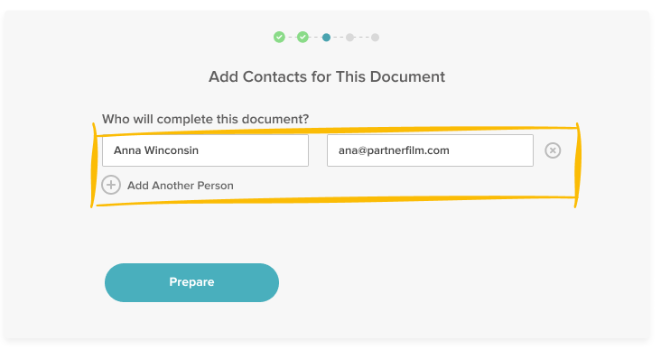
- Create a signature line for each person who needs to sign, then click send.
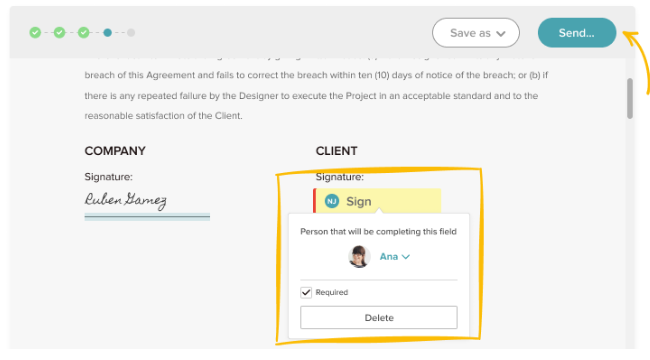
The requested signer will receive an email with a free, no-sign-in link to SignWell to sign their signature.
Sign Documents Online Free With SignWell, No Software Needed
Signing documents online removes the friction that slows work down. No printing. No scanning. No extra tools to install. You can sign from your phone or computer, send documents for approval, and keep everything moving without leaving your browser.
SignWell makes this process simple and reliable. You can upload documents, add signatures or request them from others, track progress, and generate audit trails that keep everything legally sound. It works on any device and fits both quick personal signing and professional workflows.
If you’re ready to sign documents online for free without software, SignWell makes getting started simple.
Create an account, upload your document, and start signing in just a few clicks.
Frequently Asked Questions
Is there an app for electronic signatures?
Yes, some electronic signature software has apps you can download. SignWell, however, doesn’t have an app and relies on your regular browser instead. We do this because we’ve found that most people prefer not to download anything. Whether a software requires download may be something to consider, especially when you request signatures; some eSignature apps strongly encourage (and even force) people to download the app just to sign received documents.
Can electronic signatures be typed?
Yes! In fact, one of the most popular forms of electronic signature is the typed form. A signatory types out their name instead of drawing or embedding a signed image.
Can I request signatures from multiple people at once?
Yes. Many eSignature tools allow you to send a document to multiple signers at once. You can set a signing order or let everyone sign simultaneously, track progress in real time, and receive the completed document automatically once all required signatures are added.
Do you need to convert, combine, fill, sign, and send files for signature?
It depends. If the document you intend to sign is split, you definitely need to combine it into a single document. However, you can skip individual processes for the rest of the steps with the right signature signing tool. With SignWell, for example, you can fill PDFs, sign them, and send them to another signatory all in the same window.
Can electronic signatures be used for contracts and legal agreements?
Yes. Electronic signatures are widely accepted for contracts and legal agreements in many countries, provided they comply with applicable eSignature laws. When you use a compliant platform, electronic signatures carry the same legal weight as handwritten signatures and include audit trails that help support enforceability if questions arise later.